生活娱乐
插件
dsh-web-speech-input
leozou320-ai
Voice-to-text for the DeepSeek Harness Web UI — live, editable, never auto-sends. | DeepSeek Harness 网页语音输入
accessibilitydeepseekdeepseek-harnessdsh-plugin
PROJECT TOPICS
PROJECT README

一个 DeepSeek Harness (dsh) WebUI 客户端插件:右下角桌面宠物,宠物陪伴 + 实用工具二合一——精灵图多帧动画、agent 状态联动、自由拖拽、闹钟、番茄钟、皮肤分离。
⚠️ 皮肤版权:
assets/zhuangfangyi.png与zhuangfangyi.sheet.png为默认皮肤(来自用户提供的图片,透明化 + AI 动作帧处理)。若为游戏官方立绘/同人图,仅限个人使用,勿商用。换皮肤时请使用你有权使用的素材。
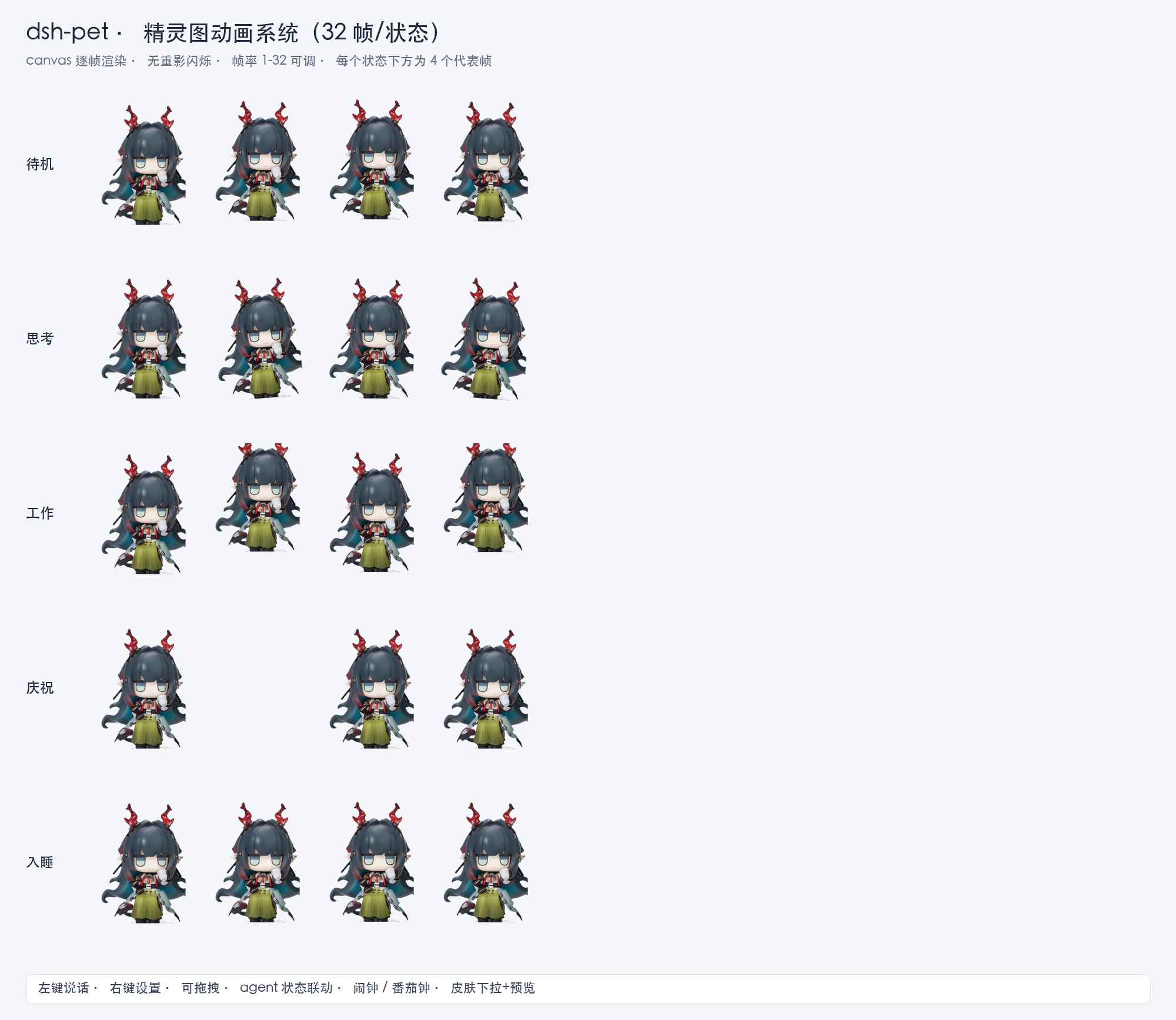
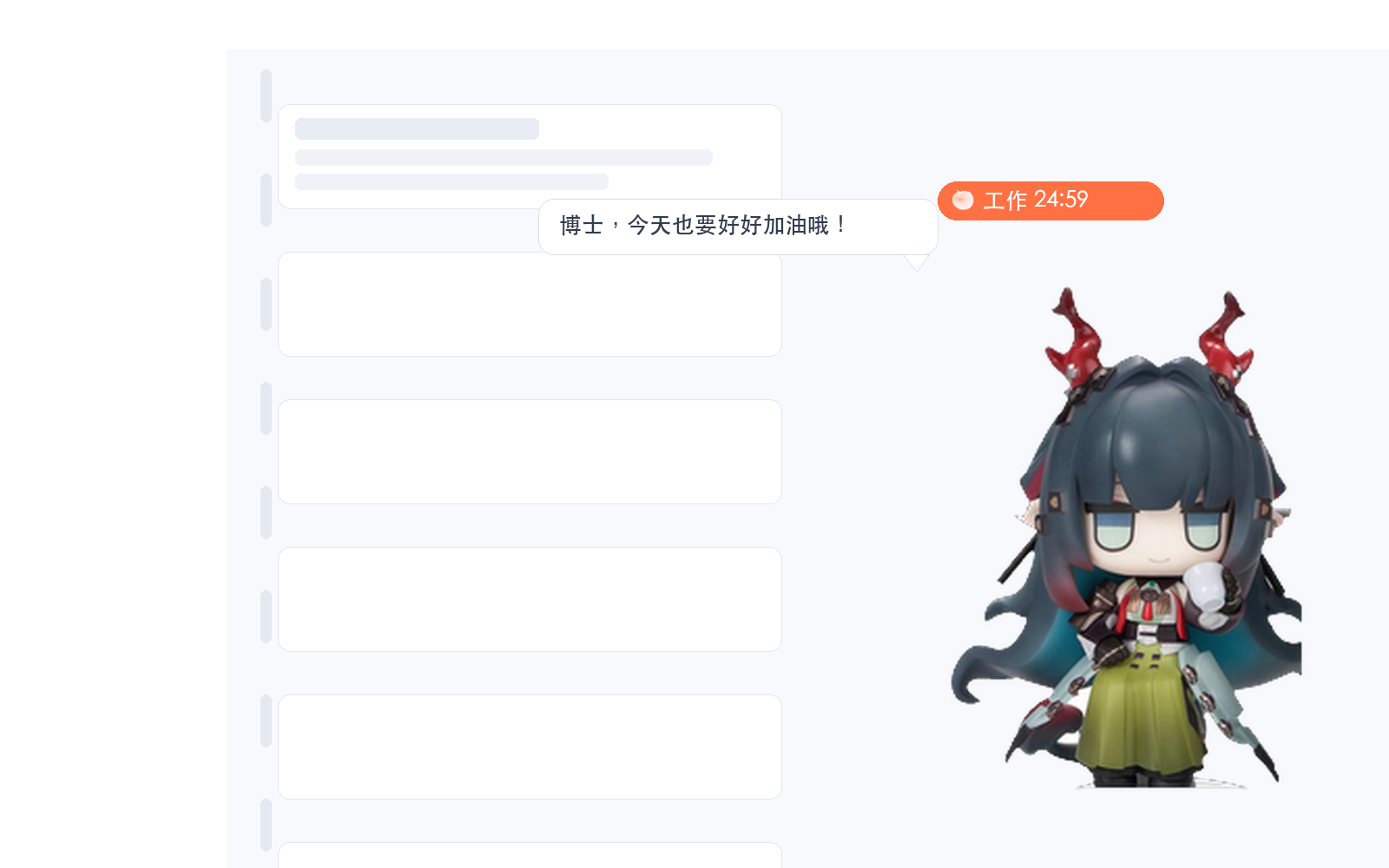
/pet-assets/<文件名>,皮肤下拉选择 + 自定义输入 + 实时预览localStorage,不依赖 host settings 服务./install.sh && dsh web
# 或 DSH_PROFILE=~/.dsh/profiles/其他名字 ./install.shinstall.sh 自动:复制插件包到 profile 的 node_modules → 从 dsh 安装树复制依赖(schemastery 零依赖叶子)→ 注册插件行 → 验证 loader 解析。
包声明
dsh.bundle.patch,未来 npm 发布后可直接dsh plugin --profile web add dsh-pet。
dsh-pet:settings)| 字段 | 默认 | 说明 |
|---|---|---|
| enabled / width / right / bottom / opacity | true / 180 / 24 / 20 / 1 | 基础外观 |
| image | zhuangfangyi.sheet.png | 皮肤(下拉 + 自定义) |
| lines | 默认台词 | 随机台词 |
| fps | 6 | 精灵图帧率 |
| sleepAfter | 60 | 闲置入睡秒(0=禁用) |
| alarmEnabled / alarmTime / alarmMessage / alarmMode | false / 09:00 / 默认 / repeat | 闹钟(repeat=每天 / once=一次) |
| pomodoroEnabled / pomodoroWork / pomodoroBreak | false / 25 / 5 | 番茄钟 |
dsh-pet/
├── package.json        # dsh.client + dsh.bundle.patch
├── cordis.patch.yml    # bundle patch(插件行)
├── lib/
│   ├── index.js        # host 半部:/pet-assets 素材路由
│   └── client.js       # 浏览器半部:宠物/动画/拖拽/闹钟/番茄钟/设置面板
├── assets/             # 皮肤(zhuangfangyi.png 单图 + zhuangfangyi.sheet.png 精灵图)
├── scripts-gen-sheet.py # 程序化生成精灵图(Pillow)
├── prepare_sheet.py    # AI 动作条拆帧拼精灵图
├── deps-copy.py        # 依赖复制助手
├── install.sh / uninstall.sh
└── README.md.sheet. 即视为精灵图(如 xxx.sheet.png)python3 scripts-gen-sheet.py(程序化)或 python3 prepare_sheet.py(AI 动作条拆帧)gen_strips.sh(mmx + subject-ref + 自动质检重试)./uninstall.sh && dsh webCLASSIFICATION EVIDENCE
系统优先读取 GitHub Topics,再与站内分类词典和词根规则比对。
leozou320-ai
Voice-to-text for the DeepSeek Harness Web UI — live, editable, never auto-sends. | DeepSeek Harness 网页语音输入
lhenlihai-hub
该仓库暂未提供项目说明。
misterbig5222-oss
DeepSeek Harness highlight annotation plugin: 8-color text highlighting, notes, tags, copy/delete, and context-positione…