其他
技能
dsh-web-search-ddg
aooyoo
Zero-token DuckDuckGo search provider for the DeepSeek Harness (DSH) web seam — local headless browser, no API key, no m…
deepseek-harnessdeepseek-harness-plugindsh-bundledsh-ctest
PROJECT TOPICS
PROJECT README
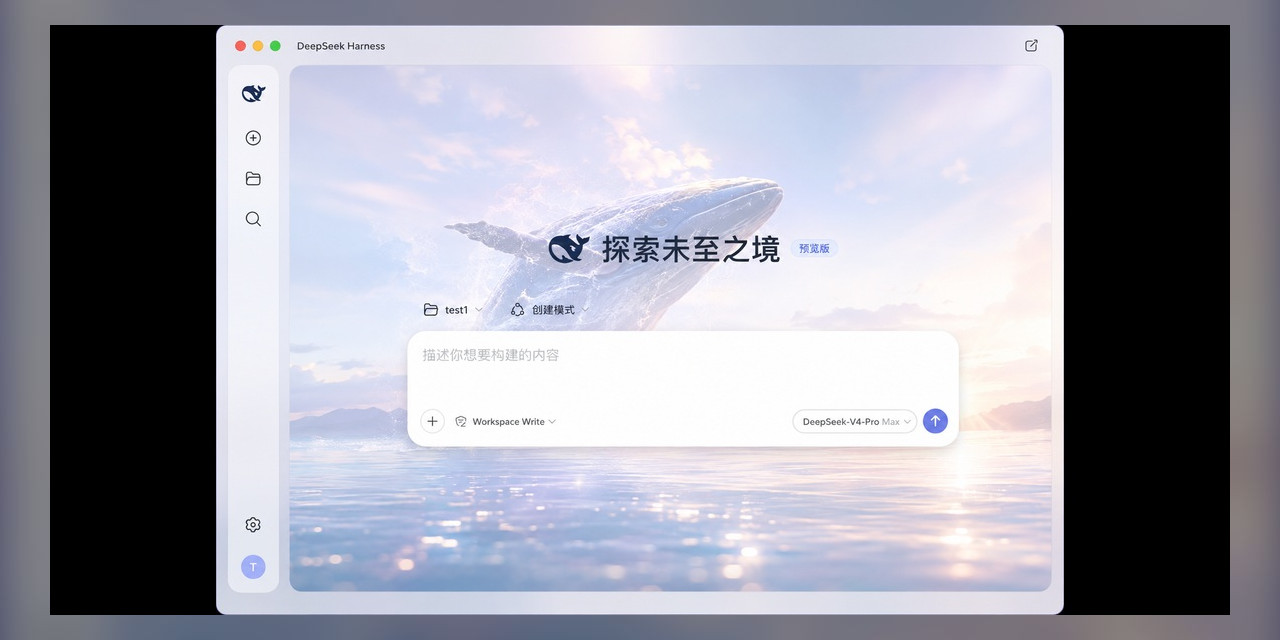
English | 简体中文
An unofficial open-source desktop app for DeepSeek Harness, designed to provide a simpler and more convenient desktop experience.
DSH Desktop is not a separate implementation — it is the official DSH Web wrapped in a native desktop window. That single design choice gives it three concrete strengths:
DSH_HOME, sessions, Agent Presets, and persistent plugins carry over unchanged.Instead of stuffing the app with half-used features, DSH Desktop keeps the official Web experience clean and adds exactly two things that matter at a desk:
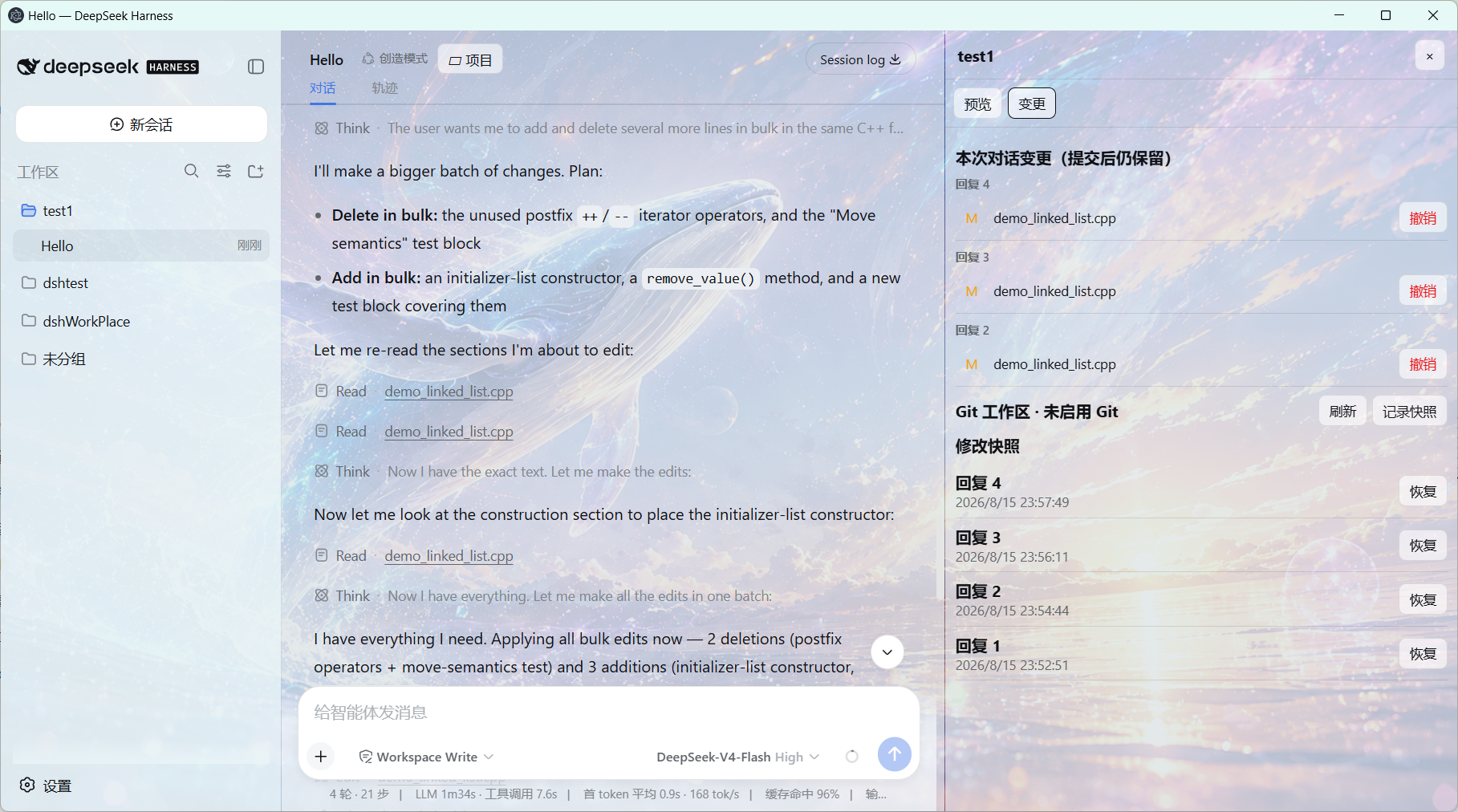
git init, no pollution). Each reply records a recoverable snapshot; restoring always saves the current state as a recovery point first.The foundation is minimal; the ceiling is high:
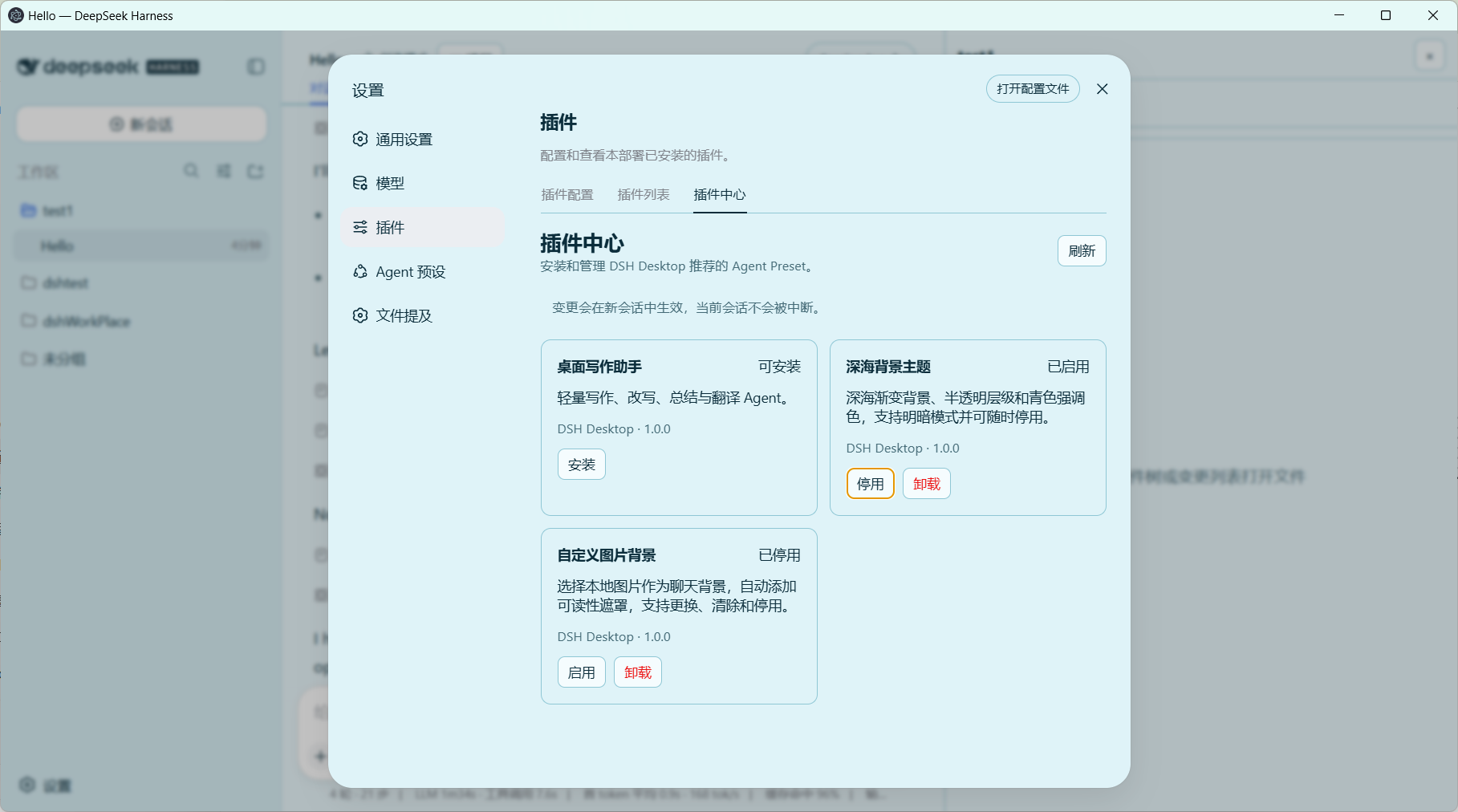
DSH_HOME. Once mounted, the Web GUI gains a Settings → Plugins → Plugin Market tab that browses awesome-dsh-plugin.com — browse, install, update, and uninstall community plugins in one click. The app bundles its own pnpm, so nothing needs to be installed globally. Because the desktop and the browser version share the same DSH_HOME, plugins installed from either side work in both.In short: clean today, expandable tomorrow — official plugin ecosystem, community market, and continuously updated built-in plugins all work out of the box.
Download from GitHub Releases:
Apple Silicon (M-series):
The Intel (x64) build appears on the Releases page once the runner finishes.
On first launch, Control-click the app in Finder and choose Open. If macOS still blocks it, go to System Settings → Privacy & Security → Open Anyway. Signing and notarization are planned for a future release.
DSH Desktop automatically selects an available runtime:
dsh installation.npx/npm environment.Existing users can usually keep their original DSH_HOME, sessions, Agent Presets, and persistent plugins. New users do not need to install DSH or Node.js first.
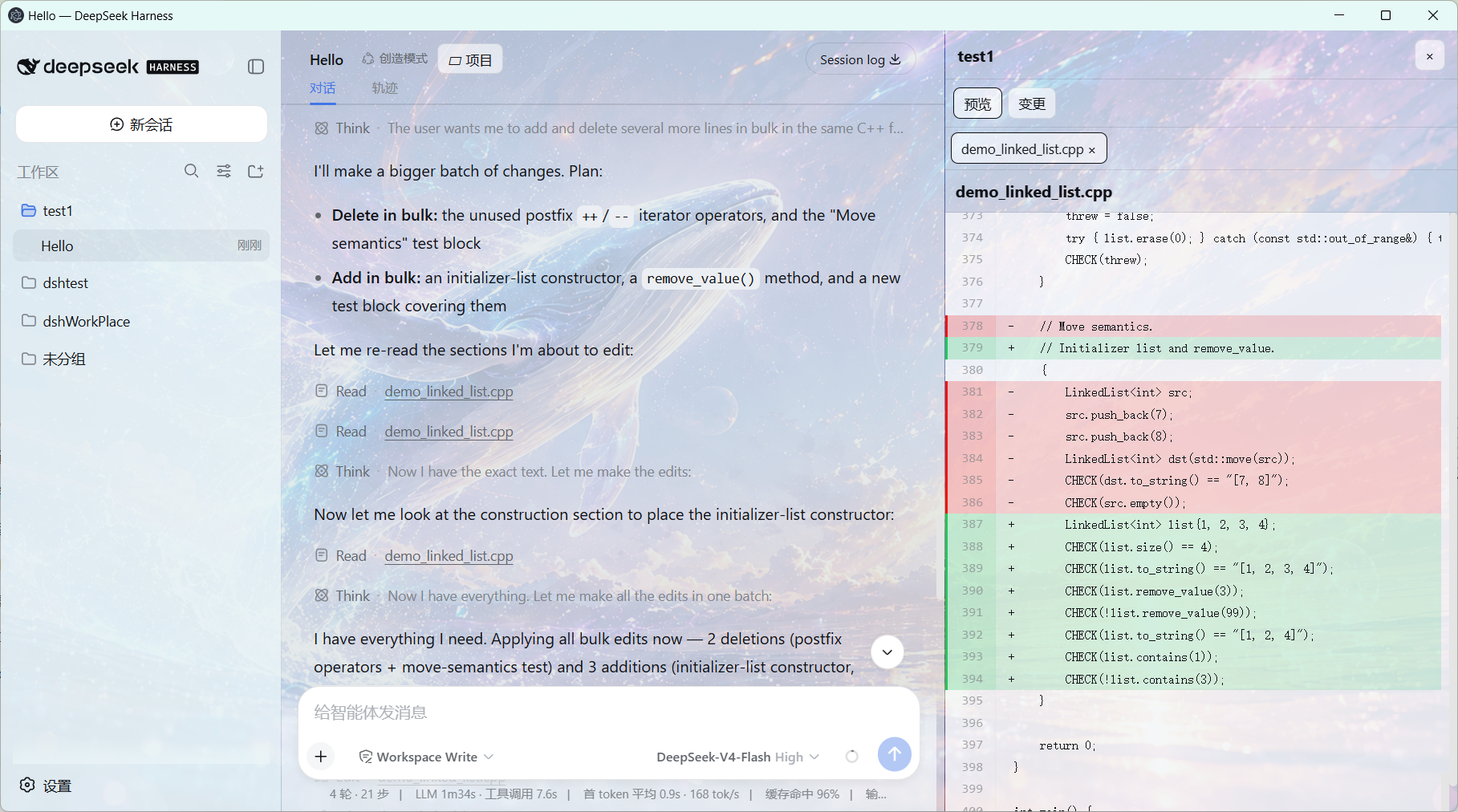
Files actually modified or produced by a conversation appear below the relevant response. Clicking one opens it in a right-side multi-tab preview with a filename and close button; the chat layout shrinks instead of being covered. Previews support Markdown, HTML, source code, diff, CSV, PDF, images, and text, plus split editing with conflict-aware atomic saves. Git workspaces expose real status/diff/discard controls; ordinary non-Git directories use DSH Desktop content-blob snapshots instead, without running git init or writing metadata into the project. Both modes retain turn changes, full-context diffs, per-file undo, and recoverable snapshots; restoring a snapshot first records the current state as a recovery point.
Office files currently open through their system application; native DOCX/XLSX/PPTX rendering remains planned.
DSH Desktop bundles the community plugin market @sanqi-normal/dsh-webui-market-plugin (MIT, vendored at resources/market-plugin) and mounts it into the shared DSH_HOME on demand, so the DSH Web GUI gains a Settings → Plugins → Plugin Market tab that browses awesome-dsh-plugin.com and installs/uninstalls community plugins into the web profile.
$DSH_HOME/cordis.patch.yml plus $DSH_HOME/node_modules/@sanqi-normal/dsh-webui-market-plugin; $DSH_HOME/profiles/web is never modified.src/pnpm-runtime.js) that every DSH process inherits, so in-web installs succeed on Windows even when pnpm was never installed globally (npx/global/bundled launches). DSH services started manually from a terminal also fall back to the bundled pnpm under $DSH_HOME/bin. If pnpm is genuinely unavailable, the market reports a clear message instead of raw console garbage.dangerously-allow-all-builds); migrated profiles reuse their recorded pnpm store (npm_config_store_dir); lockfiles missing tarball integrity (bare GitHub archive URLs written by older pnpm) are rewritten to github: syntax and the op is retried once.resources/market-plugin/VENDORED.md — the Host half is upstream plus two DSH Desktop portability patches (bundled-pnpm PATH shim and human-readable pnpm errors), the Client half is an original redesigned UI under MIT.Plugins built on official DSH/Cordis services, Host tools, UI slots, themes, and persistent Presets generally offer the best compatibility. Plugins that depend on fixed DOM structures, browser extensions, or development HMR require separate testing.
npm ci
npm run check
npm test
npm start
More information:
This project is licensed under the MIT License. DeepSeek Harness, Electron, and other dependencies remain under their respective licenses.
CLASSIFICATION EVIDENCE
系统优先读取 GitHub Topics,再与站内分类词典和词根规则比对。
aooyoo
Zero-token DuckDuckGo search provider for the DeepSeek Harness (DSH) web seam — local headless browser, no API key, no m…
awa-123-cw
DSH 图片/音视频托管插件:自动拉起 8899 静态服务 + 3080 /files/ 路由(HTTP Range 流式)+ WebUI 内点击即播(视频静音/音频 20% 音量/互斥懒加载)
awa-123-cw
DSH 设置页「关于」栏位 + 一键检测更新插件(About page with update checking for DeepSeek Harness WebUI)