其他
技能
dsh-web-search-ddg
aooyoo
Zero-token DuckDuckGo search provider for the DeepSeek Harness (DSH) web seam — local headless browser, no API key, no m…
deepseek-harnessdeepseek-harness-plugindsh-bundledsh-ctest
PROJECT TOPICS
PROJECT README
Versioned, bilingual (EN/ZH) source-code learning pages for DeepSeek Harness (dsh), served as a dsh plugin at a configurable prefix route (default /learning).
为 DeepSeek Harness (dsh) 提供版本化中英双语源码学习页面;以 dsh 插件形式运行,挂载在可配置的前缀路由(默认 /learning)上。
| 插件 Plugin | @dylan/learning-dsh(Cordis plugin) |
| 前端 Frontend | @learning-dsh/web(Vite static build) |
| License | MIT |
| 首页(章节卡片 + 版本切换)/ Home | 章节页(左侧导航树 + 正文)/ Chapter |
|---|---|
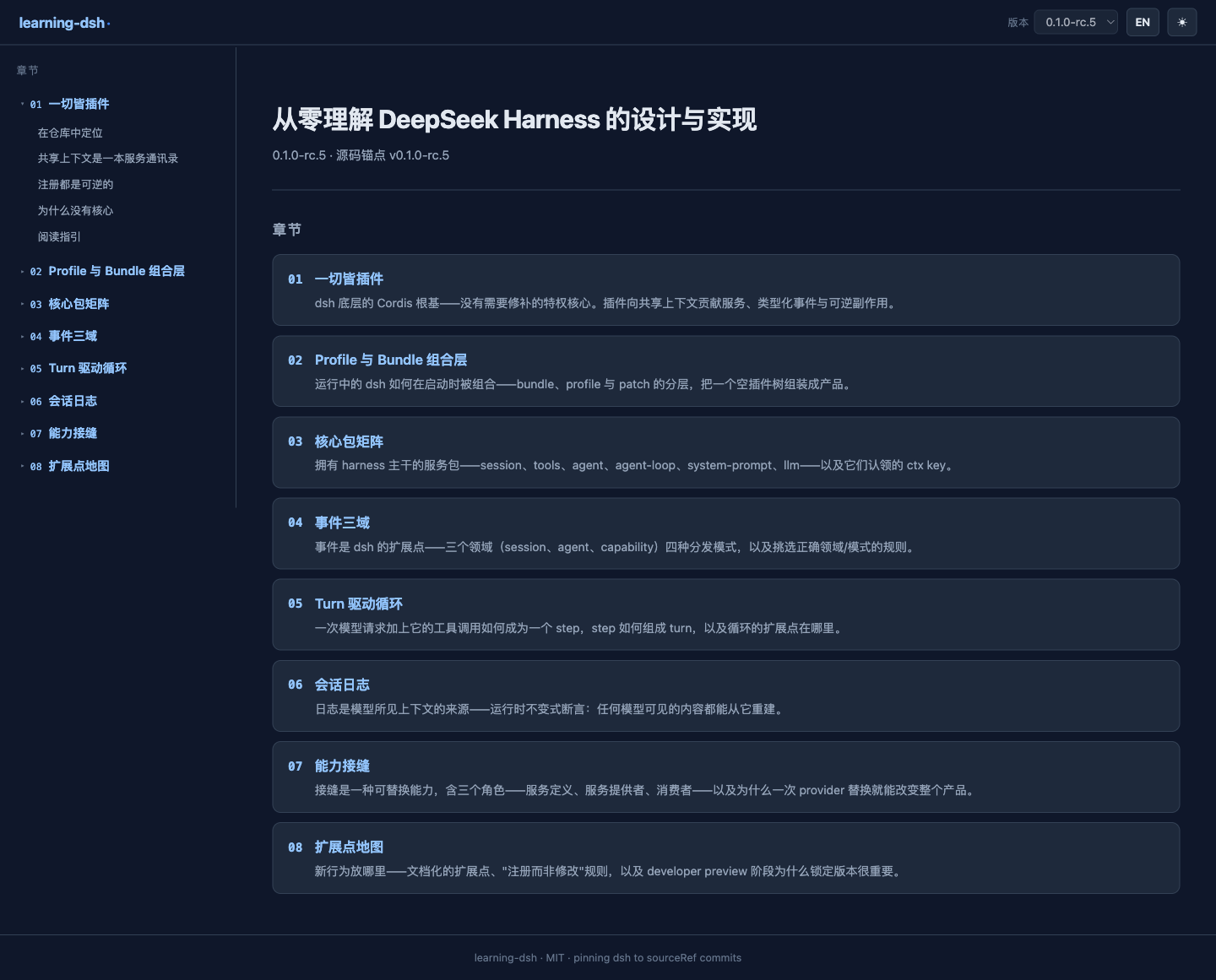 |
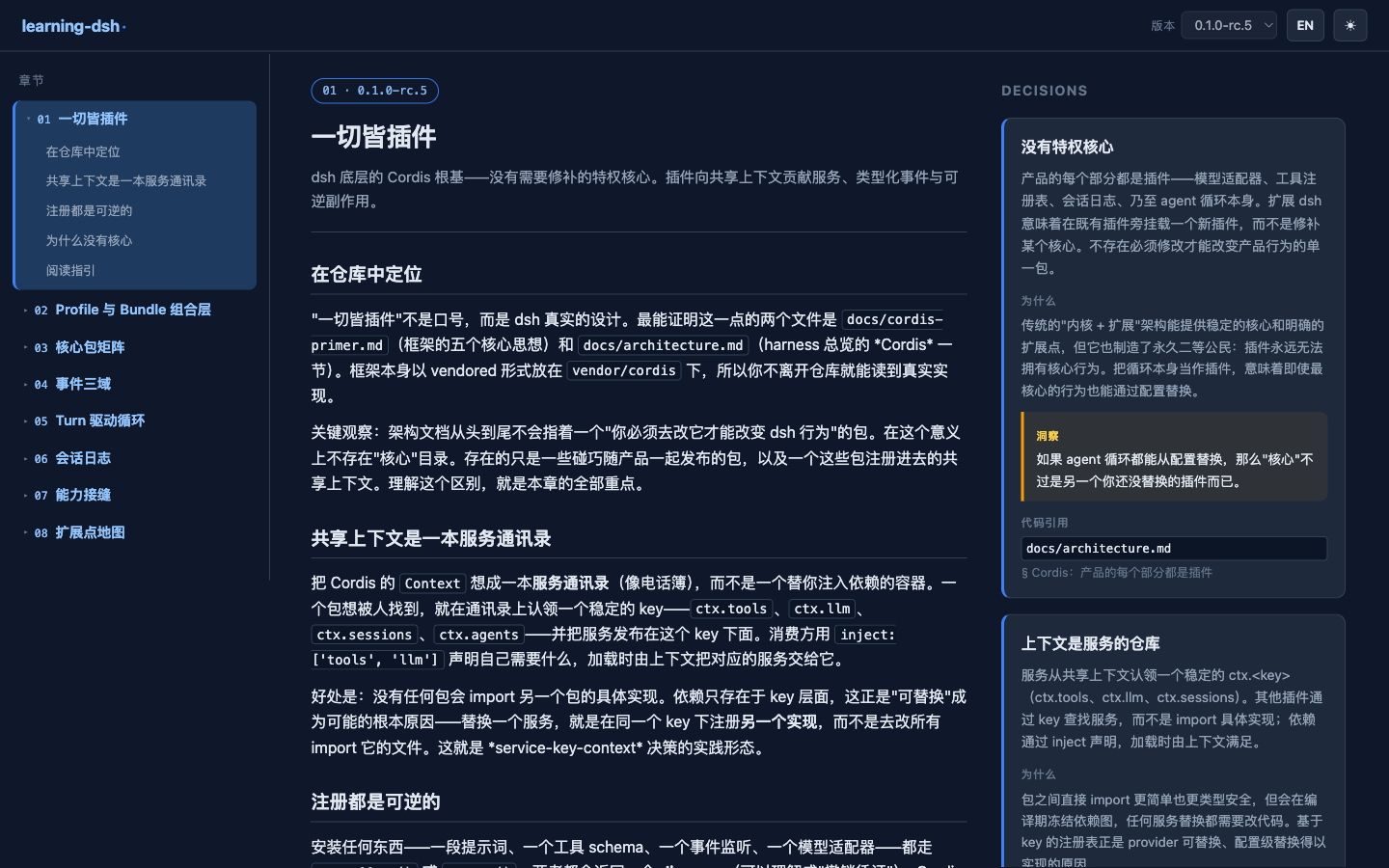 |
| 架构图全屏灯箱 / Diagram lightbox | 英文界面 / English UI | 移动端抽屉导航 / Mobile drawer |
|---|---|---|
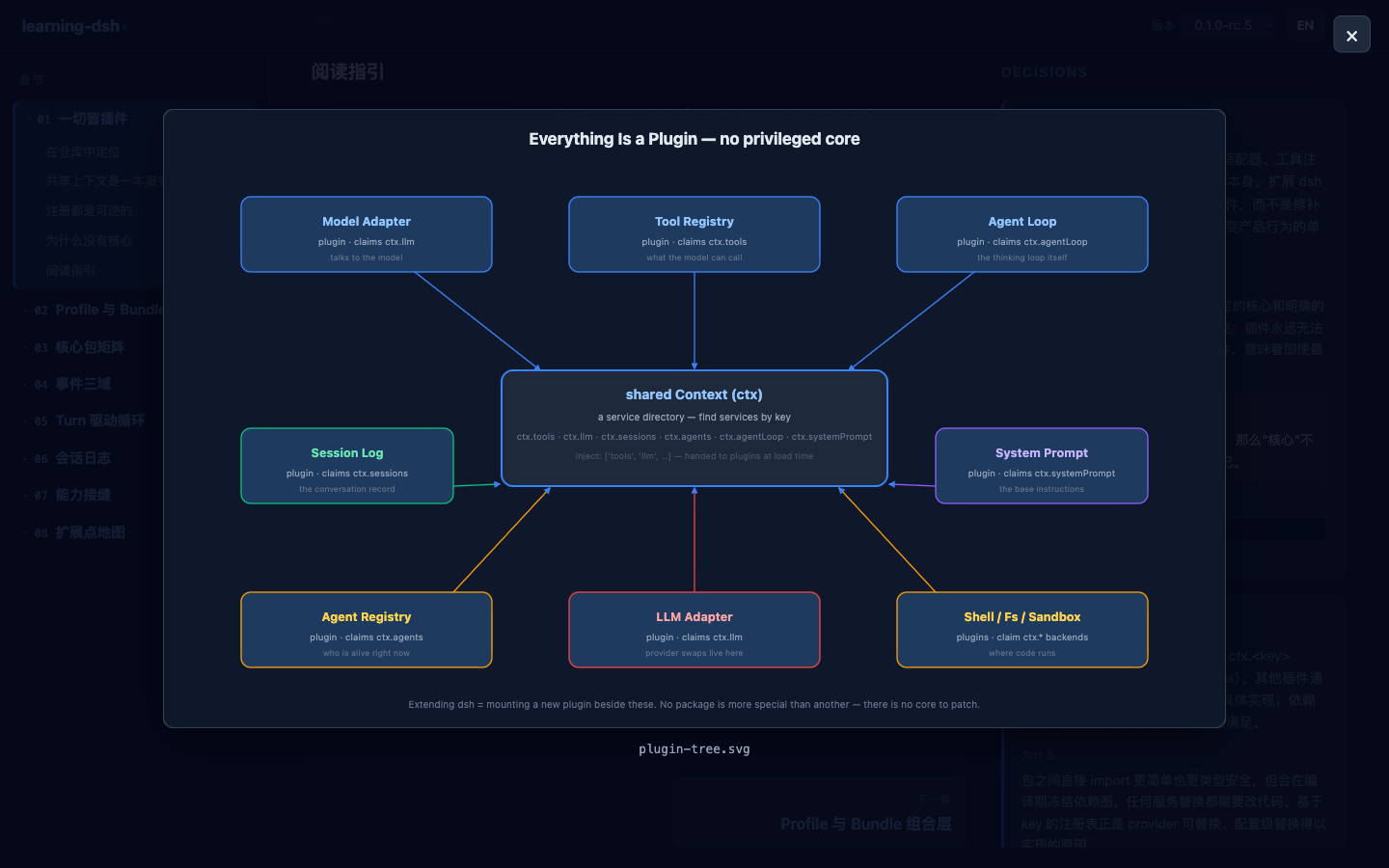 |
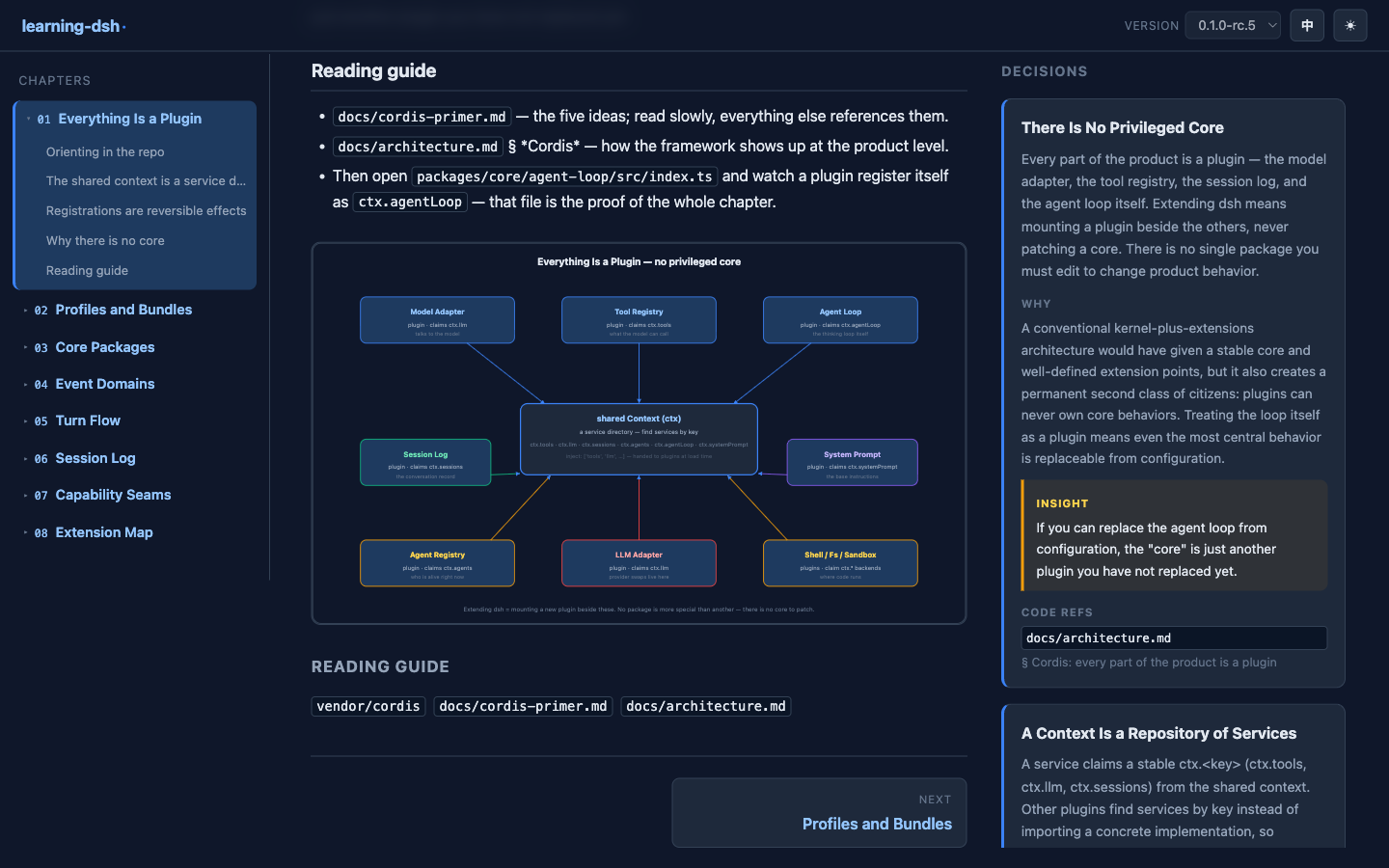 |
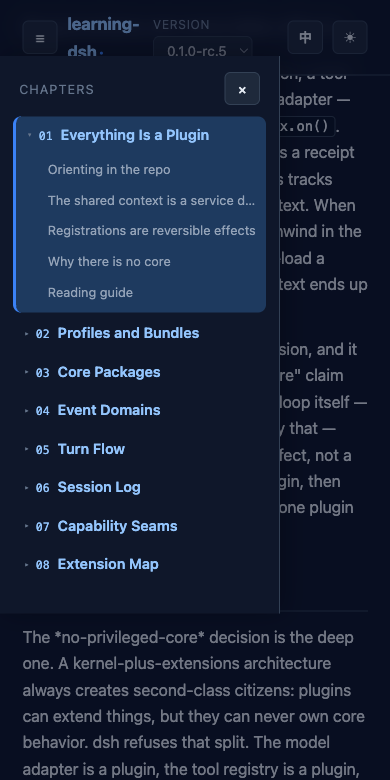 |
scroll-margin 避开 sticky header) / Persistent sidebar tree with sub-chapter anchors and smooth scroll-to-heading.sourceRef / Version dropdown; content locked to its published sourceRef.pnpm dsh ... from the dsh source tree, or an installed dsh binary) / dsh CLI 可用(dsh 源码树下 pnpm dsh ...,或已安装的 dsh 命令)cd packages/web && npx vite build
cd packages/plugin && npx tsc -p tsconfig.build.jsonPrefer to delegate the install? Paste the whole block below as the starting instruction to your AI coding agent (Claude Code, Cursor, …); the agent should clone, build, install and verify on its own. The block is self-contained, so it works even without reading the rest of this README. / 想省事?把下面整段作为起始指令交给你的 AI 编程助手(Claude Code、Cursor 等),让它自行完成克隆、构建、安装与验证。该指令块自包含,不依赖本 README 其余内容。
You are installing the `learning-dsh` plugin into a DeepSeek Harness (dsh) profile.

1. Locate the dsh checkout — the directory where `pnpm dsh ...` works (an installed `dsh` binary also works). Pick the target profile (default `web`); ask the user if ambiguous. Require Node ≥ 22.
2. Prepare the plugin repo in a scratch directory:
   ```sh
   git clone https://github.com/yangl326-Dylan/learning-dsh.git /tmp/learning-dsh
   cd /tmp/learning-dsh && pnpm install
   ```
3. Build content, frontend and plugin, in this order:
   ```sh
   npx tsx scripts/build-content.ts                  # content JSON -> packages/web/public/data
   cd packages/web && npx vite build                 # frontend dist
   cd ../plugin && npx tsc -p tsconfig.build.json    # plugin lib
   ```
4. Install into the profile:
   ```sh
   pnpm dsh plugin --profile <profile> add /tmp/learning-dsh/packages/plugin
   ```
5. Verify the composed config without booting — expect a `# == @dylan/learning-dsh` layer:
   ```sh
   pnpm dsh --profile <profile> --dump-config
   ```
6. Boot a fresh instance and confirm the learning page answers with HTTP 200:
   ```sh
   pnpm dsh --profile <profile> --port 3080
   curl -s -o /dev/null -w '%{http_code}\n' http://127.0.0.1:3080/learning/
   ```
7. If the user prefers no profile change, skip steps 4–5 and load the ready overlay instead:
   ```sh
   pnpm dsh --profile <profile> --patch /tmp/learning-dsh/scripts/learning-dsh.patch.yml --port 3099
   ```

Keep the monorepo `node_modules` of the checkout intact — the plugin locates the frontend dist via `require.resolve('@learning-dsh/web')`. Don't move or delete `/tmp/learning-dsh` afterwards without telling the user. Report the profile used, the verified URL, and any step that failed; leave the environment (running instance, scratch dir) as the user prefers.The plugin package ships a dsh.bundle layer (cordis.patch.yml), so it installs into a profile exactly like any other dsh bundle. From the dsh source tree / 插件包自带 dsh.bundle 配置层(cordis.patch.yml),可与任意 dsh bundle 一样安装进 profile。在 dsh 源码树下执行:
pnpm dsh plugin --profile web add /path/to/learning-dsh/packages/pluginWhat happens / 效果:
~/.dsh/profiles/web/node_modules) / pnpm 将包链接进 profiledsh.bundle.patch, dsh appends @dylan/learning-dsh to dsh.profile.bundles / 因 manifest 声明了 dsh.bundle.patch,dsh 自动将 @dylan/learning-dsh 追加到 dsh.profile.bundlespnpm dsh --profile web --port 3080Verify the composed tree without booting / 不启动即可验证组合配置:
pnpm dsh --profile web --dump-config # look for the "# == @dylan/learning-dsh" layerRemove / 卸载:
pnpm dsh plugin --profile web remove @dylan/learning-dsh--patch overlay (no profile change) / 方式 B:--patch 覆盖加载(不改 profile)Good for a quick trial without touching your profile / 适合不想改动 profile 的快速试用。The repo ships a ready overlay / 仓库已提供现成覆盖文件 scripts/learning-dsh.patch.yml:
pnpm dsh --profile web --patch /path/to/learning-dsh/scripts/learning-dsh.patch.yml --port 3099Open / 打开 http://127.0.0.1:3099/learning/. Nothing is written to the profile; drop the --patch flag to go back / 不写入 profile;去掉 --patch 参数即恢复原状。
The plugin row can be overridden in cordis.patch.yml by id: learning-dsh / 插件行可在 cordis.patch.yml 中按 id: learning-dsh 覆盖:
- id: learning-dsh
  config:
    mountPath: /learning   # prefix route / 挂载前缀,默认 /learning
title: Learning dsh # page title baked into served index.html / 页面标题prefix route on the dsh webserver; a duplicate mountPath fails loudly / 挂载路径必须唯一——插件在 dsh webserver 上注册 prefix 路由;重复的 mountPath 会直接报错。mountPath keep serving the dsh UI / webserver 的 fallback seat 归 dsh web app 所有——mountPath 之外的路径仍由 dsh 主界面服务。ctx.httpServer (published @deepseek-ai/dsh-host-webserver@0.0.1-rc.1) or ctx.webServer (master source). No configuration needed / 服务名兼容——插件自动识别宿主 webserver 服务:ctx.httpServer(npm 发布版)或 ctx.webServer(master 源码),无需配置。@learning-dsh/web must be resolvable from the plugin package — the plugin locates the frontend dist via require.resolve('@learning-dsh/web'); in this repo it is a workspace devDependency, so keep the monorepo node_modules intact when running from the checkout / @learning-dsh/web 需可从插件包解析——插件通过 require.resolve('@learning-dsh/web') 定位前端 dist;本仓库中它是 workspace devDependency,从源码运行时请保留 monorepo node_modules。content/ 版本化双语内容源(YAML + body.md + SVG)
docs/ spec 驱动文档(contract / feature / spec)— 中文
packages/web Vite 静态前端(@learning-dsh/web)
packages/plugin dsh Cordis 插件(@dylan/learning-dsh)
scripts/ 内容构建管线(build-content.ts)pnpm install # workspace 安装
npx tsx scripts/build-content.ts # 构建内容数据 -> packages/web/public/data
cd packages/web && npx vite build # 构建前端 dist
cd packages/plugin && npx tsc -p tsconfig.build.json # 构建插件 lib
cd packages/plugin && node e2e/verify.mjs # 独立 E2E(真实 Cordis + webserver + 插件)Docs / 文档:docs/README.md
CLASSIFICATION EVIDENCE
系统优先读取 GitHub Topics,再与站内分类词典和词根规则比对。
aooyoo
Zero-token DuckDuckGo search provider for the DeepSeek Harness (DSH) web seam — local headless browser, no API key, no m…
awa-123-cw
DSH 图片/音视频托管插件:自动拉起 8899 静态服务 + 3080 /files/ 路由(HTTP Range 流式)+ WebUI 内点击即播(视频静音/音频 20% 音量/互斥懒加载)
awa-123-cw
DSH 设置页「关于」栏位 + 一键检测更新插件(About page with update checking for DeepSeek Harness WebUI)