其他
技能
dsh-web-search-ddg
aooyoo
Zero-token DuckDuckGo search provider for the DeepSeek Harness (DSH) web seam — local headless browser, no API key, no m…
deepseek-harnessdeepseek-harness-plugindsh-bundledsh-ctest
PROJECT TOPICS
PROJECT README
中文 | English
A plugin for the dsh web GUI that adds a conversation-flow navigation rail on the left of the chat — one dash per user message, positioned 1:1 against the real content — plus a previous-message card docked at the top.
| Previous-message card + rail | Hover preview over the rail |
|---|---|
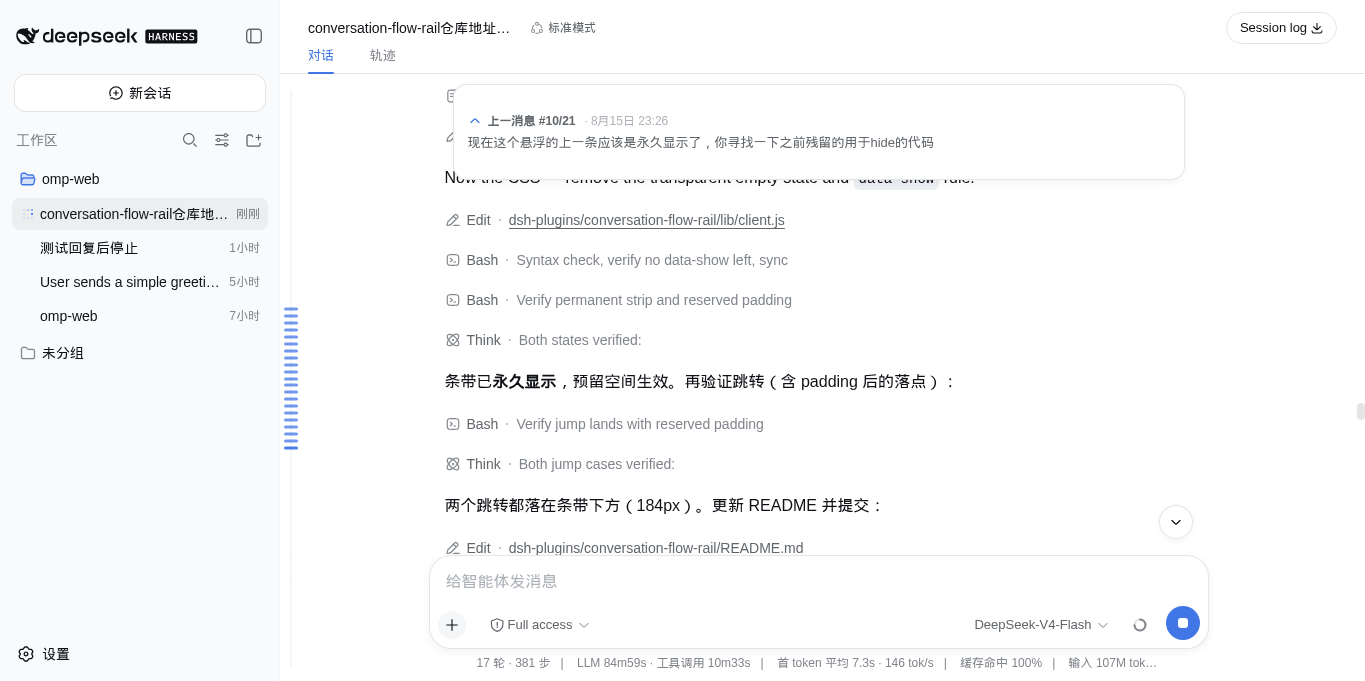 |
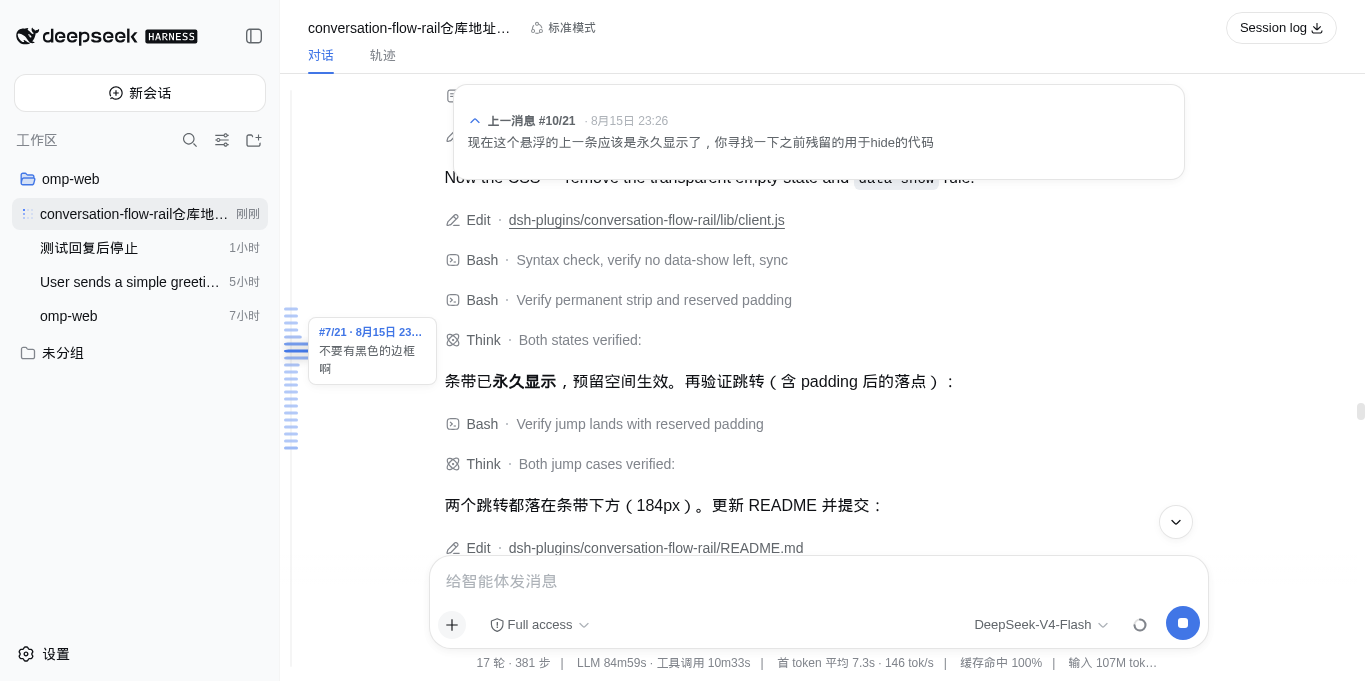 |
Instead of scrolling through a long transcript to find where you were, the rail gives you the whole conversation as a map: a tight cluster of dashes, each one a user message, and hovering fans the cluster out — dashes near the pointer widen and darken with a smooth falloff. Crossing the preview threshold floats a card with #N/M · time and the message content. Click a dash — or anywhere on the rail — and the view eases smoothly to that message, landing below the top card.
When you scroll a user message above the viewport, a native-styled floating card at the top shows 上一消息 #N/M · time with a 3-line preview; click it to jump back. The card is a floating overlay in the shell's click-through layer: the empty state is fully transparent, so the top of the conversation stays clean and nothing is reserved when there is nothing to show. Steering follow-ups (messages sent while a run is active) count as anchors too, and the plugin auto-expands dsh's history window so the rail covers the whole conversation — not just the tail window the transcript renders.
The plugin is a git-hosted bundle whose build script pnpm blocks by default, so first allow it in the web profile's workspace file, then add the package.
# 1. Allow the plugin's build (prepare) script — add to
#    ~/.dsh/profiles/web/pnpm-workspace.yaml:
#      onlyBuiltDependencies:
#        - dsh-chatflow-rail

# 2. Install from the GitHub repo (prepare builds lib/ on install;
#    lib/ is a build artifact and not committed)
dsh plugin --profile web add github:veritas501/dsh-chatflow-rail

# 3. Restart dsh web, then refresh the page
dsh web
Notes:
dsh plugin behaves like adding a dependency to your web profile. A bundle plugin is loaded once its full package name appears in the profile's dsh.profile.bundles list (recent dsh builds add it automatically; add it manually if yours does not). The bundle patch applies on the next boot, and the browser picks up the new bundle revision on refresh.pnpm build first, then dsh plugin --profile web add file:/path/to/dsh-chatflow-rail.dsh.client → lib/client.js); the Node half (lib/index.js) is a no-op so the loader's root-module contract is satisfied.pnpm run build — emits the browser bundle (lib/client.js) and the Node half (lib/index.js) via tsc + tsdown.src/client/model/* — React-free pure logic (geometry, layout, chip selection, smooth scroll, anchor collection, paging); tunables live in src/client/model/constants.ts.src/client/view/* — TSX components and CSS Modules (compiled by lightningcss, injected as style[data-plugin="dsh-chatflow-rail"]).pnpm test — vitest behavior tests for the model layer; pnpm run typecheck — type gate.--dev dsh web server hot-reloads rebuilt bundles — pnpm run build alone is usually enough to see changes.MIT © veritas501
CLASSIFICATION EVIDENCE
系统优先读取 GitHub Topics,再与站内分类词典和词根规则比对。
aooyoo
Zero-token DuckDuckGo search provider for the DeepSeek Harness (DSH) web seam — local headless browser, no API key, no m…
awa-123-cw
DSH 图片/音视频托管插件:自动拉起 8899 静态服务 + 3080 /files/ 路由(HTTP Range 流式)+ WebUI 内点击即播(视频静音/音频 20% 音量/互斥懒加载)
awa-123-cw
DSH 设置页「关于」栏位 + 一键检测更新插件(About page with update checking for DeepSeek Harness WebUI)