文件与数据
插件
dsh-plugin-verified-search
f0909172434
Verified current-source search workflow for DeepSeek Harness
deepseekdeepseek-harnessdshdsh-plugin
PROJECT TOPICS
PROJECT README
English | 中文



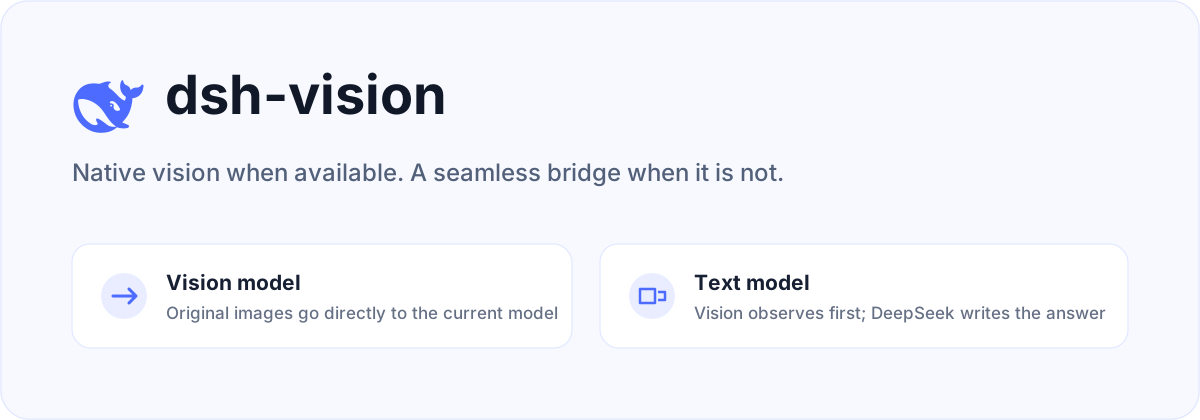
dsh-vision is a plugin for DeepSeek Harness. Vision-capable models keep receiving images natively. When the selected main model is text-only, the plugin asks a separate vision model to observe the original images, then lets the original DeepSeek model produce the final answer.
| Main model | Image path | Final answer |
|---|---|---|
| Supports images | Original images are sent directly, without preprocessing or OCR | Current model |
deepseek-official or another text-only model |
A configured vision model observes the original images; its output is injected as untrusted attachment context | DeepSeek |
| Cloud vision unavailable | Falls back to macOS Vision or Tesseract | DeepSeek |
The plugin does not replace the main model selected in Harness. Multiple image attachments are analyzed together, so comparisons and combined evidence work naturally. The user's task is forwarded unchanged instead of being wrapped in a fixed report template.
Use the plugin manager built into DeepSeek Harness:
npx @deepseek-ai/dsh plugin --profile web add github:oil-oil/dsh-visionRestart Harness, then paste or drag images into the composer as usual. The plugin replaces the official deepseek-official adapter while preserving its model catalog, settings, and credentials. It also adds a Vision Recognition card to Settings → Plugins → Plugin configuration.
DeepSeek Harness is still in Developer Preview. This release targets
0.1.0-rc.6exactly.
Open Settings → Plugins → Plugin configuration → Vision Recognition. Select ZenMux, Alibaba Cloud Model Studio, TokenDance, or OpenRouter, then enter its API key. The same card lets you change the model ID, API endpoint, and image limit.
The API key is stored through Harness's official credential service. It is write-only in the browser: the plugin can report whether a key exists, but never reads it back into the page, chat, settings document, or session log.
Routing follows the user's choice. A provider selected in Vision Recognition is primary for text-only models. Other enabled Harness vision routes, an existing see configuration, and local OCR are failover only. When the current main model supports images, the original images pass through natively and none of these bridge routes are used.
Choose Automatic to skip plugin-managed cloud credentials. The bridge then tries image-capable models already configured in Harness, followed by see-compatible private configuration and local OCR. A Harness custom model must declare image as an input modality or it remains a text model.
Most setups should use the UI. The equivalent non-secret fields live in the existing llm-deepseek section of $DSH_HOME/settings.yaml:
llm-deepseek:
  visionBackend: zenmux
  visionBackendModel: qwen/qwen3.7-plus
  visionBackendBaseURL: https://zenmux.ai/api/v1
  maxImages: 8
Do not put API keys in this file. Save them in the Vision Recognition card or provide the matching environment variable. Changes apply without a restart.
If Harness has no usable vision model, the plugin also reads ~/.config/see/config.env. It supports ZenMux, Alibaba Cloud Model Studio, OpenRouter, and TokenDance. Environment variables override the private config file.
export SEE_PROVIDER=zenmux
export ZENMUX_API_KEY=your-key
SEE_PROVIDER selects the primary provider. Other providers with configured keys are failover routes only. If no provider is selected and only one is configured, that provider is used.
When no cloud key is available, or every cloud route fails, the plugin tries local capabilities:
Local fallback is primarily OCR and is not equivalent to full multimodal understanding.
pnpm install
pnpm check
The project is available under the MIT License. Cloud routing, joint multi-image analysis, and local fallback behavior are based on the MIT-licensed oil-oil/see-skill. The DeepSeek icon comes from the official deepseek-ai/deepseek-harness repository.
CLASSIFICATION EVIDENCE
系统优先读取 GitHub Topics,再与站内分类词典和词根规则比对。
f0909172434
Verified current-source search workflow for DeepSeek Harness
fryghost
Community plugin for DeepSeek Harness: give text-only models eyes - paste images natively, described via an OpenAI-compa…
gloryxpnv
Local-first vision for DeepSeek Harness: structured JSON evidence (OCR/layout/semantics) from local VLMs (LM Studio/Olla…