
其他
技能
dsh-web-search-ddg
aooyoo
Zero-token DuckDuckGo search provider for the DeepSeek Harness (DSH) web seam — local headless browser, no API key, no m…
deepseek-harnessdeepseek-harness-plugindsh-bundledsh-ctest
PROJECT TOPICS
PROJECT README
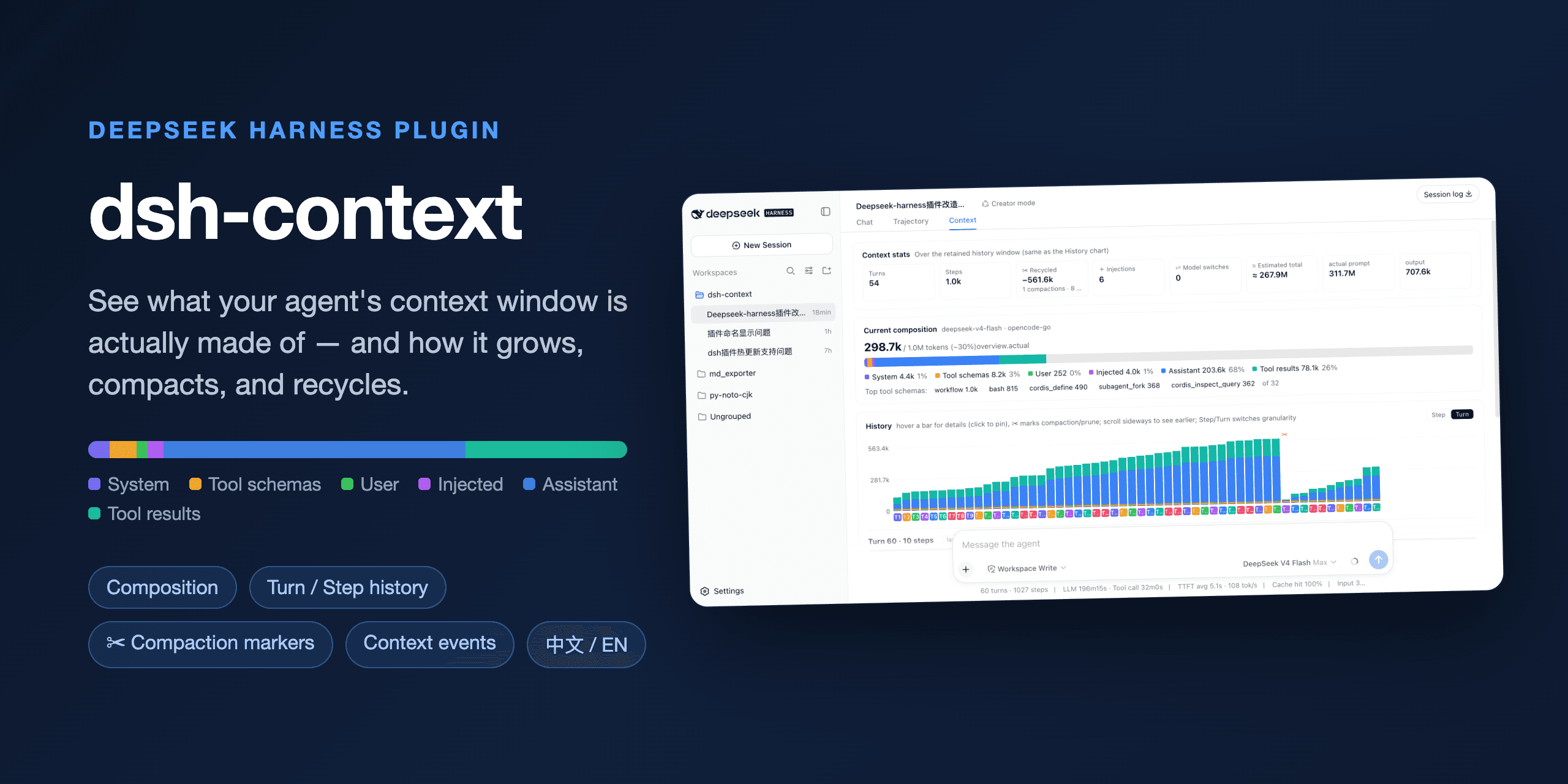

A DeepSeek Harness plugin for context dashboard and context command, for understanding how the context is made of, and how it evolves.
dsh-context is a DeepSeek Harness plugin for context insight.
/context command — the same headline and recent trend as a centered dialog straight from the composer (the screenshot above). One command, from any DeepSeek Harness installation:
dsh plugin --profile web add dsh-contextThen start the web UI with dsh web. No build step, no restart.
Open any session and click the Context / 上下文 tab:
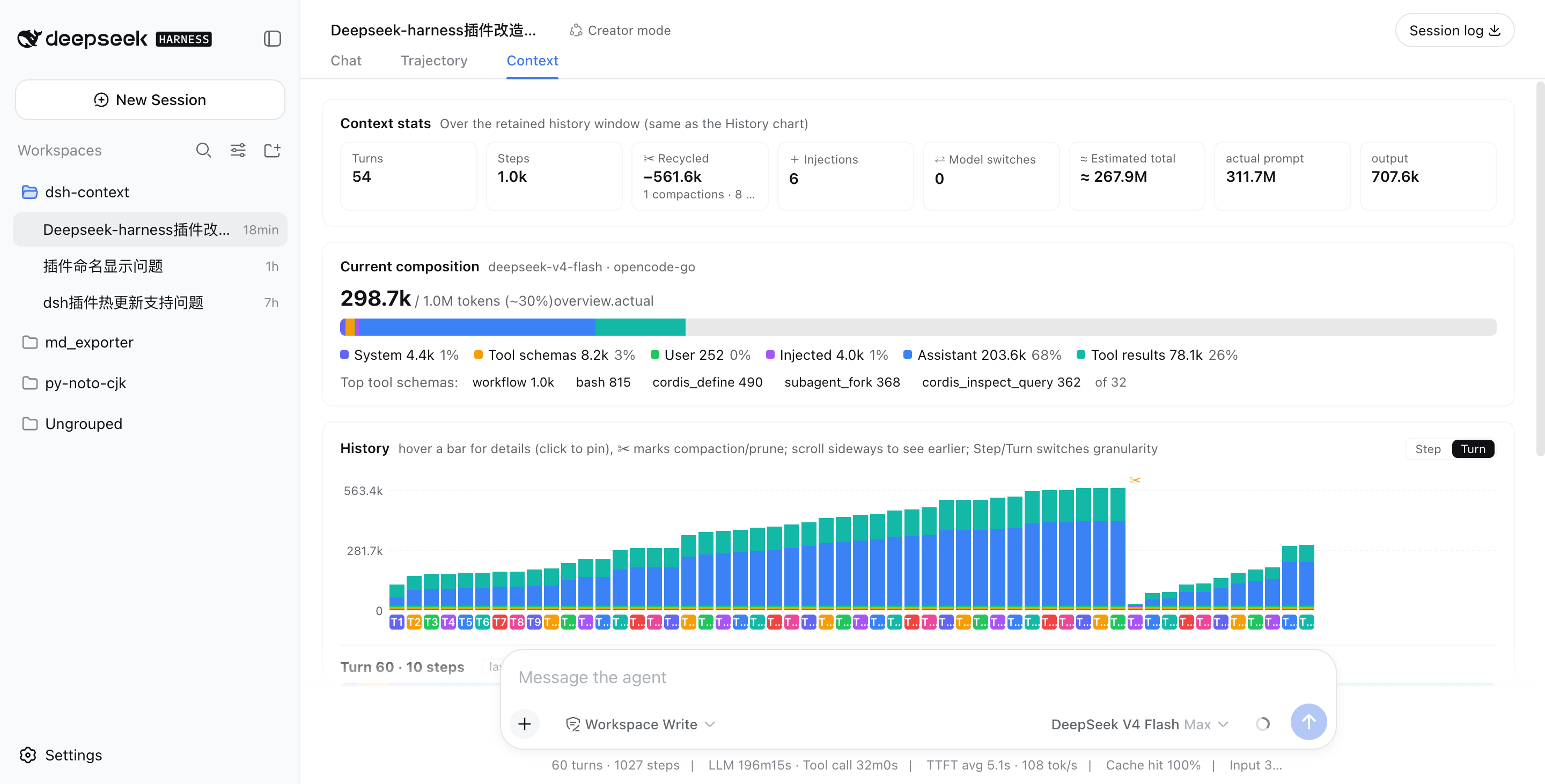
/context command — In-session Context Insight modalType /context (or pick it from the / menu) and press Enter: a centered dialog shows the provider-anchored occupancy headline, the six-category composition bar, and the last-10-turn trend chart — hover or click a bar for its full breakdown, exactly like the tab.
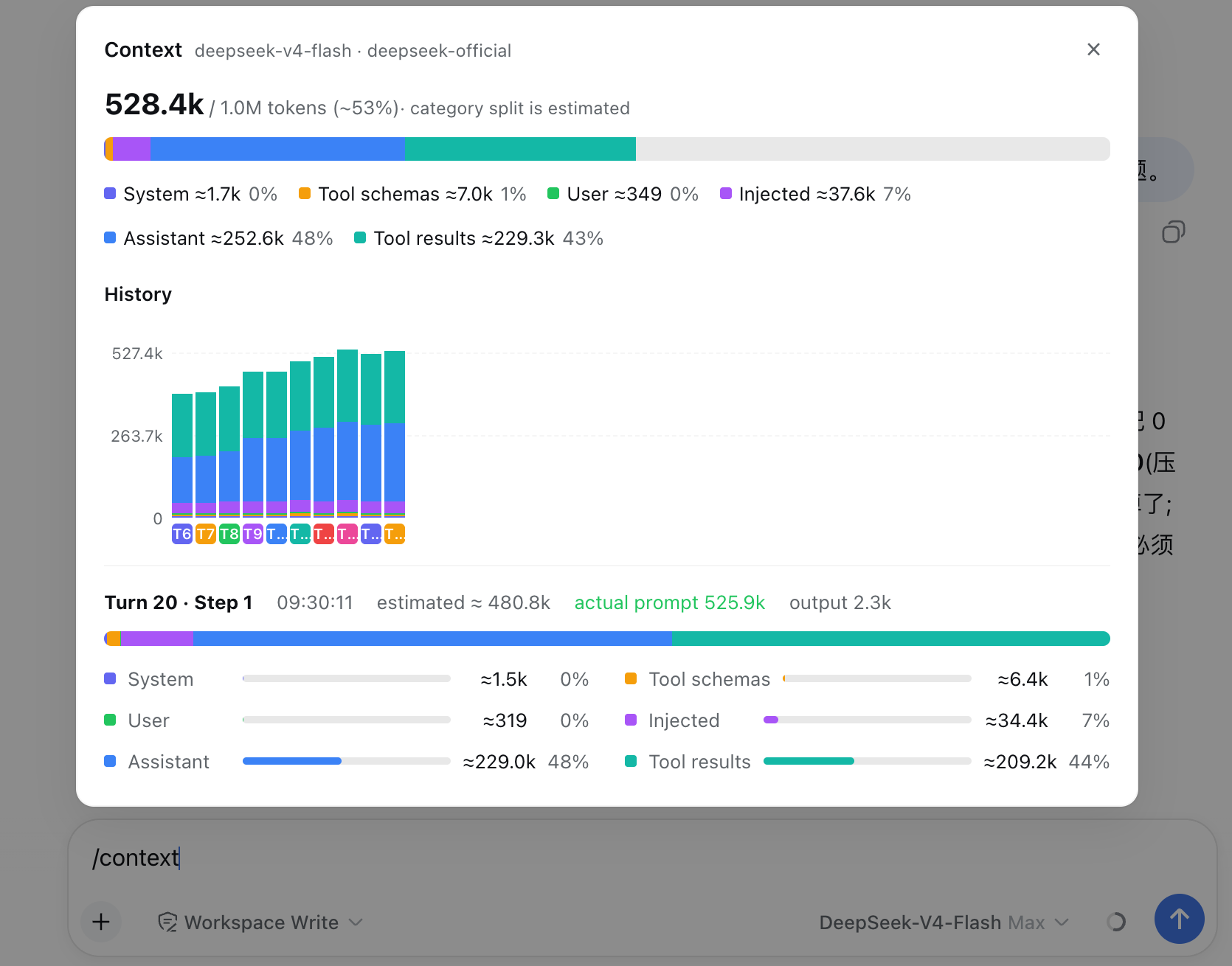
Turns, steps, how much context has been recycled by compactions and prunes, how many injections happened, model switches, and the estimated total tokens sent — next to the provider-reported actuals, so you can see how the estimate holds up.
A six-color stacked bar scaled against the model's full context window (the gray track is your remaining headroom): system prompt, tool schemas, your messages, injected context, assistant replies, and tool results — plus the top-5 most expensive tool schemas. When a conversation starts degrading, this is where you find out which part ate the budget.
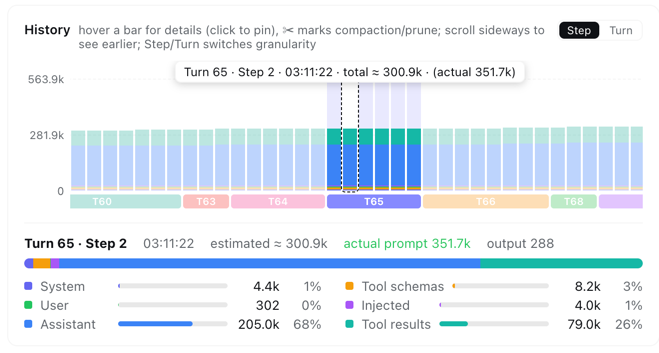
One stacked bar per model request, finer than per-message. Toggle between Turn and Step granularity, scroll sideways through the session, hover any bar for a quick tooltip, and click to pin the full breakdown — including provider-reported actual prompt/output tokens next to the estimate. ✂ marks where compaction or pruning happened — watch the bars drop:
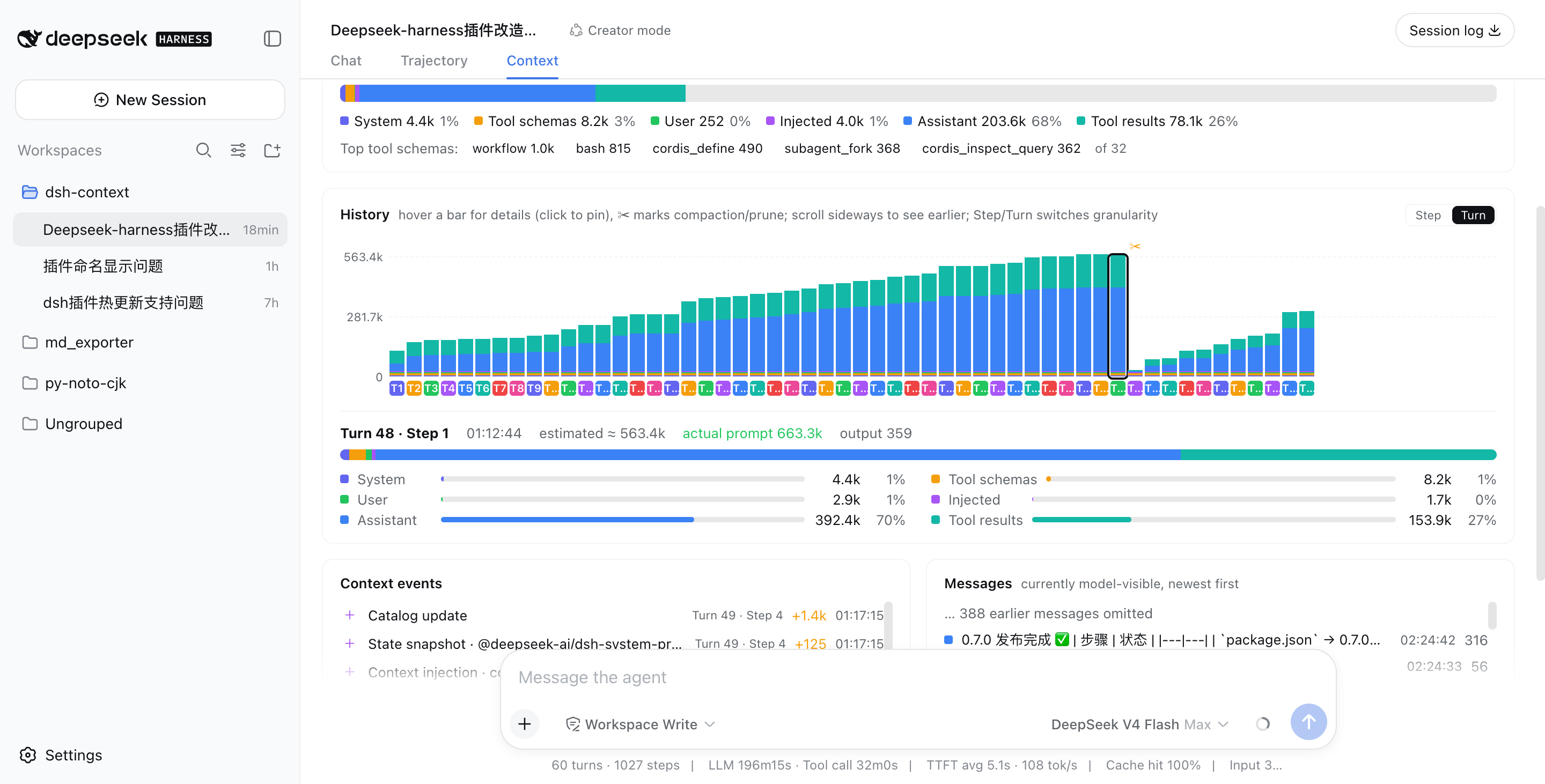
Above: a real session that grew to ~563k tokens across 48 turns, then compaction (✂) recycled −535.5k in one step, and the conversation continued from a fresh, small window.
In Step granularity, hovering any bar shows that single step's context info instantly — its turn/step, timestamp, and estimated vs. provider-reported token counts:
Every compaction, tool-output prune, skill or plugin context injection, and model switch — each with its token delta, turn/step attribution, and timestamp:
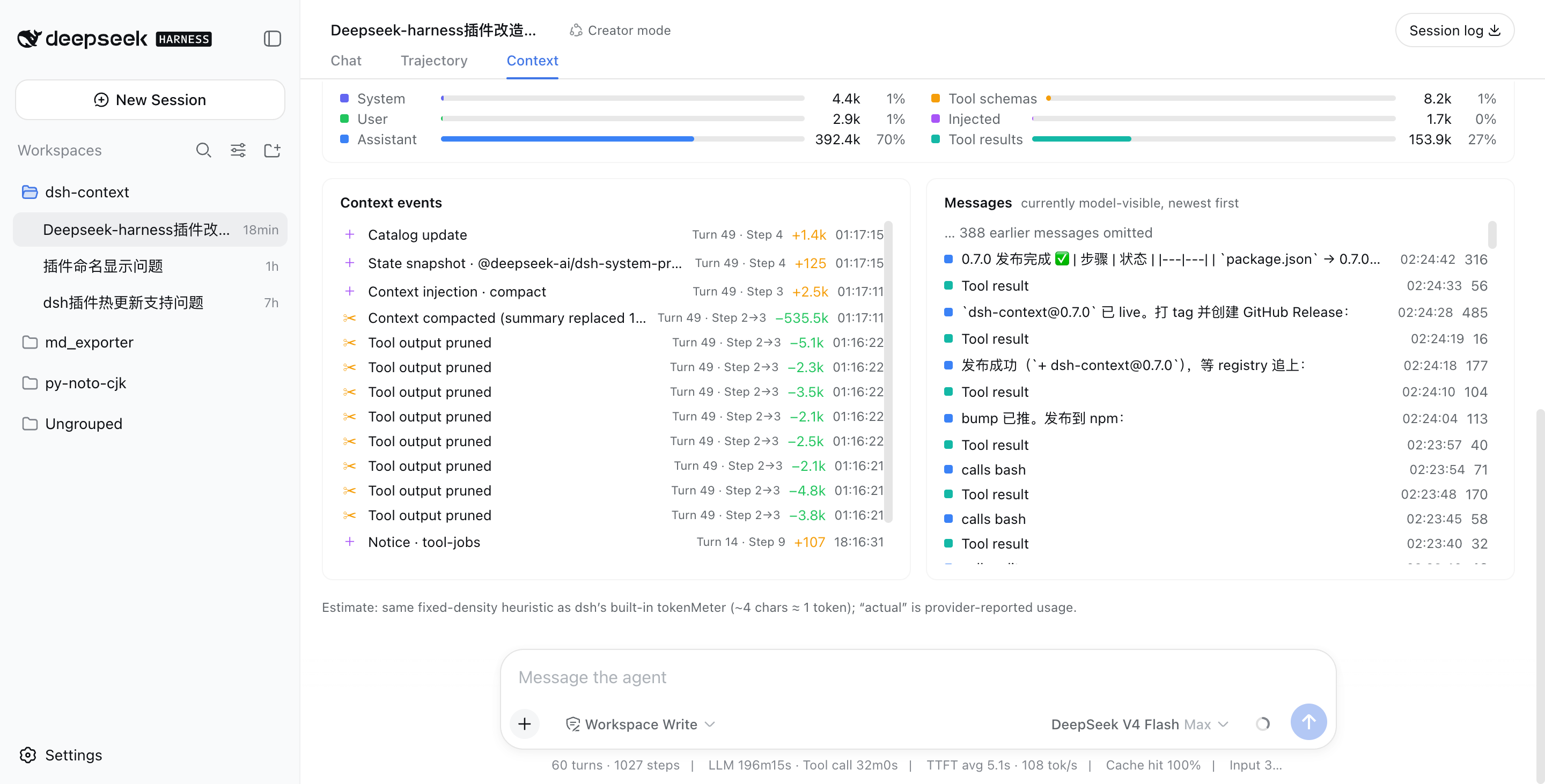
The exact message list the model sees right now, newest first, with a per-message token cost.
If dsh-context helped you understand what your agent is carrying around, a ⭐ on GitHub is much appreciated — and issues/PRs are welcome!
CLASSIFICATION EVIDENCE
系统优先读取 GitHub Topics,再与站内分类词典和词根规则比对。
aooyoo
Zero-token DuckDuckGo search provider for the DeepSeek Harness (DSH) web seam — local headless browser, no API key, no m…
awa-123-cw
DSH 图片/音视频托管插件:自动拉起 8899 静态服务 + 3080 /files/ 路由(HTTP Range 流式)+ WebUI 内点击即播(视频静音/音频 20% 音量/互斥懒加载)
awa-123-cw
DSH 设置页「关于」栏位 + 一键检测更新插件(About page with update checking for DeepSeek Harness WebUI)