文件与数据
插件
dsh-plugin-verified-search
f0909172434
Verified current-source search workflow for DeepSeek Harness
deepseekdeepseek-harnessdshdsh-plugin
PROJECT TOPICS
PROJECT README
English | 中文
A VS Code-style workspace file explorer for the DeepSeek Harness (DSH) web UI: right-side file tree + editable tabs + Markdown read/edit/split + floating outline + Quick Open.
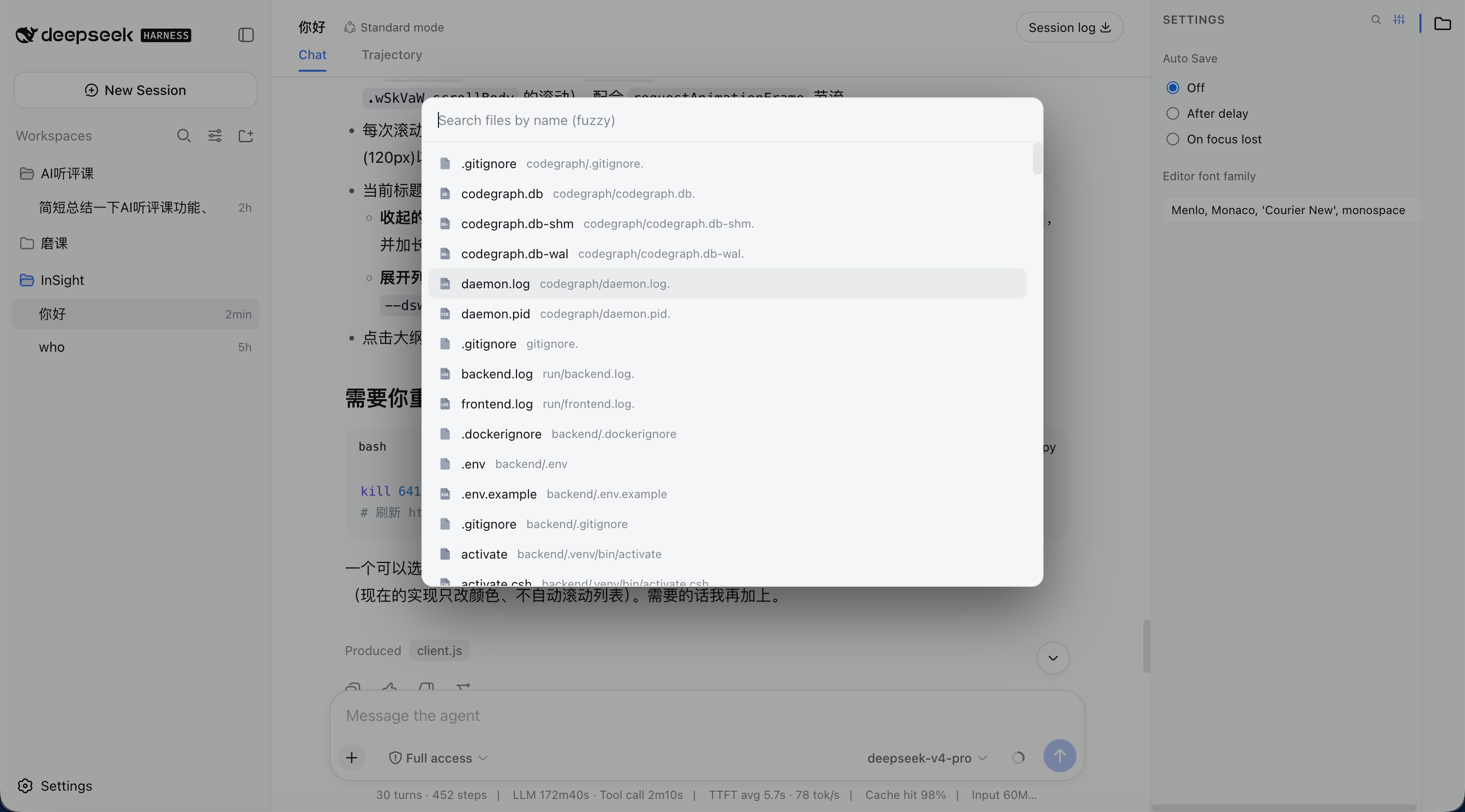
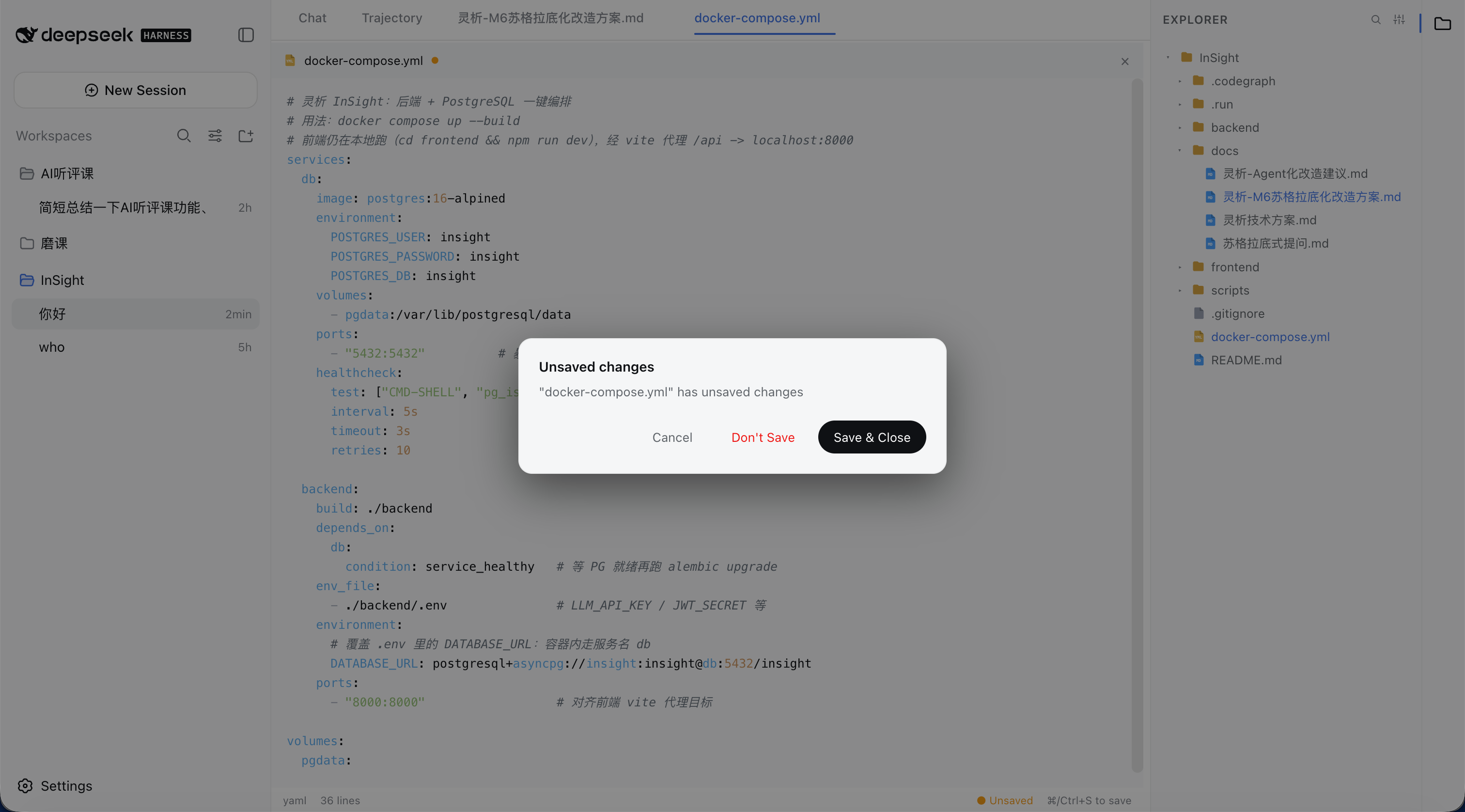
⌘/Ctrl+V) or drag them in from the desktop — folders keep their structure and name clashes are auto-renamed.⌘/Ctrl+S save, hover × close, and a right-click menu (Close / Close Others / Close to the Right / Close Saved / Close All / Copy Path / Pin).⌘/Ctrl+P fuzzy file search and open (same as VS Code); also reachable via the magnifier button in the sidebar header.Explorer expanded
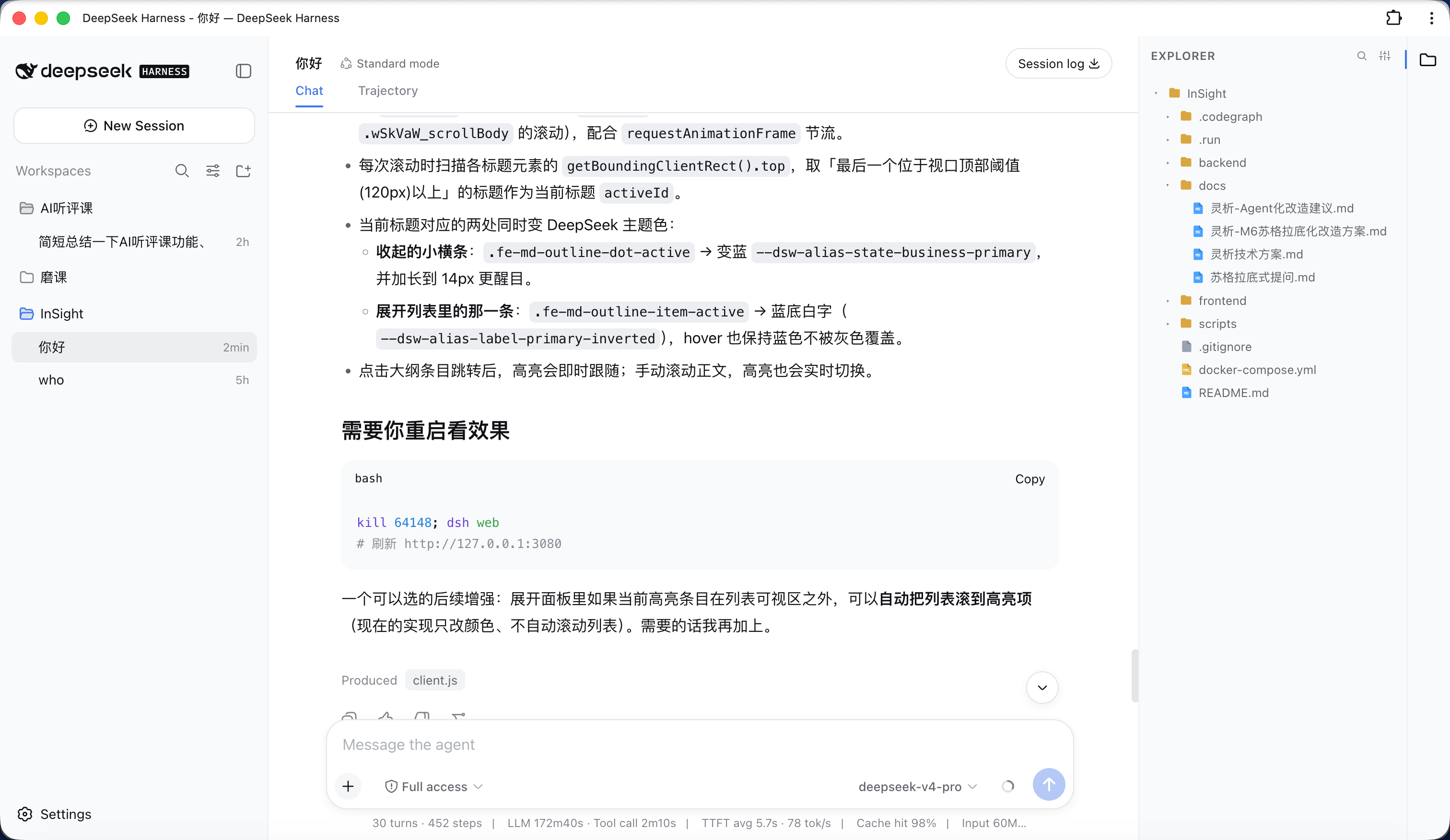
Explorer collapsed
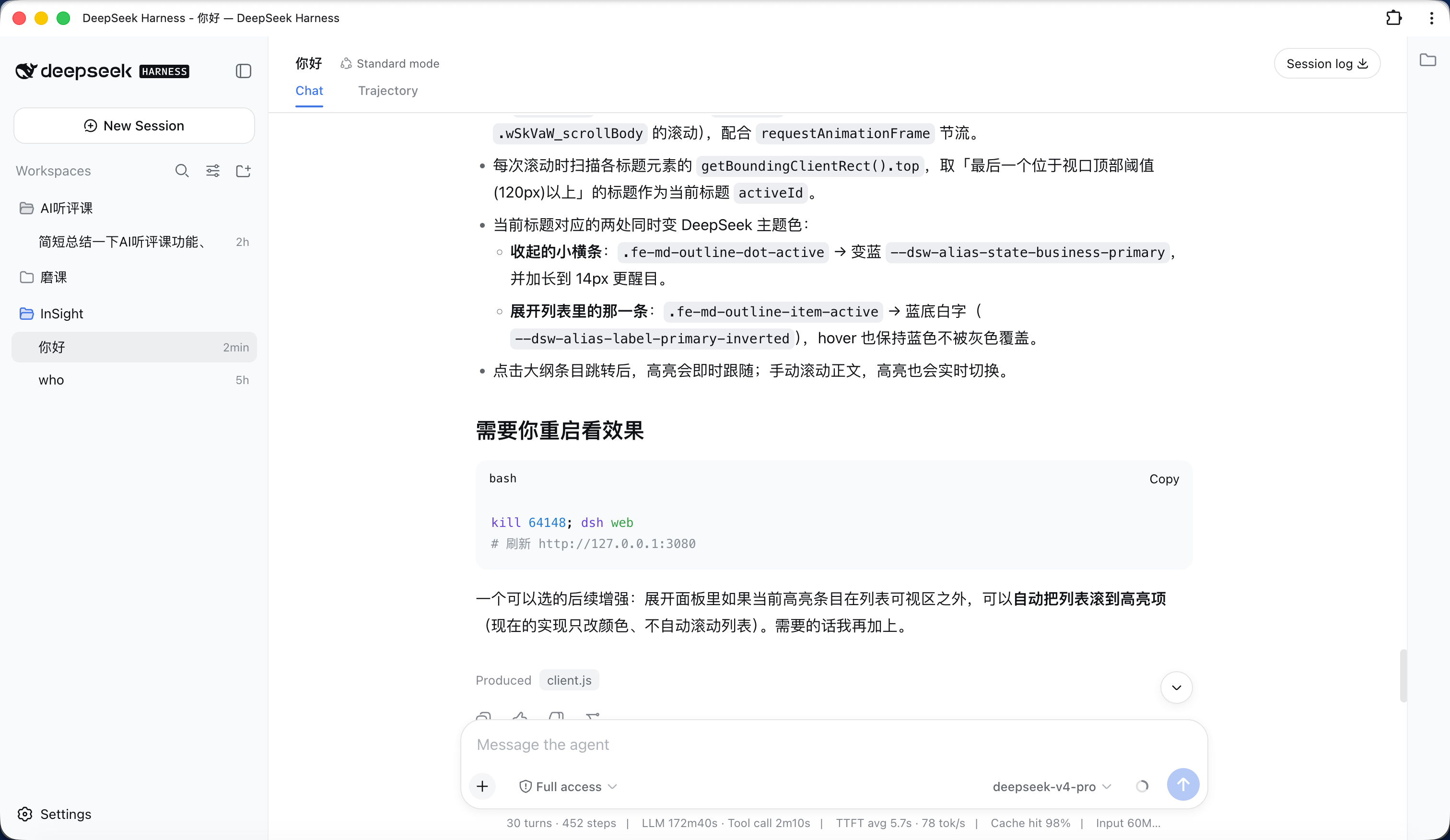
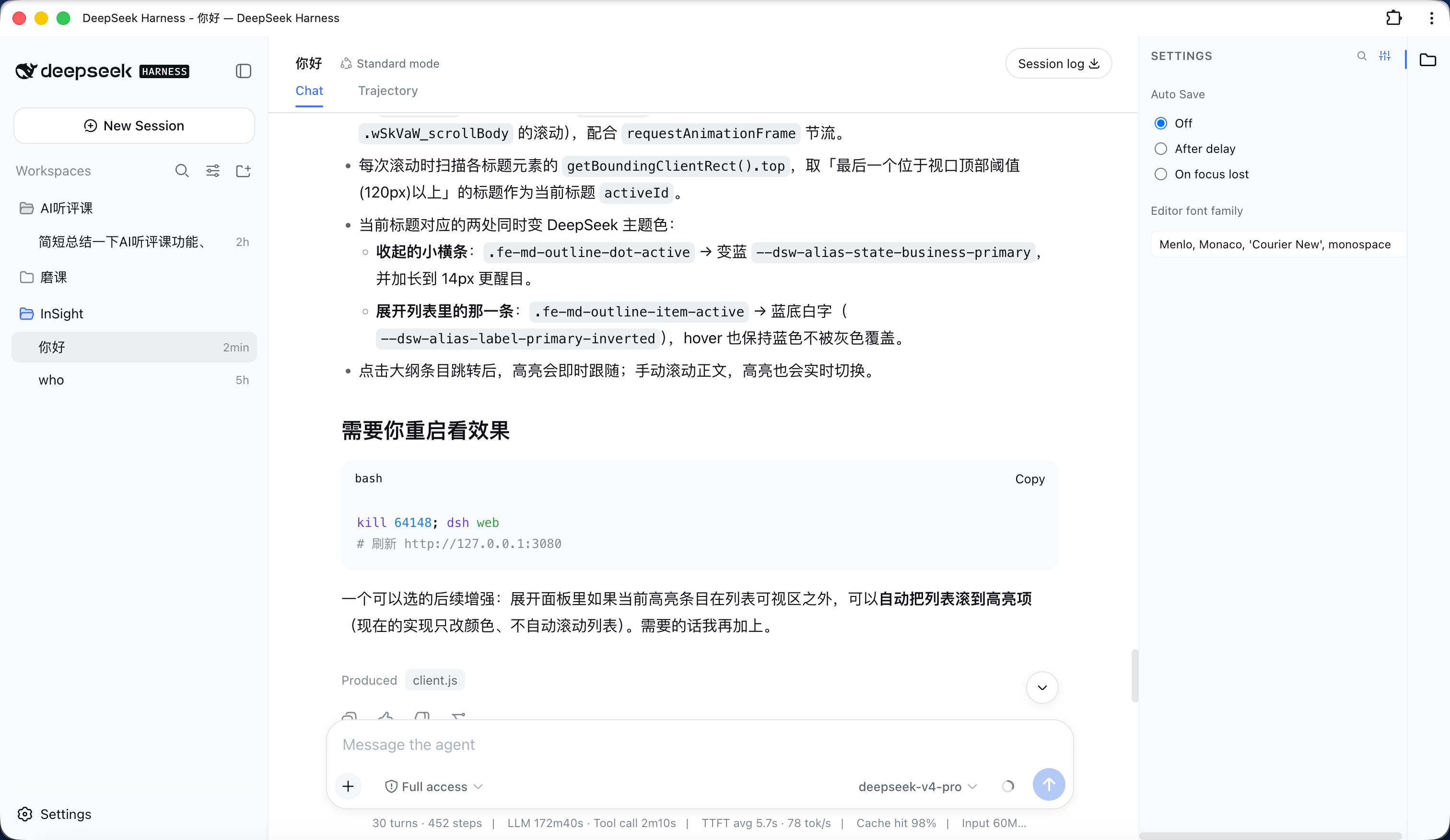
File settings
File search
Open file
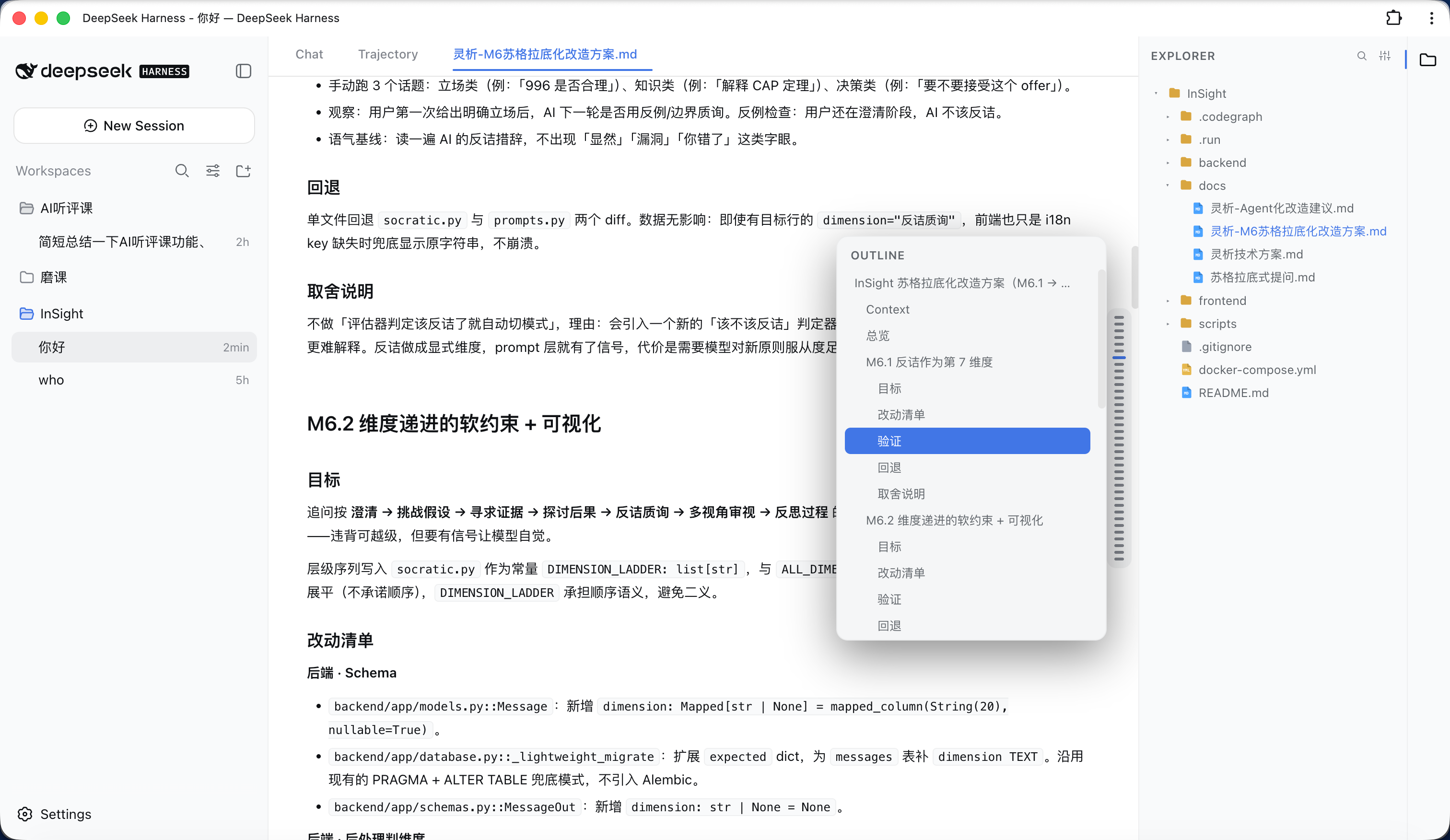
Markdown outline
Closing an unsaved file
Requires DSH with an initialized
webprofile (auto-created on firstdsh web).
dsh plugin is DSH's built-in plugin manager; it forwards the arguments to pnpm inside the profile directory. Always use it, not npm install -g — DSH loads plugins from $DSH_HOME/profiles/web/node_modules, and it never reads the global directory (Windows AppData\Roaming\npm), so a global install has no effect.
Prerequisite:
dsh pluginshells out to pnpm, so install pnpm first (npm install -g pnpm), otherwise it fails withpnpm not found on PATH.
# install into the web profile (equivalent to running `pnpm add` in that profile)
dsh plugin --profile web add dsh-plugin-file-explorerdsh plugin --profile web add github:bearllfleed/dsh-plugin-file-explorerdsh plugin --profile web update dsh-plugin-file-explorerdsh plugin --profile web remove dsh-plugin-file-explorer# version actually loaded (looked up inside the profile)
dsh plugin --profile web list dsh-plugin-file-explorer
# latest on npm
npm view dsh-plugin-file-explorer versionInstalling only adds the package as a dependency; you must also register it in the profile's cordis.patch.yml so DSH loads it. Edit $DSH_HOME/profiles/web/cordis.patch.yml and add:
- insert:
    - id: file-explorer
      name: 'dsh-plugin-file-explorer'
id is a unique identifier in the config tree (customizable); name must be the npm package name.
dsh web
# then refresh http://127.0.0.1:3080
After install/update you must fully quit and restart the
dsh webprocess (host routes are registered at startup) and hard-refresh the page with⌘/Ctrl+Shift+R(the browser bundle is cached). A plain page refresh won't pick up new features.
Check in order:
dsh web and start it again, not just refresh the page.dsh plugin --profile web list dsh-plugin-file-explorer shows the actually-loaded version; if it's an old one, it was likely installed with npm install -g into the global directory (which DSH ignores). Re-run dsh plugin --profile web add ... above.| Action | Shortcut / entry |
|---|---|
| Toggle file tree | file icon in the right activity bar |
| Open a file | click in the tree; or ⌘/Ctrl+P then Enter |
| New / rename / delete | right-click menu in the tree |
| Move a file / folder | drag it onto the target folder |
| Save | ⌘/Ctrl+S |
| Close a tab | hover × on the tab, or right-click menu |
| Markdown mode | "Read / Edit / Split" at the top of the file |
| Markdown outline | hover the right floating bar in read mode |
| Editor font / auto-save | gear button in the sidebar header |
lib/index.js    host (Node) routes: list / read / raw / write / create / rename / delete / files
lib/client.js   browser bundle: tree, editor, Markdown, outline, Quick Open
package.json plugin manifest (dsh.client.inject / platform)After editing lib/, if the plugin is installed via a file: link, sync to $DSH_HOME/profiles/web/node_modules/dsh-plugin-file-explorer/lib/; otherwise re-run dsh plugin add and restart.
CLASSIFICATION EVIDENCE
系统优先读取 GitHub Topics,再与站内分类词典和词根规则比对。
f0909172434
Verified current-source search workflow for DeepSeek Harness
fryghost
Community plugin for DeepSeek Harness: give text-only models eyes - paste images natively, described via an OpenAI-compa…
gloryxpnv
Local-first vision for DeepSeek Harness: structured JSON evidence (OCR/layout/semantics) from local VLMs (LM Studio/Olla…