其他
技能
dsh-web-search-ddg
aooyoo
Zero-token DuckDuckGo search provider for the DeepSeek Harness (DSH) web seam — local headless browser, no API key, no m…
deepseek-harnessdeepseek-harness-plugindsh-bundledsh-ctest
PROJECT TOPICS
PROJECT README
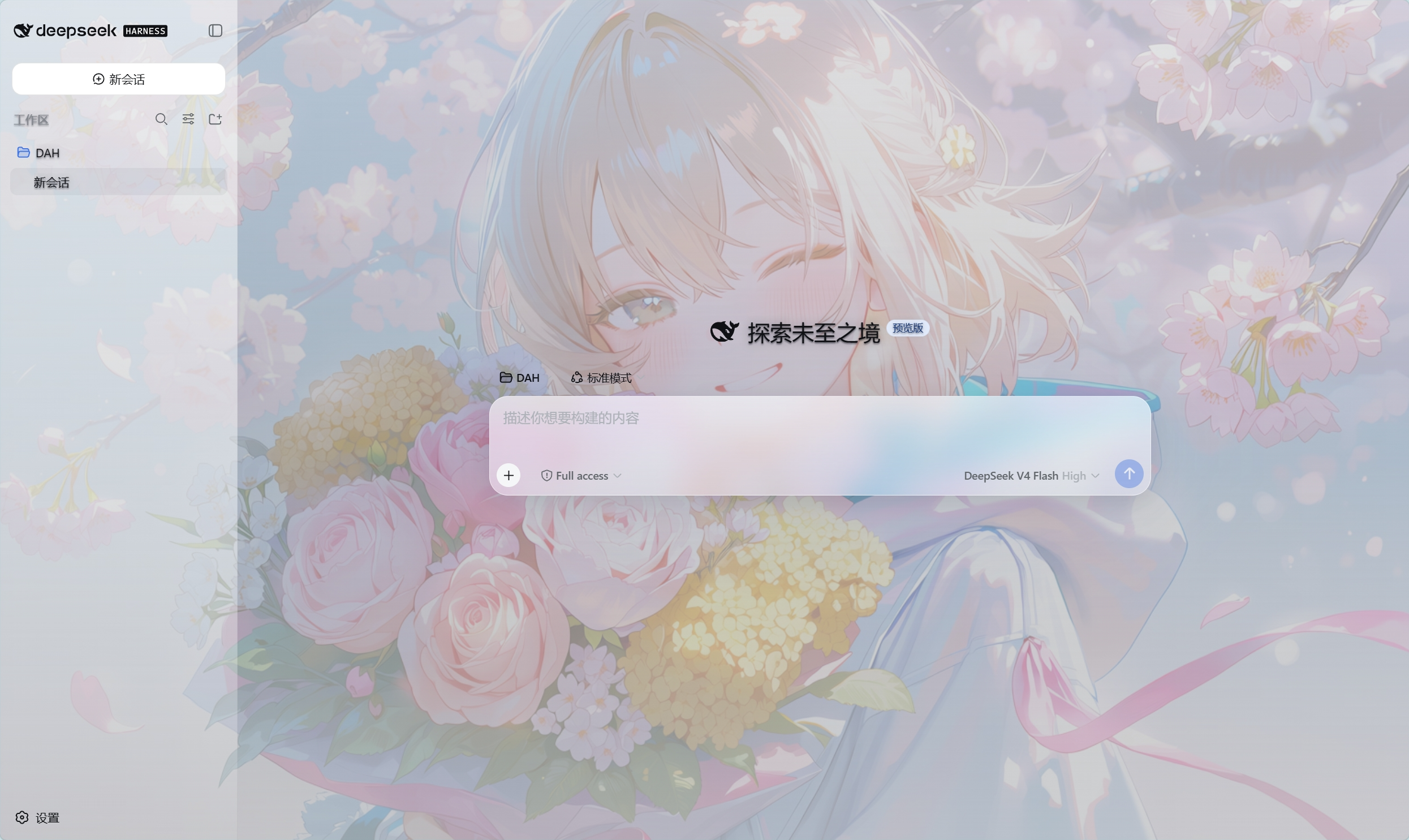
为 DeepSeek Harness 的 Web 界面提供动漫背景皮肤的本地插件。安装后,界面使用全屏固定背景;聊天区、侧栏和设置面板保持半透明可读样式。
png、jpg、jpeg、webp、gif。以下方式任选一种。安装完成后需要重启 DeepSeek Harness。
已经可以使用 dsh 命令时,执行:
dsh plugin --profile web add github:Zdram/deepseek-harness-skin安装完成后重启 DSH,并打开 Web 界面。
克隆仓库:
git clone https://github.com/Zdram/deepseek-harness-skin.git
cd deepseek-harness-skin
Windows PowerShell:
powershell -ExecutionPolicy Bypass -File .\install.ps1Linux / macOS / Git Bash:
./install.sh安装脚本会依次尝试 PATH 上的 dsh、DSH_ROOT、插件目录附近的 deepseek-harness 源码目录以及当前目录。
cd /path/to/deepseek-harness
pnpm dsh plugin --profile web add /path/to/deepseek-harness-skin
也可以直接使用 GitHub 地址:
pnpm dsh plugin --profile web add github:Zdram/deepseek-harness-skin重启 DSH 并打开 Web 界面后:
http://127.0.0.1:3080/dsh-dream-skin/bg.png 能返回图片。编辑 profile 的 cordis.patch.yml:
%USERPROFILE%\.dsh\profiles\web\cordis.patch.yml~/.dsh/profiles/web/cordis.patch.yml使用其他 profile 时,把路径中的 web 换成对应名称。
在文件末尾添加:
- id: dsh-dream-skin
  config:
    background: 'D:/Pictures/your-background.png'
Linux / macOS 示例:
- id: dsh-dream-skin
  config:
    background: '/home/user/Pictures/your-background.jpg'
要求:
/,例如 D:/Pictures/bg.png。dsh-dream-skin 条目。保存文件后重启 DSH。
Windows:
powershell -ExecutionPolicy Bypass -File .\install.ps1 -Background "D:/Pictures/your-background.png"Linux / macOS:
./install.sh /home/user/Pictures/your-background.jpg在仓库模式下,可以用同名的 assets/bg.png 覆盖默认图,然后重启 DSH。此方式不需要修改配置,但只适合直接持有插件目录的情况。
执行:
dsh plugin --profile web remove dsh-dream-skin在 DSH 源码目录下:
pnpm dsh plugin --profile web remove dsh-dream-skin卸载后重启 DSH。如果 profile 的 cordis.patch.yml 中还有 dsh-dream-skin 条目,应一并删除。
重启 DSH 进程,并使用浏览器强制刷新(Windows / Linux 为 Ctrl+F5,macOS 为 Cmd+Shift+R)。
检查 cordis.patch.yml 中的配置是否写入了正确的 profile 文件,确认图片路径存在且格式受支持。路径不存在时,DSH 日志中会出现:
[dsh-dream-skin] configured background not found, using bundled asset直接访问 http://127.0.0.1:3080/dsh-dream-skin/bg.png。如果返回 404 或非图片内容,说明插件未正常加载,需要重新安装并重启。
listen EADDRINUSE: address already in use 127.0.0.1:3080 表示 3080 端口被其他进程占用。关闭占用端口的进程,或修改 DSH 的 Web 端口配置后重启。
如果 DSH 升级后背景或聊天框样式异常,可以在仓库 Issues 页面反馈,并提供 DSH 版本号。
仓库根目录的 AGENTS.md 定义了对本插件进行代码修改时的约束,包括换背景的安全流程、防闪白逻辑和发布文件要求。
CLASSIFICATION EVIDENCE
系统优先读取 GitHub Topics,再与站内分类词典和词根规则比对。
aooyoo
Zero-token DuckDuckGo search provider for the DeepSeek Harness (DSH) web seam — local headless browser, no API key, no m…
awa-123-cw
DSH 图片/音视频托管插件:自动拉起 8899 静态服务 + 3080 /files/ 路由(HTTP Range 流式)+ WebUI 内点击即播(视频静音/音频 20% 音量/互斥懒加载)
awa-123-cw
DSH 设置页「关于」栏位 + 一键检测更新插件(About page with update checking for DeepSeek Harness WebUI)