
消息通讯
渠道适配
dsh-notify
baka-world
DeepSeek Harness desktop notification plugin (notify-send / D-Bus)
cordisdbusdeepseek-harnessdesktop-notification
PROJECT TOPICS
PROJECT README


在 DeepSeek Harness 中直接登录 ChatGPT 并使用 Codex 订阅,不需要 OpenAI API Key, 也不依赖 Codex CLI。保留 DSH 原有的会话、工具和权限,还能切换联网搜索来源并查看额度。
交给 Agent 安装 · Windows 手动安装 · 更新与卸载
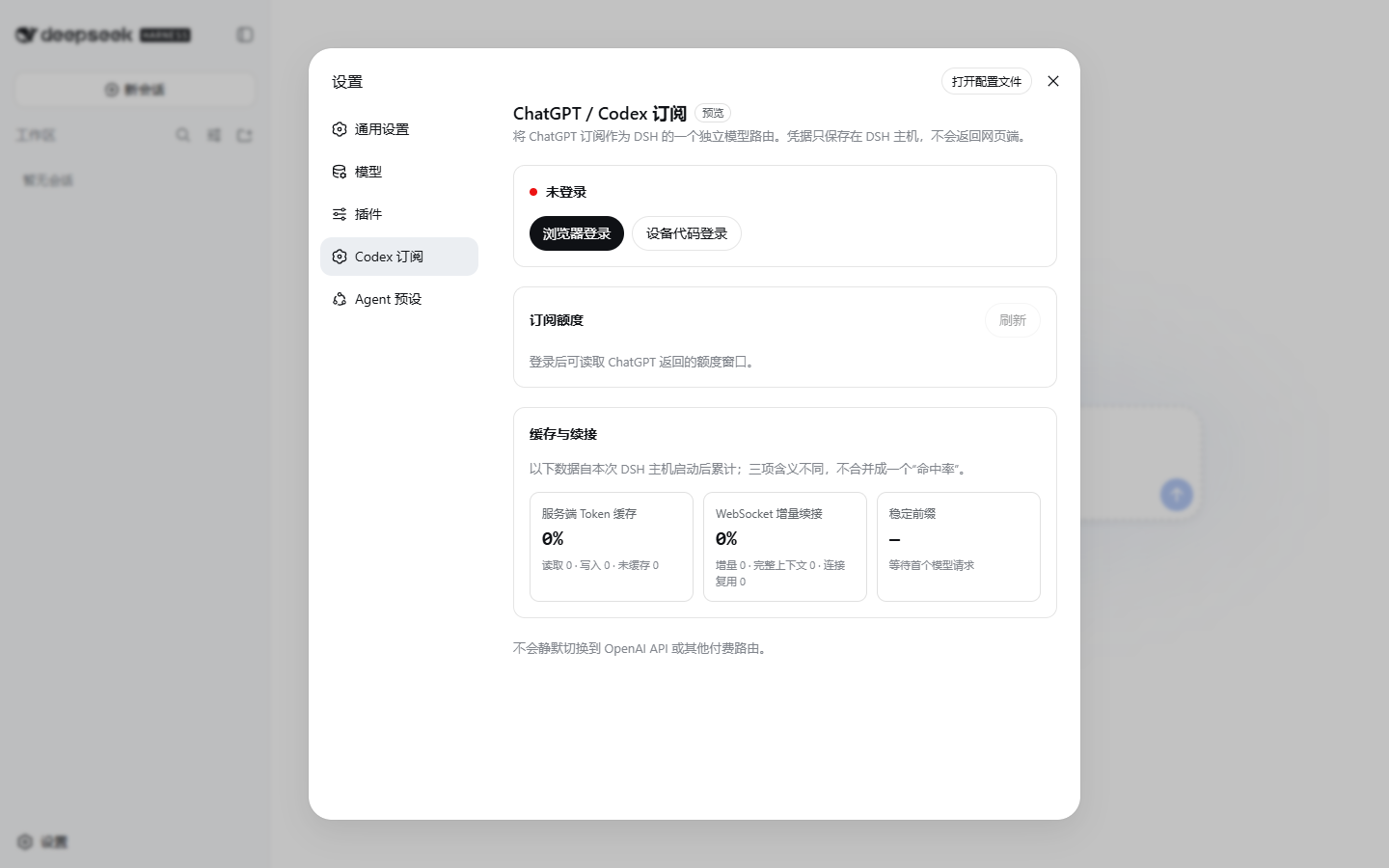
设置页会显示登录状态、搜索来源,以及服务端实际返回的普通 Codex 与 Spark 独立额度。
如果它帮到了你,欢迎在 GitHub 仓库的右上角点一下 Star,也方便其他 DSH 用户发现。
本插件适配 DeepSeek Harness 0.1.0-rc.6,还需要一个当前具有 Codex 使用资格的
ChatGPT 账户。
已经能正常打开 DSH 的用户可以直接继续安装插件。
把下面的链接直接发给 Agent。文档包含安装、更新、卸载和验收步骤;Agent 不应删除 DSH profile、登录信息或擅自重启 DSH。
https://raw.githubusercontent.com/WSL043/dsh-codex-subscription/main/AGENTS.md打开 PowerShell,依次粘贴下面两行:
curl.exe -fL https://github.com/WSL043/dsh-codex-subscription/releases/latest/download/dsh-codex.ps1 -o "$env:TEMP\dsh-codex.ps1"
powershell.exe -NoProfile -ExecutionPolicy Bypass -File "$env:TEMP\dsh-codex.ps1" Install
普通安装版和 DSH-Portable 都能使用。便携版不需要另装 Node.js 或 pnpm,整个过程不需要
管理员权限。安装器会自动寻找 DSH、验证安装结果,并添加当前用户的 dsh-codex 命令;
它不会修改系统执行策略或擅自重启 DSH。
如果便携文件夹改过名字或位置,先启动一次正确的 DSH-Portable,再执行安装。完成后手动 重启 DSH,让插件生效。
dsh 命令dsh plugin --profile web add https://github.com/WSL043/dsh-codex-subscription/releases/download/v0.2.8/dsh-codex-subscription.tgz
dsh plugin --profile web list dsh-codex-subscription --depth 0
dsh --profile web --dump-config安装列表中应只有一个 dsh-codex-subscription,配置中应只有一个
codex-subscription 条目。
Codex 订阅搜索复用同一份 ChatGPT 登录,不需要 OpenAI API Key。切换搜索来源不会改变 当前对话模型,也不会在失败时自动改走另一个付费服务。升级后默认保留 DSH 原有搜索, 需要使用 Codex 订阅搜索时再主动切换。

Windows 安装器用户只需要两条短命令:
| 操作 | PowerShell 命令 |
|---|---|
| 更新 | dsh-codex update |
| 卸载 | dsh-codex uninstall |
更新会校验最新 Release 管理脚本的 SHA-256。卸载会移除插件和 dsh-codex 命令,但保留
DSH profile、其他插件和已保存的登录信息。旧版本如果还没有短命令,重新执行一次上面的
Windows 首次安装命令即可。
dsh 命令更新或卸载更新并检查:
dsh plugin --profile web add https://github.com/WSL043/dsh-codex-subscription/releases/download/v0.2.8/dsh-codex-subscription.tgz
dsh plugin --profile web list dsh-codex-subscription --depth 0
dsh --profile web --dump-config卸载:
dsh plugin --profile web remove dsh-codex-subscription从 v0.2.1 手动更新时,确认新包安装成功后再移除旧包名:
dsh plugin --profile web remove @wsl043/dsh-codex-subscription如果 DSH 正在运行,安装或更新后请手动重启。
dsh-codex:关闭并重新打开 PowerShell;curl.exe、检测到多个 DSH,或仍然失败:把 Agent 文档链接发给 Agent,
不要自行修改系统 PATH、执行策略或删除 profile。本项目的问题反馈请使用 GitHub Issues; DSH 插件相关交流也可以前往 DeepSeek Harness Discussions。 敏感问题请先阅读 SECURITY.md。
CLASSIFICATION EVIDENCE
系统优先读取 GitHub Topics,再与站内分类词典和词根规则比对。
baka-world
DeepSeek Harness desktop notification plugin (notify-send / D-Bus)
drscrewdriver
go 语言实现的ai 基座+ tui +server系统
fieldnote-ops
Independent, default-off DingTalk Stream relay plugin for DeepSeek Harness: allowlisted sessions, ACK-first replies, and…