其他
技能
dsh-web-search-ddg
aooyoo
Zero-token DuckDuckGo search provider for the DeepSeek Harness (DSH) web seam — local headless browser, no API key, no m…
deepseek-harnessdeepseek-harness-plugindsh-bundledsh-ctest
PROJECT TOPICS
PROJECT README

A DeepSeek Harness Web plugin for safely managing local skills and viewing shared Agent skills.
Report an issue · View on npm · 简体中文




DSH Skills Manager is a community-maintained plugin, not an official DeepSeek AI product.
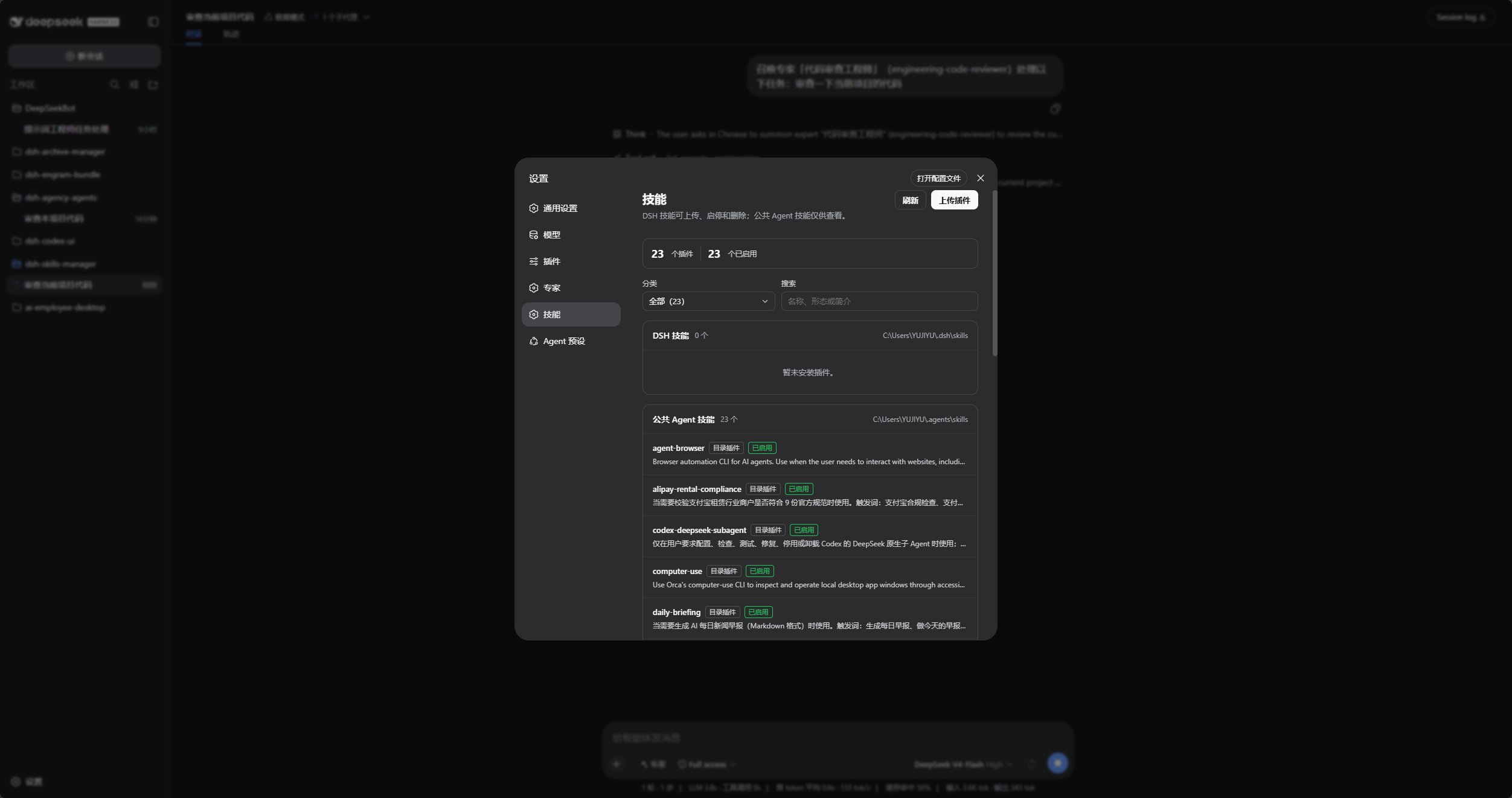
The screenshot shows DSH-local skills with enable, disable, and delete actions. Shared Agent skills stay read-only.
$DSH_HOME\skills and shared $DSH_AGENTS_HOME\skills in one Settings page.SKILL.md through the native file picker and confirms every name collision.dsh available in PowerShell.web profile; replace it with the target profile.npm install in an arbitrary directory.Run this from any PowerShell directory. Install into the DSH profile through dsh plugin:
[Console]::OutputEncoding = [System.Text.Encoding]::UTF8
$OutputEncoding = [System.Text.Encoding]::UTF8
dsh plugin --profile web add @michengai/dsh-skills-manager
dsh --profile web --dump-config
Restart DSH Web or reload the active Web profile. If a package mirror is behind, append --registry=https://registry.npmjs.org/.
Use this for debugging or unpublished changes. The cloned directory becomes the plugin source path:
[Console]::OutputEncoding = [System.Text.Encoding]::UTF8
$OutputEncoding = [System.Text.Encoding]::UTF8
Set-Location D:\Repository\deepseek-harness-plugin
git clone https://github.com/MichengAI/dsh-skills-manager.git
Set-Location .\dsh-skills-manager
npm install
npm test
dsh plugin --profile web add .
dsh --profile web --dump-config
Restart DSH Web or reload the active Web profile. Local installation reads and applies cordis.patch.yml; do not copy lib files manually.
Open Settings → Skills, then use the panel as follows:
| Goal | Action | Scope |
|---|---|---|
| Inspect a skill | Review its name, form, description, and invocation state. | DSH and shared Agent skills |
| Enable or disable | Select Enable or Disable; this controls model invocation and the / command. |
DSH-local skills only |
| Upload a plugin | Select Upload Plugin, then choose the plugin directory’s SKILL.md. Its scripts and resources are copied too. |
DSH-local skills only |
| Choose the directory | If the selected file has no usable path, choose the directory containing SKILL.md. |
DSH-local skills only |
| Replace or delete | Confirm a name collision, or select Delete for an unneeded local skill. | DSH-local skills only |
| Inspect shared skills | Review shared Agent skills without changing their metadata. | Read-only |
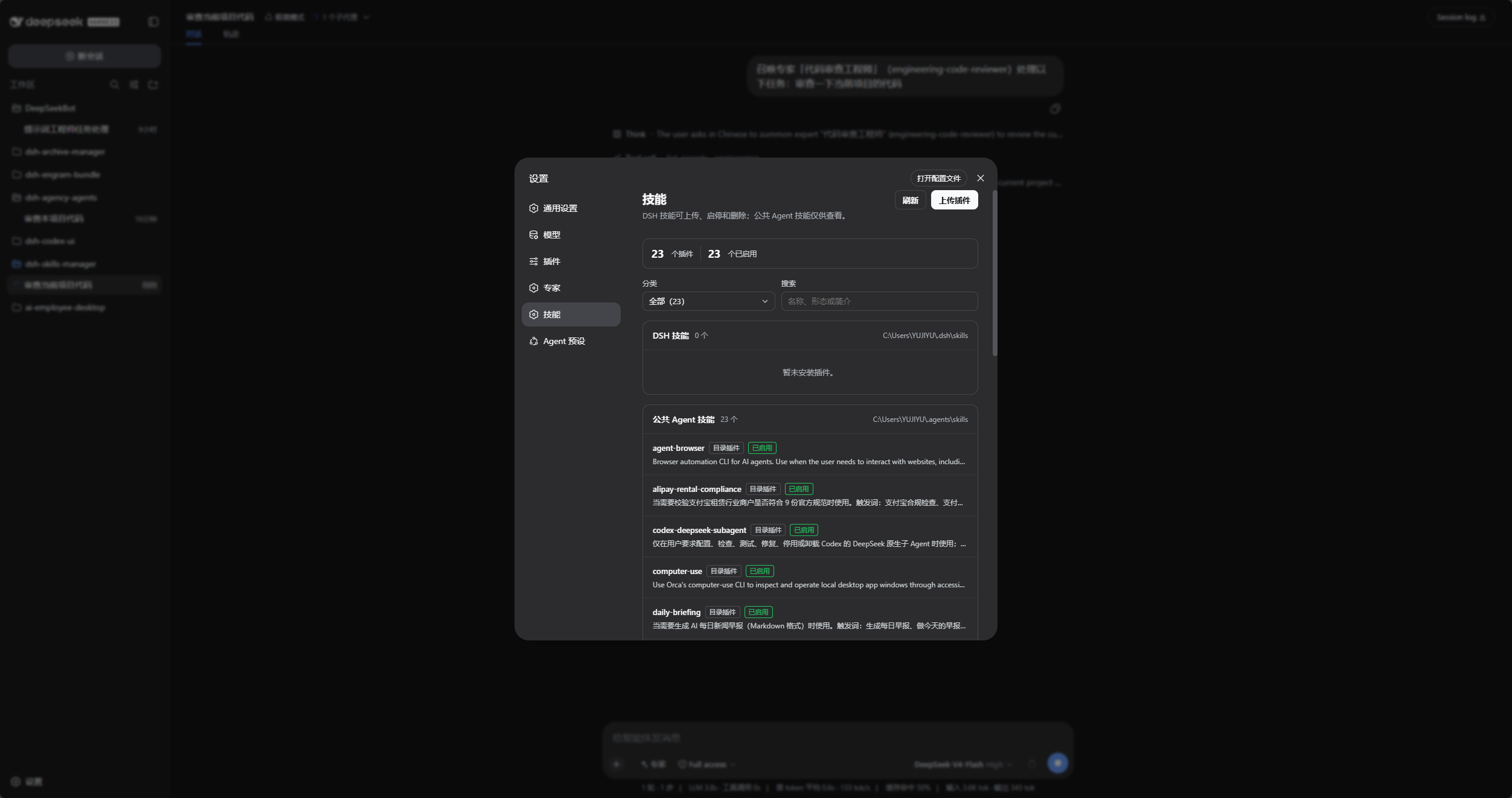
Shared Agent skills stay visible when the DSH-local group is empty.
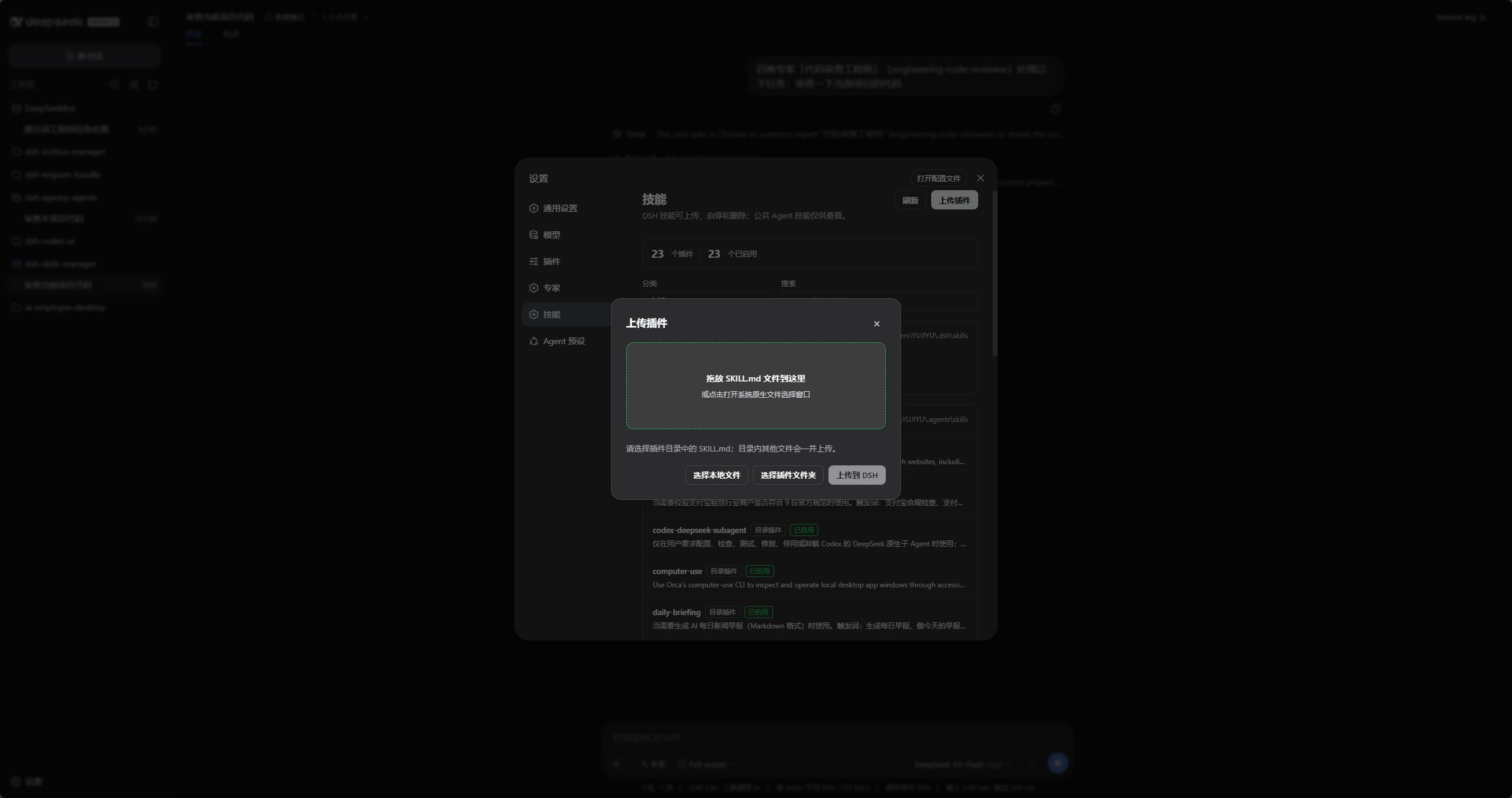
The compact upload dialog accepts a plugin
SKILL.md, a plugin directory, or drag-and-drop.
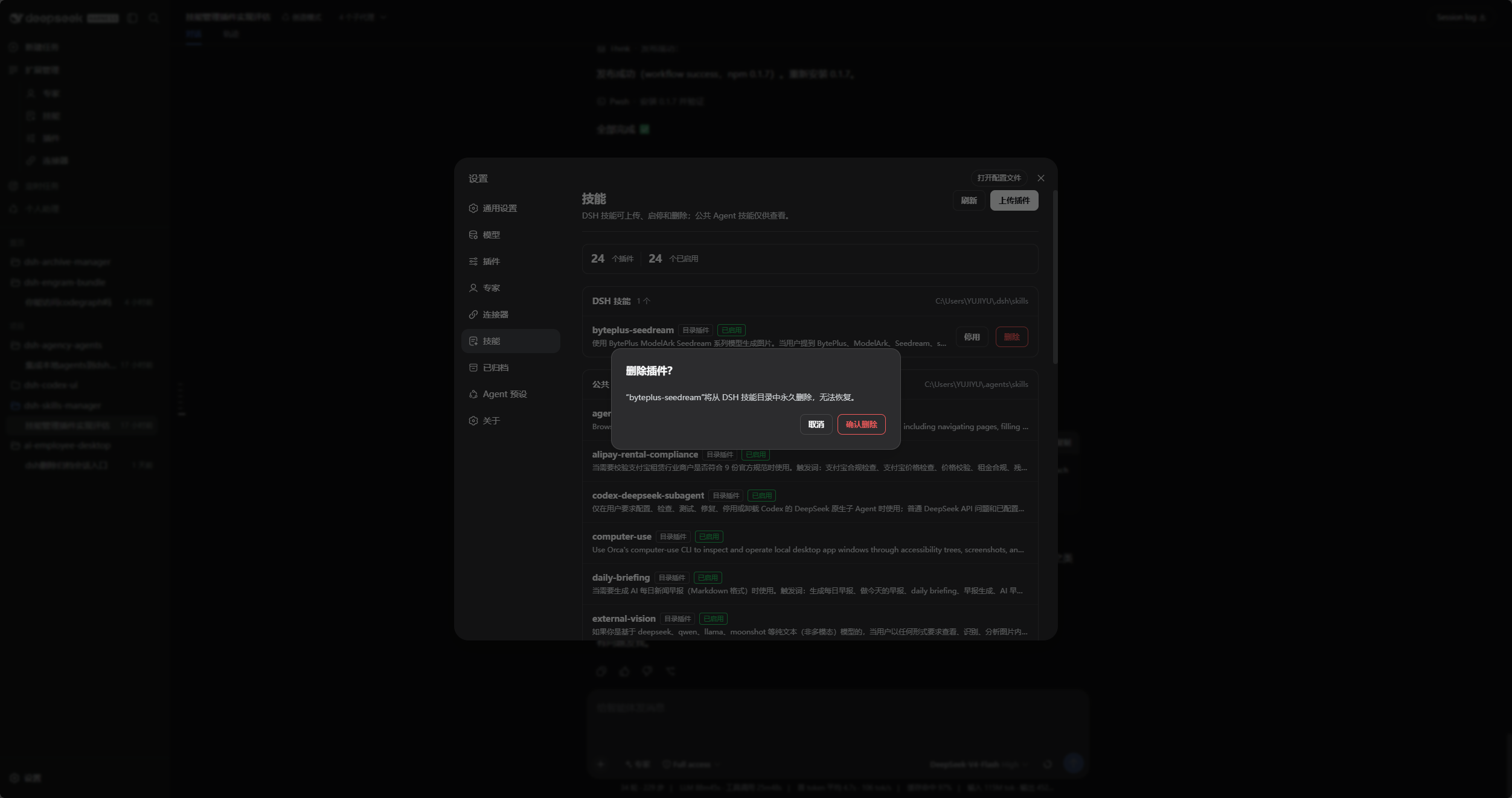
Deleting a DSH-local skill requires confirmation and cannot be undone.
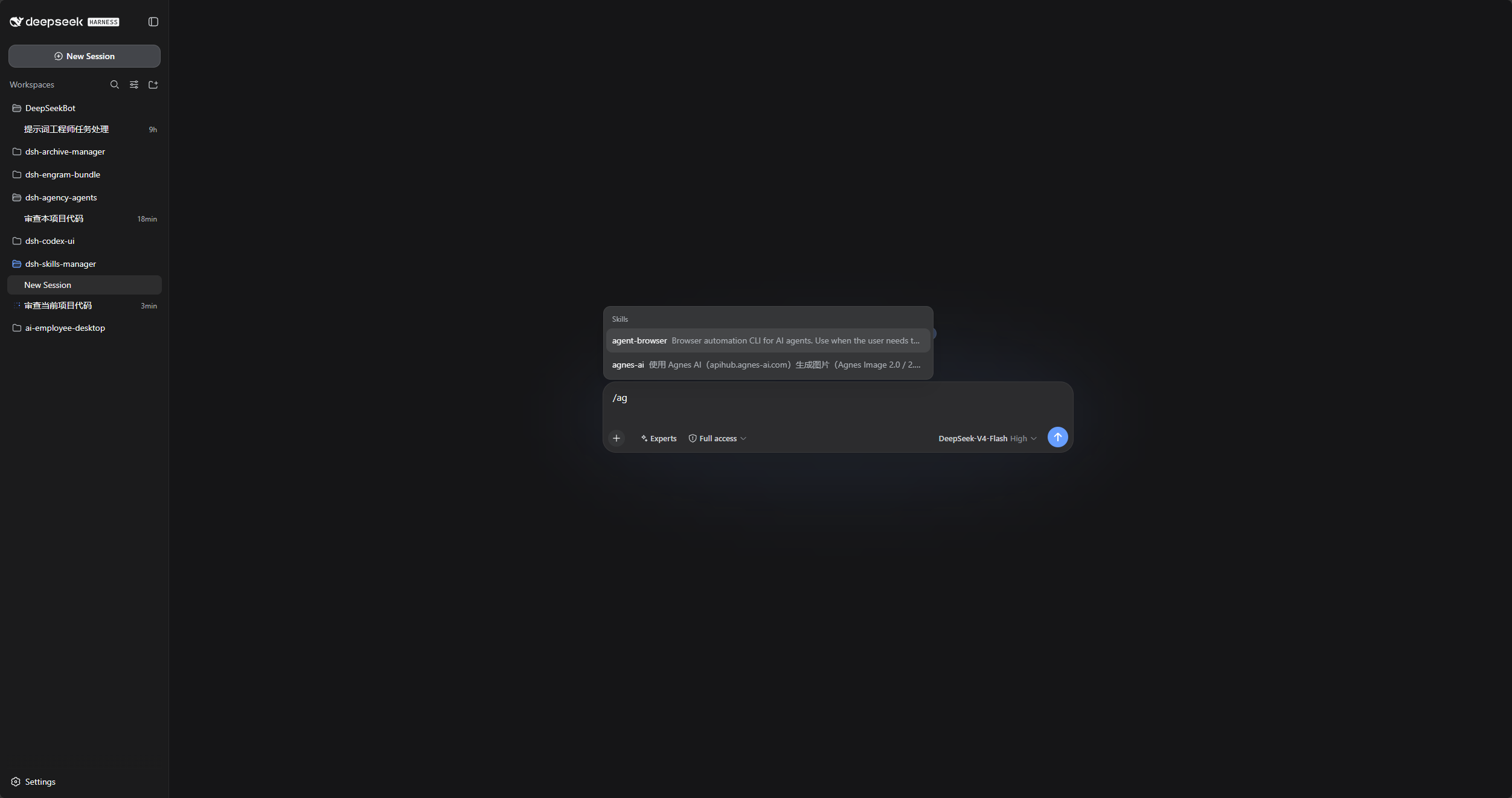
Enabling a DSH-local skill restores its
/command in the chat composer.
Escape closes only the frontmost upload or confirmation dialog and leaves Settings open.
| Directory | View | Enable or disable | Upload or replace | Delete |
|---|---|---|---|---|
$DSH_HOME\skills |
Yes | Yes | Yes | Yes |
$DSH_AGENTS_HOME\skills |
Yes | No | No | No |
This repository has no src directory. lib is directly maintained runtime source, which is its current layout rather than the recommended layout for new plugins. New plugins should prefer src built to lib.
test\core-test.mjs: file-operation, permission, and import boundary tests.test\locale-test.mjs: UI locale tests.After changing the runtime source, test, inspect package contents, and install from the local directory:
[Console]::OutputEncoding = [System.Text.Encoding]::UTF8
$OutputEncoding = [System.Text.Encoding]::UTF8
npm test
npm run pack:check
dsh plugin --profile web add .
Preserve path validation, temporary-copy replacement, and shared-skill read-only behavior when changing file-mutation code.
[Console]::OutputEncoding = [System.Text.Encoding]::UTF8
$OutputEncoding = [System.Text.Encoding]::UTF8
npm test
npm run pack:check
prepublishOnly runs the core tests before publishing.
Project status, usage boundaries, architecture, and iteration records begin at the documentation entry point. The detailed operational guide is docs\02-产品与业务\01-使用说明.md.
Licensed under Apache License 2.0.
CLASSIFICATION EVIDENCE
系统优先读取 GitHub Topics,再与站内分类词典和词根规则比对。
aooyoo
Zero-token DuckDuckGo search provider for the DeepSeek Harness (DSH) web seam — local headless browser, no API key, no m…
awa-123-cw
DSH 图片/音视频托管插件:自动拉起 8899 静态服务 + 3080 /files/ 路由(HTTP Range 流式)+ WebUI 内点击即播(视频静音/音频 20% 音量/互斥懒加载)
awa-123-cw
DSH 设置页「关于」栏位 + 一键检测更新插件(About page with update checking for DeepSeek Harness WebUI)