其他
技能
dsh-web-search-ddg
aooyoo
Zero-token DuckDuckGo search provider for the DeepSeek Harness (DSH) web seam — local headless browser, no API key, no m…
deepseek-harnessdeepseek-harness-plugindsh-bundledsh-ctest
PROJECT TOPICS
PROJECT README

A DeepSeek Harness Web plugin for safely managing archived sessions.
Report an issue · View on npm · 简体中文




DSH Archive Manager is a community-maintained plugin, not an official DeepSeek AI product.
dsh available in PowerShell.web profile; replace it with the target profile.npm install in an arbitrary directory.Run this from any PowerShell directory. Install into the DSH profile through dsh plugin, not as a dependency of an unrelated project:
[Console]::OutputEncoding = [System.Text.Encoding]::UTF8
$OutputEncoding = [System.Text.Encoding]::UTF8
dsh plugin --profile web add @michengai/dsh-archive-manager
dsh --profile web --dump-config
Restart DSH Web and hard-refresh the browser after installation or upgrade. If a package mirror is behind, append --registry=https://registry.npmjs.org/.
Use this for debugging or unpublished changes. The cloned directory becomes the plugin source path:
[Console]::OutputEncoding = [System.Text.Encoding]::UTF8
$OutputEncoding = [System.Text.Encoding]::UTF8
Set-Location D:\Repository\deepseek-harness-plugin
git clone https://github.com/MichengAI/dsh-archive-manager.git
Set-Location .\dsh-archive-manager
pnpm install --frozen-lockfile
pnpm build
dsh plugin --profile web add .
dsh --profile web --dump-config
Restart DSH Web and hard-refresh the browser. Local installation applies cordis.patch.yml; do not copy lib or client files manually.
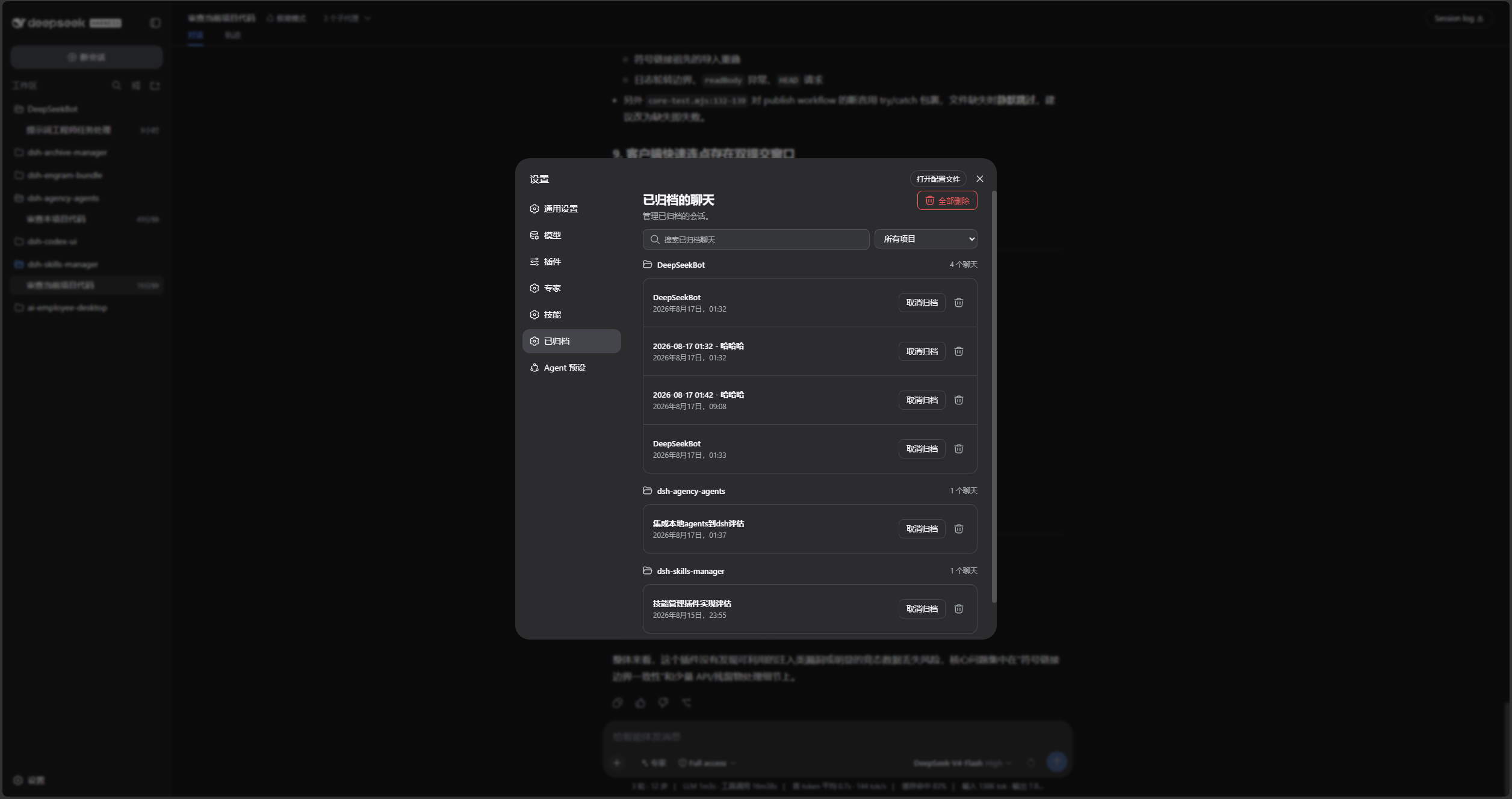
If the entry is missing after installation or upgrade, restart DSH Web and hard-refresh the browser. It is located directly after Connectors in Settings.
This repository has no src directory. lib is directly maintained runtime source, which is its current layout rather than the recommended layout for new plugins. New plugins should prefer src built to lib.
test\*.test.mjs: host, client, Remote, and styling coverage.After changing the runtime source, validate, test, and install from the local directory:
[Console]::OutputEncoding = [System.Text.Encoding]::UTF8
$OutputEncoding = [System.Text.Encoding]::UTF8
pnpm build
pnpm test
pnpm pack:check
dsh plugin --profile web add .
pnpm build validates package integrity; it does not compile lib into another directory.
[Console]::OutputEncoding = [System.Text.Encoding]::UTF8
$OutputEncoding = [System.Text.Encoding]::UTF8
pnpm build
pnpm test
pnpm pack:check
prepublishOnly runs the build check and tests before publishing.
Licensed under Apache License 2.0.
CLASSIFICATION EVIDENCE
系统优先读取 GitHub Topics,再与站内分类词典和词根规则比对。
aooyoo
Zero-token DuckDuckGo search provider for the DeepSeek Harness (DSH) web seam — local headless browser, no API key, no m…
awa-123-cw
DSH 图片/音视频托管插件:自动拉起 8899 静态服务 + 3080 /files/ 路由(HTTP Range 流式)+ WebUI 内点击即播(视频静音/音频 20% 音量/互斥懒加载)
awa-123-cw
DSH 设置页「关于」栏位 + 一键检测更新插件(About page with update checking for DeepSeek Harness WebUI)