其他
技能
dsh-web-search-ddg
aooyoo
Zero-token DuckDuckGo search provider for the DeepSeek Harness (DSH) web seam — local headless browser, no API key, no m…
deepseek-harnessdeepseek-harness-plugindsh-bundledsh-ctest
PROJECT TOPICS
PROJECT README

271 summonable specialist agents for DeepSeek Harness
简体中文 · Documentation · Apache-2.0





DSH Agency Agents is a community-maintained DeepSeek Harness (DSH) plugin, not an official DeepSeek AI product.
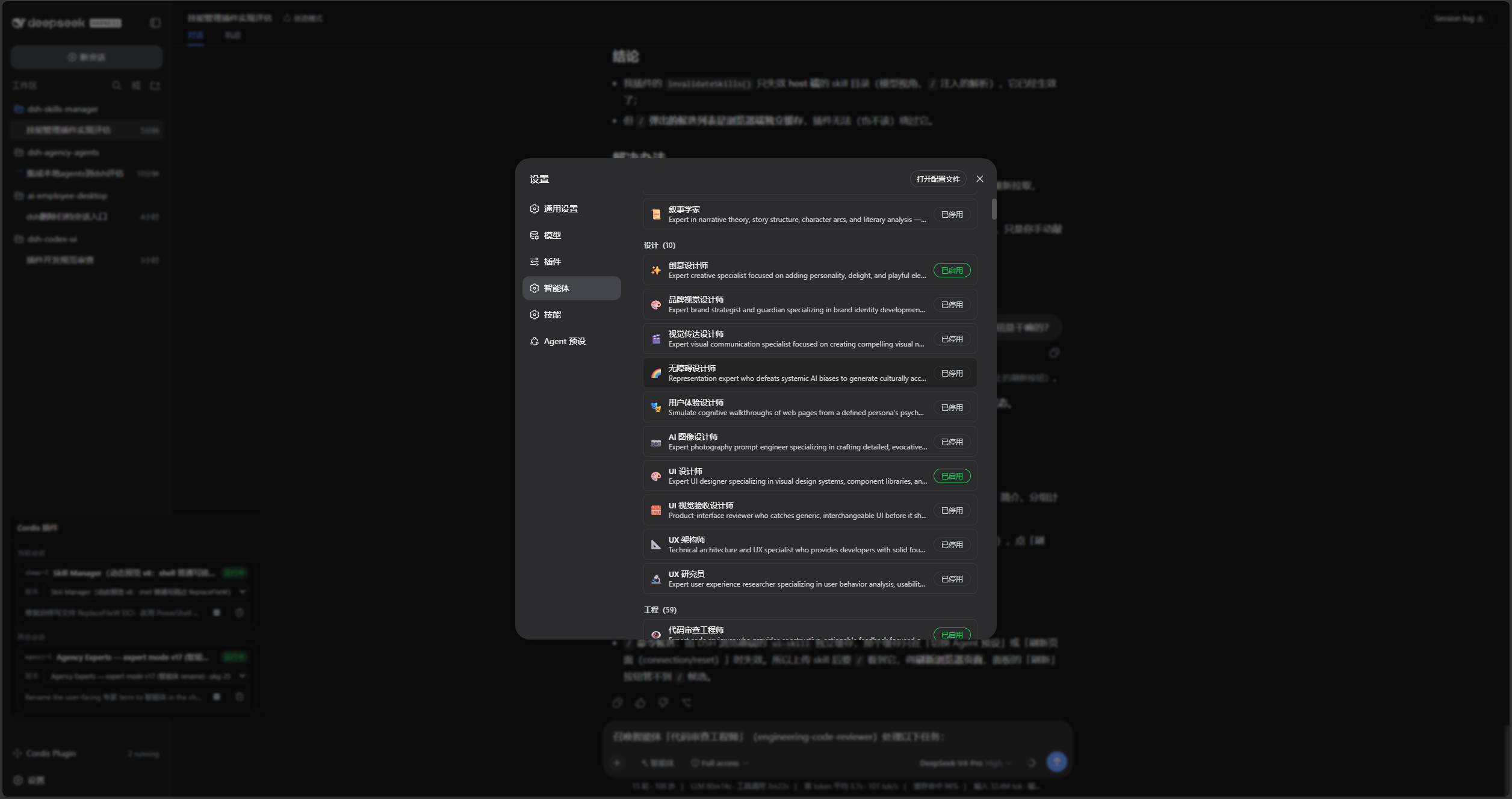
list_experts to discover experts and summon_expert to start a one-shot specialist subagent.The parent session keeps task context, judgment, and the final answer. Expert children provide a specialist perspective only and cannot summon further experts.
Enable the experts you need in Settings → Experts:
Open the composer's Experts picker and choose an enabled expert:
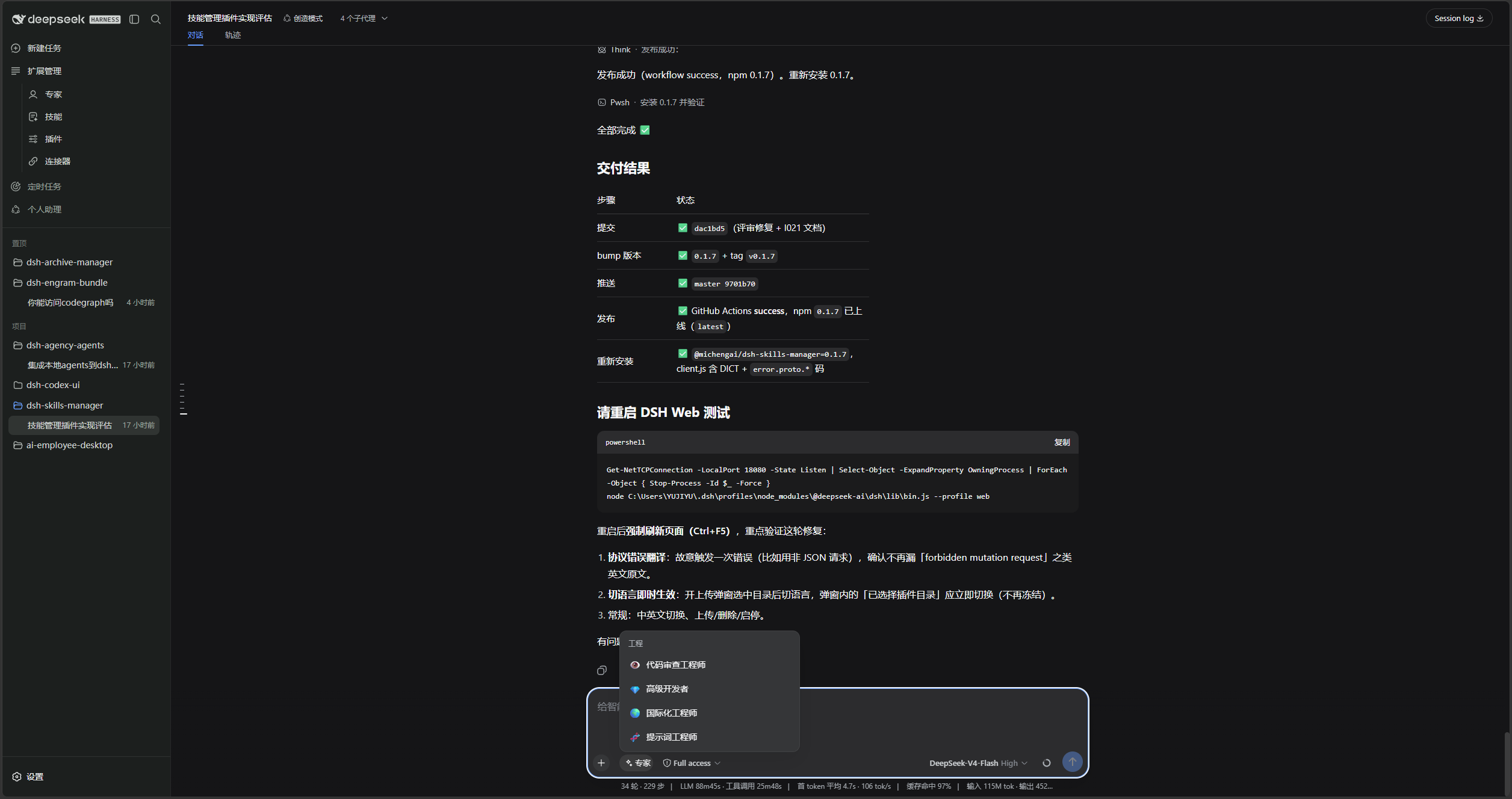
Then write the complete task with the expert name and slug:

dsh available in PowerShell.web profile; replace it with the target profile.pnpm install separately.Run this from any PowerShell directory. dsh plugin installs the npm package and applies its bundled cordis.patch.yml:
[Console]::OutputEncoding = [System.Text.Encoding]::UTF8
$OutputEncoding = [System.Text.Encoding]::UTF8
dsh plugin --profile web add @michengai/dsh-agency-agents
dsh --profile web --dump-config
The configuration output should contain agency-agents and agency-agents-remote. Restart DSH Web and hard-refresh the browser. Do not copy client files manually: the Settings page needs the mounted Remote service.
If a package mirror has not synchronized the latest version, append --registry=https://registry.npmjs.org/.
Use this for debugging or unpublished changes. The cloned directory becomes the plugin source path:
[Console]::OutputEncoding = [System.Text.Encoding]::UTF8
$OutputEncoding = [System.Text.Encoding]::UTF8
Set-Location D:\Repository\deepseek-harness-plugin
git clone https://github.com/MichengAI/dsh-agency-agents.git
Set-Location .\dsh-agency-agents
pnpm install --frozen-lockfile
pnpm build
dsh plugin --profile web add .
dsh --profile web --dump-config
Restart DSH Web and hard-refresh the browser. dsh plugin ... add . reads the package metadata and cordis.patch.yml; do not install by copying lib directly.
Summon the "Code Review Engineer" expert (engineering-code-reviewer) for this task:
Review the changes in the current workspace and list reproducible issues by severity.
The parent session can also call list_experts(division?), then delegate with summon_expert(expert, task). Use a slug when a name is ambiguous.
| Key | Default | Purpose |
|---|---|---|
root |
Bundled expert assets | External expert root; an explicit value takes priority. |
provider |
spawn |
DSH subagent provider; fork also works when it supports persona and tool filtering. |
divisions |
17 standard divisions | Top-level divisions to scan. |
maxDepth |
Unset | Positive absolute subagent-depth limit. |
Set AGENCY_AGENTS_ROOT to use an external expert directory. The provider must support persona and tool filtering.
@ trigger.assets\agency-agents: bundled personas; retain its MIT license and NOTICE attribution.After changing src or assets, rebuild, test, and install from the local directory:
[Console]::OutputEncoding = [System.Text.Encoding]::UTF8
$OutputEncoding = [System.Text.Encoding]::UTF8
pnpm build
pnpm test
pnpm verify
dsh plugin --profile web add .
The published package includes lib, assets, the patch, and documentation only. Do not publish node_modules or local development files.
[Console]::OutputEncoding = [System.Text.Encoding]::UTF8
$OutputEncoding = [System.Text.Encoding]::UTF8
pnpm build
pnpm test
pnpm verify
prepublishOnly runs these build, test, and package-integrity checks before publishing.
This project’s TypeScript source, build scripts, and documentation use Apache License 2.0. Bundled personas originate from The Agency and remain MIT-licensed; see assets\agency-agents\LICENSE.
CLASSIFICATION EVIDENCE
系统优先读取 GitHub Topics,再与站内分类词典和词根规则比对。
aooyoo
Zero-token DuckDuckGo search provider for the DeepSeek Harness (DSH) web seam — local headless browser, no API key, no m…
awa-123-cw
DSH 图片/音视频托管插件:自动拉起 8899 静态服务 + 3080 /files/ 路由(HTTP Range 流式)+ WebUI 内点击即播(视频静音/音频 20% 音量/互斥懒加载)
awa-123-cw
DSH 设置页「关于」栏位 + 一键检测更新插件(About page with update checking for DeepSeek Harness WebUI)