界面增强
完整应用
dsh-desktop
Jedeiah
DeepSeek Harness 桌面端(macOS):双击即用的官方 dsh「壳」应用。内置 Node 与完整依赖闭包,电脑无需安装任何环境;跟随上游自动更新、干净卸载、局域网手机/平板浏览器访问。
ai-agentdeepseekdesktop-appdsh-plugin
PROJECT TOPICS
PROJECT README
English · 中文
Turn any DeepSeek Harness (DSH) session into a live, scrubbable data-flow runbook — see everything your agent produced, how it connects, and rerun any step in one click.
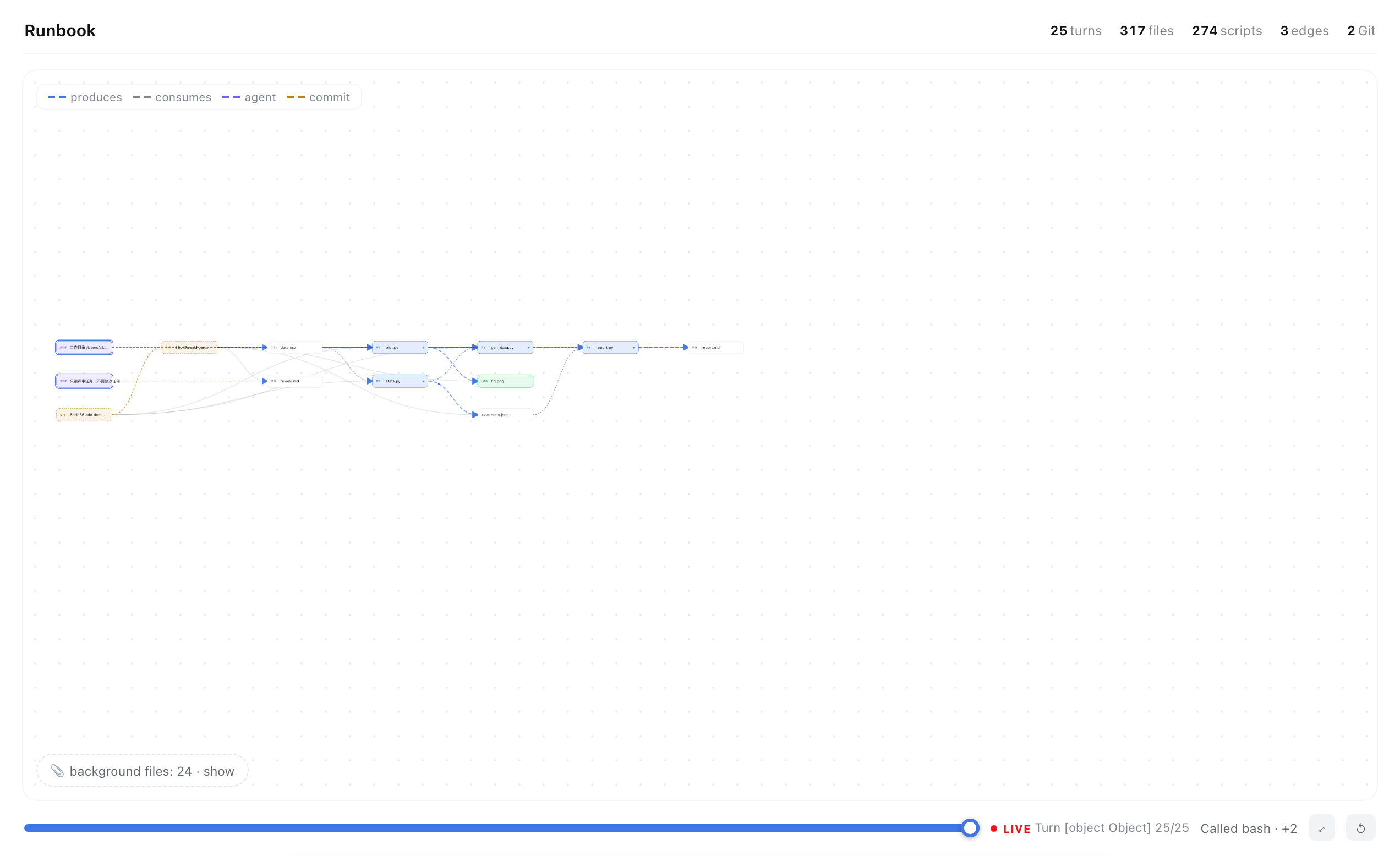
You let an agent grind for hours. It touched 300 files, ran 50 commands, spawned subagents, committed to git — and at the end you're left asking: what did it actually make, and how do the pieces fit?
The chat transcript can't answer that. A graph can.
Runbook builds a Jupyter-notebook-style DAG of the whole session: scripts, datasets, figures, docs — every node a real file, every edge real data flow. Scrub the turn slider and watch the pipeline grow like a tree. Hover a node for one-click preview / rerun / LLM-explain. Git history becomes provenance nodes; subagent work gets stitched in; a persistent ledger survives compaction and restarts.
| 🔀 Turn scrubber | Drag from turn 1 to now — the graph grows structurally (zoom/pan stay live, no canned animation) |
| 🖥 Mini terminal | Click ▶ on any script: a small corner terminal streams stdout/stderr + exit code — page never hijacked |
| ✨ LLM explain | One sentence on what any file is and where it came from; racing primary × fallback models, 2–6 s typical |
| 📜 Git provenance | Commits are first-class nodes chained in time; files hang off their commit — un-pushed history gets structure too |
| 🤖 Subagent stitching | Child-session runs/edits/reads mined from their own logs; agent→script→artifact edges, purple-coded |
| 💾 Disk scan + static IO | Never-ran, never-committed research code still enters the graph: read_csv/to_csv/savefig + CLI-flag adjacency + mtime inference |
| 📖 PIPELINE.md backbone | Got a curated mermaid pipeline doc? It becomes the view. Missing files render as dashed ghosts — your gap list, visualized. No doc? A zero-API backbone is inferred from static IO |
| 🧹 Shelf | Orphan files collapse into a per-directory tray by default — the pipeline stays the hero |
| 🌐 Global retarget | Type any project path in the header; git/scan/backbone all retarget, persisted across sessions |
All local by default. The only optional network call is ✨ explain, through your configured provider.
dsh plugin --profile web add zhan-tz/dsh-plugin-runbookOpen any conversation → Runbook tab. For the backbone view, drop a PIPELINE.md (mermaid flowchart LR + status emoji) in your project root — or just let it infer one.
session timeline ──┐
git ledger ────────┼──► buildFileGraph ──► layered layout ──► SVG (scrub/zoom/hover)
subagent logs ─────┤         ▲
persistent ledger ─┤         └─ host routes (zstd, regex, static IO, cycle guards)
disk scan ─────────┘
Host (lib/index.js) exposes local routes: /agent-fileview /agent-explain /agent-run /agent-git /agent-subruns /agent-ledger /agent-scan /agent-pipeline. Client (lib/client.js) rebuilds the graph and renders it. See ROADMAP.md for the layered architecture and what's next.
Part of the DSH plugin ecosystem. Feedback, issues and PRs welcome — especially pipeline-doc variants from other fields (the mermaid parser is deliberately lenient).
Keywords: dsh plugin, DeepSeek Harness, agent artifacts, provenance, data lineage, pipeline DAG, workflow visualization, reproducibility, Jupyter-style, research notebook, agent observability, multi-agent.
DSH 插件:把任何 agent 会话变成可回放、可复跑的数据流运行本。
agent 干了几小时活,碰了 300 个文件、跑了 50 条命令、起了子 agent、提交了 git——聊天记录回答不了"它到底做出了什么、怎么串起来的"。图能。
read_csv/旗标邻接/mtime 三层推断)安装:
dsh plugin --profile web add zhan-tz/dsh-plugin-runbookMIT
CLASSIFICATION EVIDENCE
系统优先读取 GitHub Topics,再与站内分类词典和词根规则比对。
Jedeiah
DeepSeek Harness 桌面端(macOS):双击即用的官方 dsh「壳」应用。内置 Node 与完整依赖闭包,电脑无需安装任何环境;跟随上游自动更新、干净卸载、局域网手机/平板浏览器访问。
awa-123-cw
DeepSeek Harness WebUI 动效美化插件:聊天背景黑客帝国代码雨,雨字内容 = 当前会话 AI 思考链(流式实时),设置页调色盘 + 全套 DIY
baiyun200
DSH 插件看板 · DeepSeek Harness 插件生态可视化(shadcn/ui,每日自动构建部署)