开发工具
插件
dsh-doctor
asdf17128
Find what your DeepSeek Harness (dsh) patches silently broke — dead patches, config fields dropped by whole-config repla…
agentclicordisdeepseek
PROJECT TOPICS
PROJECT README
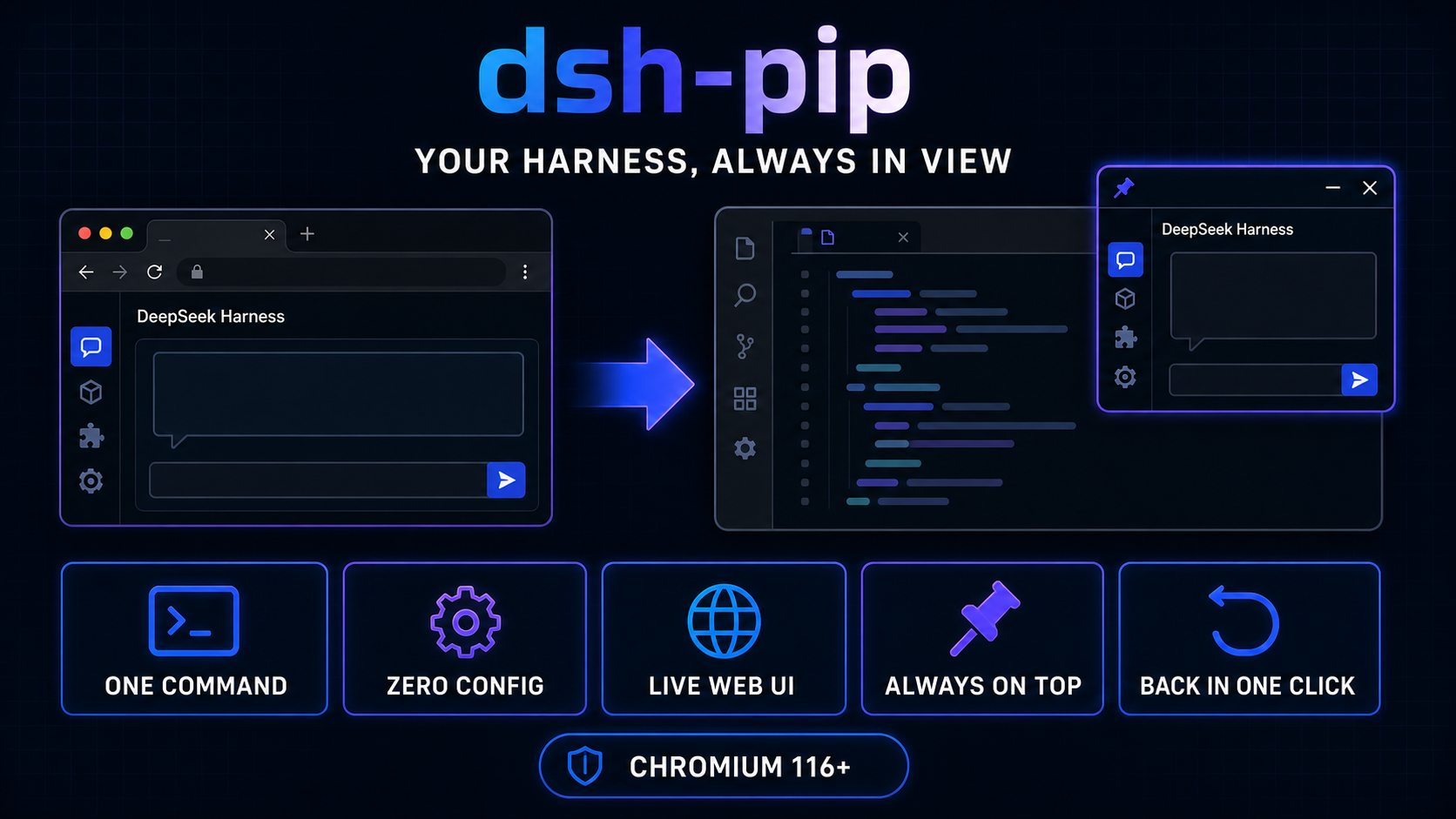
One click detaches the DeepSeek Harness web GUI into an always-on-top Document Picture-in-Picture window — it floats beside your editor, and one more click puts it back.




English · 中文
The DSH web GUI lives in a browser tab — watching the agent while writing code means hopping between the editor and the tab. dsh-pip uses Document Picture-in-Picture to move the whole app (not a screenshot) into a system-level always-on-top window:
dsh.bundle.patch): dsh plugin add mounts the plugin row automatically — no file edits.dsh web and a floating "独立窗口" button appears in the corner of the UI. Click it, done.#root moves together with styles and theme — not a screencast, the app itself, fully interactive.
These projects solve different layers of the same workflow. dsh-pip is a focused plugin for people who already run dsh web and only want the UI beside their editor; DeepSeek Harness Desktop is a packaged Electron distribution that owns the desktop app and local Harness service lifecycle.
dsh-pip |
DeepSeek Harness Desktop | |
|---|---|---|
| Primary job | Detach the existing Web UI into an always-on-top companion window | Package Harness as a standalone desktop app |
| Install | One dsh plugin command |
Download and install a desktop build |
| Existing setup | Requires a working dsh web profile and Chromium 116+ |
Bundles the runtime; no manual Node.js setup or CLI launch |
| Harness service | Reuses your existing service and configuration; does not start or manage it | Starts and manages the local Harness service |
| Window experience | One-click Document PiP detach / return; stays above the editor | Electron window, system tray, and desktop-specific UI adaptation |
| Harness UI and plugins | Moves the current official Web UI as-is; installed through the DSH plugin mechanism | Retains the official local Web UI and plugin capabilities inside the desktop distribution |
| Remote access and channels | None; this is a local window enhancement only | Advertises iOS / Android remote control plus WeChat, Feishu, Discord, and WhatsApp channels |
| Plugin discovery | Uses the standard DSH plugin CLI; no marketplace | A plugin marketplace and DSH-plugin delivery for Desktop are planned, not currently shipped |
| Platform scope | Chrome / Edge with Document PiP | macOS and Windows desktop builds |
Choose dsh-pip if your current Harness setup already works and you want the smallest change: keep your runtime, browser, profiles, and update flow, and add only a floating window. Choose Desktop if you want Harness packaged and managed as a desktop application without setting up Node.js or starting it from the command line.
dsh plugin --profile web add dsh-pipRestart dsh web — done, zero config:
On click the browser script calls documentPictureInPicture.requestWindow() during the click's transient activation, copies the opener's stylesheets and theme attributes into the new window, adopts the app root (#root) into it, and hides the opener button. The window's pagehide event — fired by the browser's built-in "back to tab" control or the script's "返回标签页" button — moves the root back and restores the button.
| Half | Where | What it does |
|---|---|---|
| Host plugin | src/index.ts |
Registers the /pip/client.js route and injects the browser script + config into every index response. |
| Browser script | src/client.js |
Draws the floating button and moves the app (#root) into / out of the PiP window. |
All optional — the defaults just work. Override them in the profile's ~/.dsh/profiles/web/cordis.patch.yml:
| Field | Default | Meaning |
|---|---|---|
enabled |
true |
Mount the plugin; false (or disabled: true on the row) turns it off |
width |
omitted | Detached-window width (CSS px); omitted = match the browser viewport |
height |
omitted | Detached-window height (CSS px); omitted = match the browser viewport |
- id: pip
  config:
    enabled: true
    width: 1280   # pin the size with numbers
    height: 800
requestWindowwidth/height are hints — Chromium clamps the window to the available screen, so a maximized browser may yield a slightly smaller window.
webServer service, which the web profile provides through its @deepseek-ai/dsh-host-webserver bundle.dsh plugin --profile web add dsh-pipTo install an unpublished checkout (e.g. during development), pass a local path:
dsh plugin --profile web add file:/path/to/dsh-pip- id: pip
disabled: trueFlip it back to false to restore.
dsh plugin --profile web update dsh-pipdsh plugin --profile web remove dsh-pipRemoves the dependency and the bundle layer; nothing is left behind.
createPortal(..., document.body); those elements continue to target the original tab's body while detached, so they are invisible until the app returns. Detaching is best used for reading/steady state, not for opening menus in the floating window.window/document listeners (keyboard shortcuts, scroll tracking) keep firing in the original tab; only React-managed events on the moved root follow the window.npm install
npm run typecheck # tsc --noEmit
npm run build # tsc → lib/ + copy src/client.js → lib/client.jsprepack (run by npm pack / npm publish) rebuilds before packaging so the published tarball always ships a current lib/.
CLASSIFICATION EVIDENCE
系统优先读取 GitHub Topics,再与站内分类词典和词根规则比对。
asdf17128
Find what your DeepSeek Harness (dsh) patches silently broke — dead patches, config fields dropped by whole-config repla…
asdf17128
Manage DeepSeek Harness profiles — list, create, clone, diff, and share a whole dsh setup as one portable file.
aust24lzy
DeepSeek Harness (DSH) 开源插件导航站 —— 实时同步 dsh-plugin 生态,按 Stars 动态排行