开发工具
插件
dsh-doctor
asdf17128
Find what your DeepSeek Harness (dsh) patches silently broke — dead patches, config fields dropped by whole-config repla…
agentclicordisdeepseek
PROJECT TOPICS
PROJECT README
English | 中文
A DeepSeek Harness web plugin: set a background image and adapt the UI's text, background, brand and border colors to the image palette automatically.
Built with DeepSeek Harness.
| Effect | Settings page |
|---|---|
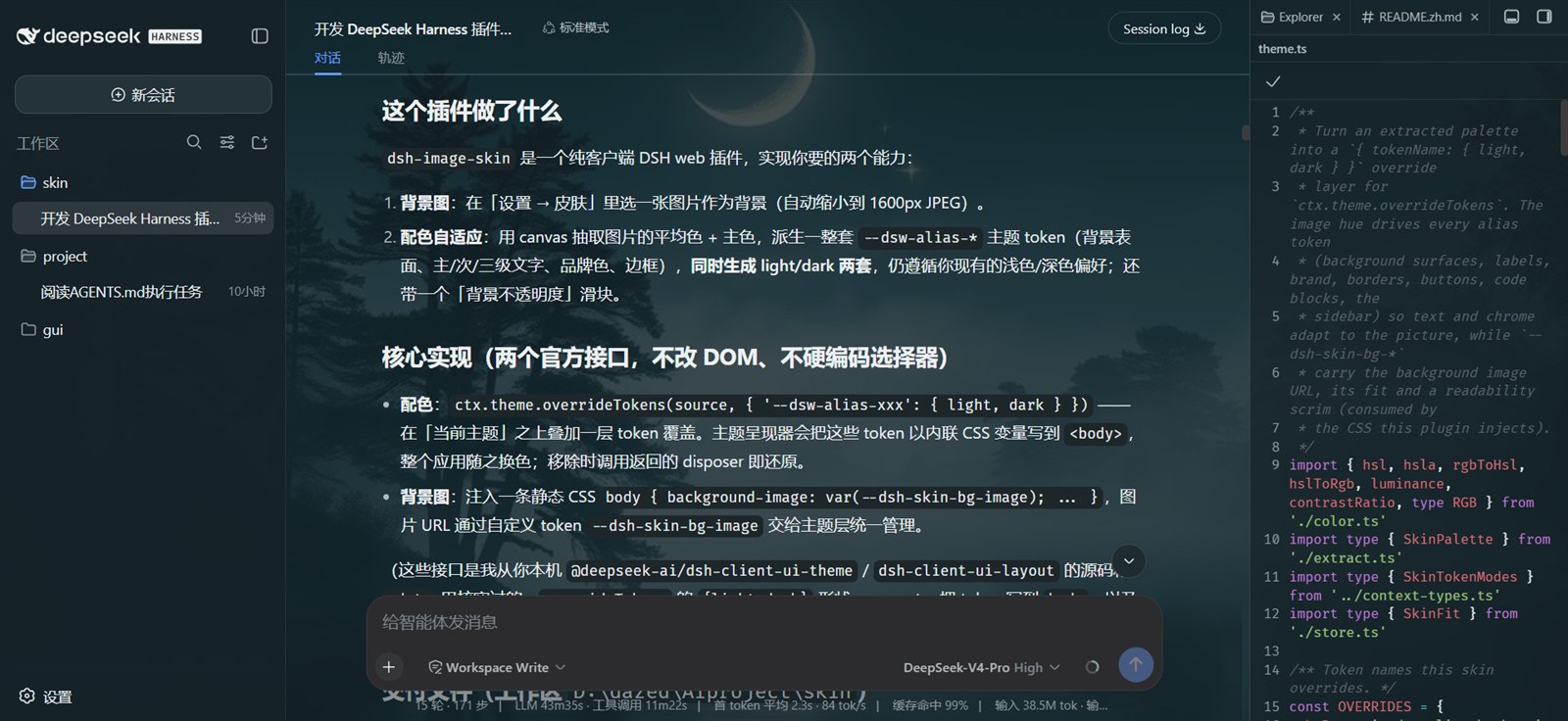 |
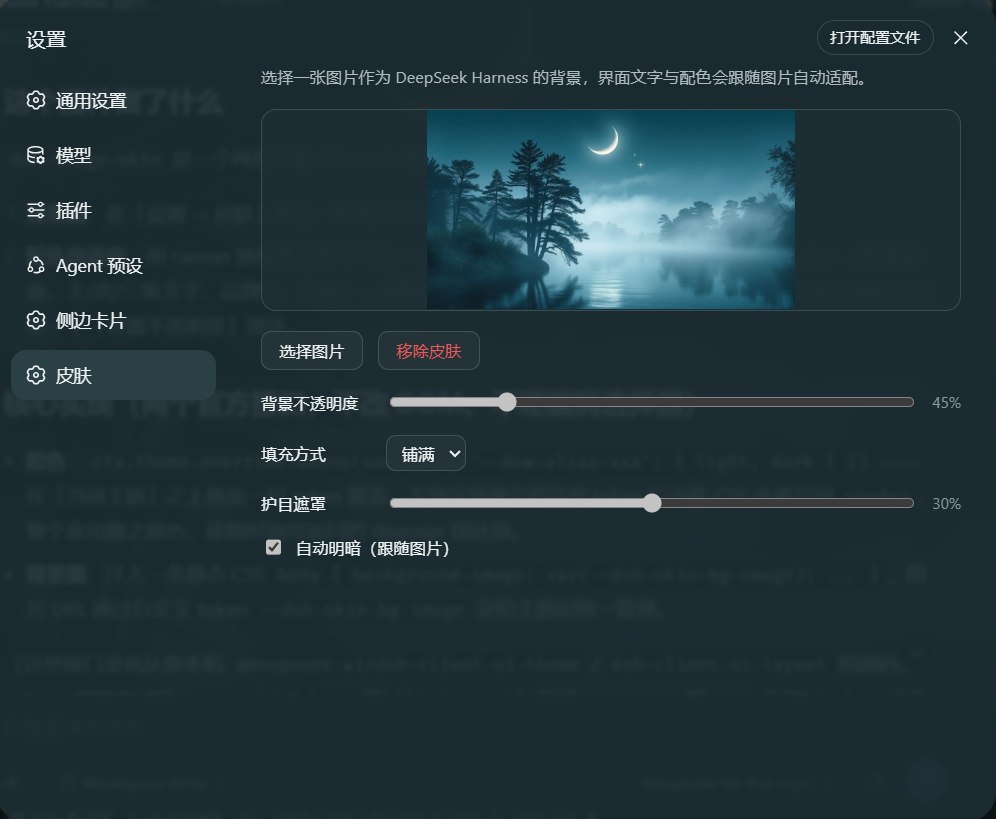 |
--dsw-alias-* / --dsw-specific-* theme tokens
(background surfaces, primary/secondary/tertiary labels, brand, borders,
buttons, code blocks, the sidebar) in both light and dark modes,
respecting your existing light/dark preference.localStorage and restore on refresh.settings.section) with zh/en
copy that follows the DSH language setting.Everything goes through two official seams — no DOM-structure surgery and no hard-coded product selectors:
ctx.theme.overrideTokens(source, tokens) stacks a token layer over the
active theme ({ '--dsw-alias-xxx': { light, dark } }). The theme presenter
writes those tokens as inline CSS variables on <body>, so the whole app
recolors. Removing the skin calls the returned disposer to restore the theme.body { background-image: … }. The image
URL, fit and scrim ride custom tokens (--dsh-skin-bg-*), so the theme layer
owns them and tears them down with the layer.ctx.theme.register + ctx.theme.setTheme (auto light/dark) — with
"follow image" on, a scheme-carrier theme (colorScheme: light|dark, empty
tokens) is registered and made active; the real colors still come from the
override layer. Only the built-in light/dark/system preferences are
persisted, so the in-process auto id never overwrites your durable preference,
and leaving auto restores the prior one.src/index.ts # host half: no-op mount point
src/context-types.ts # structural ctx mirror + @deepseek-ai/cordis augmentation
src/client/index.tsx # client half: overrideTokens + CSS + settings section
src/client/SkinSettings.tsx # settings UI (upload / preview / opacity / remove)
src/client/theme.ts # palette → token overrides
src/client/extract.ts # image downscale + palette extraction (canvas)
src/client/color.ts # pure color math (RGB/HSL/luminance)
src/client/store.ts # localStorage persistence
cordis.patch.yml # bundle patch (mounts the plugin into a profile)
scripts/build.mjs # esbuild build (host ESM + wrapped client bundle)
scripts/smoke.mjs # smoke test (host exports + client bundle contract)Requires Node.js ≥ 22.13 (pnpm 11's requirement) and pnpm 11.
pnpm install
pnpm build        # emits lib/index.js and lib/client.js (esbuild + tsc declarations)
pnpm typecheck    # tsc --noEmit
pnpm smoke # smoke test: host exports + client bundle contract (no browser)Local development (link, recommended)
cd <this repo>
pnpm install && pnpm build

# one step: install AND auto-mount (no manual file edits)
dsh plugin --profile web add link:<absolute path to this repo>
Then restart DSH and hard-refresh the browser (Ctrl/Cmd+Shift+R). dsh plugin
detects dsh.bundle.patch and appends the package to dsh.profile.bundles
automatically.
This repo is not published to npm (package.json has "private": true) — local
use just needs the link flow above. See AGENTS.md if you ever want to publish.
Never mount through both channels at once (that loads two copies). Remove any leftover hand-written
insertline fromcordis.patch.ymlbefore switching to the bundle channel.
Bundle channel (dsh plugin add)
dsh plugin --profile web remove dsh-image-skinThis removes the dependency, uninstalls the package, and drops it from
dsh.profile.bundles. Restart DSH + hard-refresh.
Manual link install: delete the dsh-image-skin dependency from
~/.dsh/profiles/web/package.json, delete the image-skin insert block from
cordis.patch.yml, then pnpm install and restart.
Skin data: the image lives under the dsh-image-skin.v1 localStorage key —
tap "Remove skin" before uninstalling, or delete the key in DevTools →
Application → Local Storage.
data:image/jpeg (a few hundred KB), well under the
localStorage quota.sat ≤ 45), and layered surfaces (menus/popovers) stay
≥ 80% opaque to preserve readability.Third-party community plugin — not affiliated with DeepSeek or DeepSeek Harness. Names and logos belong to their respective owners.
CLASSIFICATION EVIDENCE
系统优先读取 GitHub Topics,再与站内分类词典和词根规则比对。
asdf17128
Find what your DeepSeek Harness (dsh) patches silently broke — dead patches, config fields dropped by whole-config repla…
asdf17128
Manage DeepSeek Harness profiles — list, create, clone, diff, and share a whole dsh setup as one portable file.
aust24lzy
DeepSeek Harness (DSH) 开源插件导航站 —— 实时同步 dsh-plugin 生态,按 Stars 动态排行