
文件与数据
插件
dsh-plugin-verified-search
f0909172434
Verified current-source search workflow for DeepSeek Harness
deepseekdeepseek-harnessdshdsh-plugin
Jiyr0119/dsh-workspace-explorer
DeepSeek Harness 工作区文件资源管理器:右侧目录树面板,点击/拖拽文件引用进输入框,UI 对齐 DSH 原生风格 | Workspace file explorer plugin for DeepSeek Harness: right-side file tree panel, click or drag file references into the composer, native DSH look
PROJECT TOPICS
PROJECT README




A workspace file explorer for the DeepSeek Harness Web UI: a right-side panel showing the current workspace's directory tree — click or drag a file to send its reference to the model.
Inspired by the VS Code / Cursor project tree, filling the gap of a missing directory view in DSH after workspaces are added.
An interactive mock of the panel UI — no DeepSeek Harness needed to try it. The real plugin runs inside the Harness web UI as a dynamic Cordis plugin.
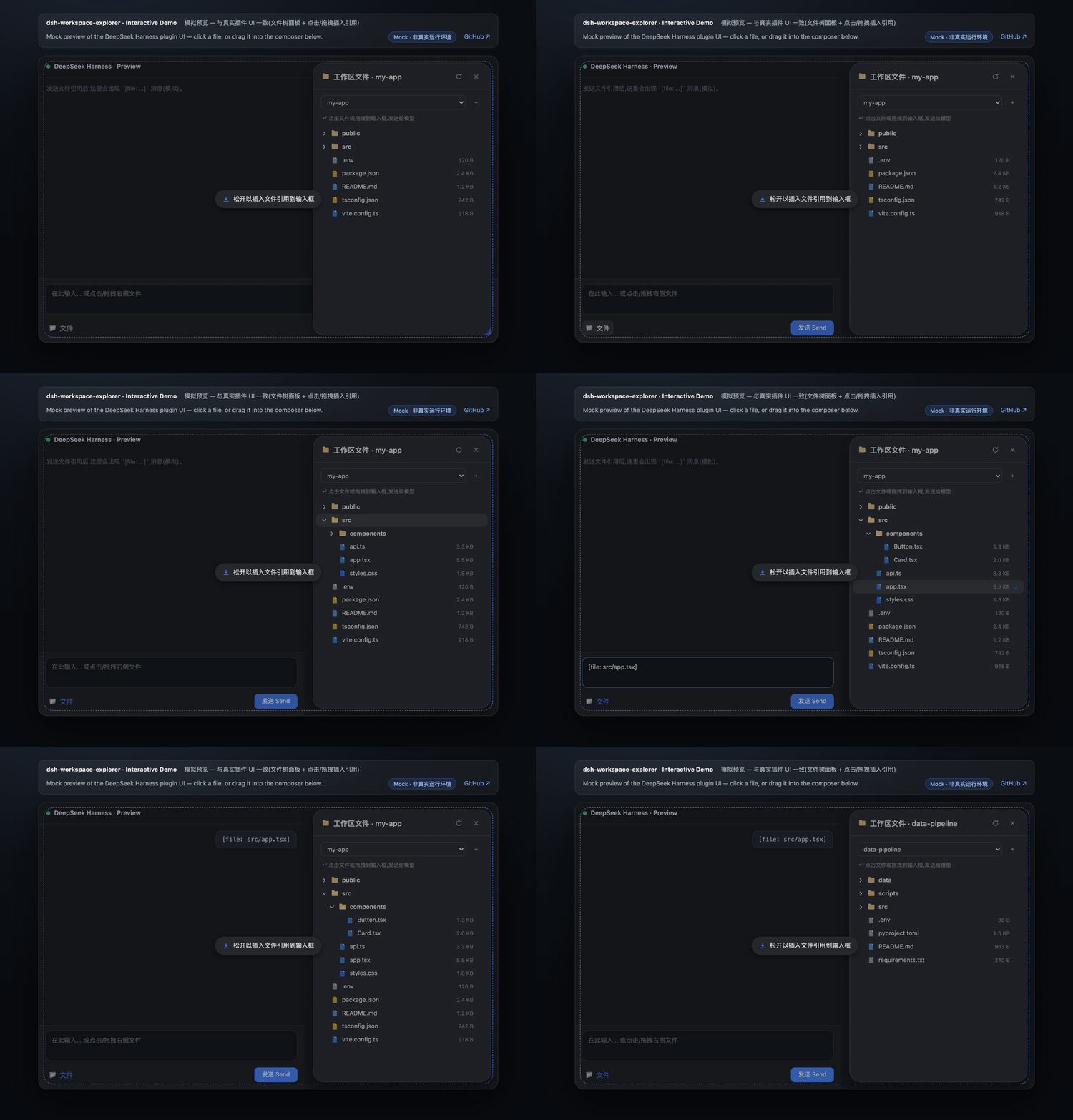
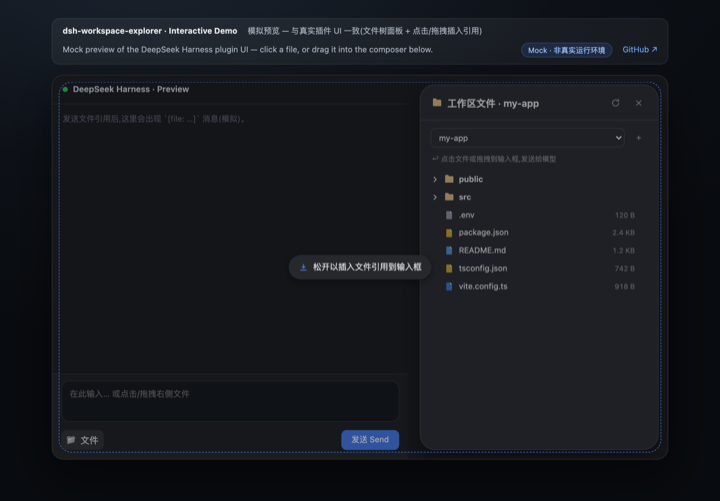
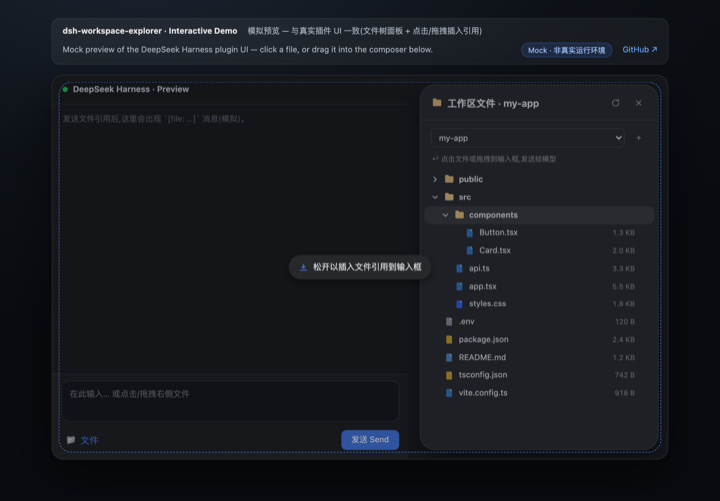
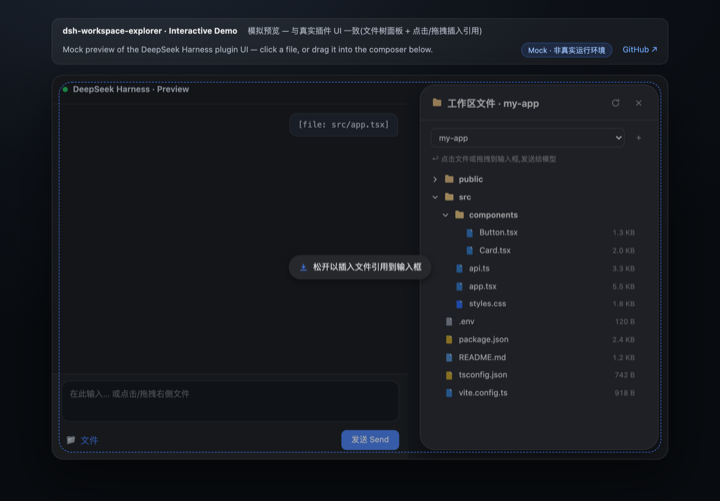
+node_modules, .git, dist, __pycache__, …) are hidden automatically[file: relative-path] reference to the composer; after sending, the model resolves it with its read tool--dsw-alias-* design tokens; adapts to light/dark with a native dialog look (24px radius, lv3 shadow, l3 header rule)Way 1 · Dynamic plugin paste — full UI (recommended) A dynamic Cordis plugin: no build step, no config changes.
cordis_define (or use the dynamic plugin panel) with idPrefix wsex.src/host.js into Host code.src/client.js into Client code.cordis_run to activate; authorize on the Run card when it first appears.Way 2 · npm source package
npm install @jiyr0119/dsh-workspace-explorer — the package ships src/host.js / src/client.js for the Way-1 paste flow, with semver releases.
Way 3 · Storefront (dsh plugin add / dsh-market) — listed, but no UI yet
The repo declares a dsh.bundle manifest so the awesome-dsh-plugin list and dsh-market can list it and offer a one-click install. Such an install mounts the host entry cleanly, but the browser panel does NOT appear yet — the browser half needs the native @Remote bridge (conversion in progress; see docs/native-package.md).
⚠️ Common misconception: a plugin-market listing does not mean the plugin automatically shows up in every user's browser. A listing only lets users browse it and run the install command. Until the native conversion lands, only Way 1 provides the full interactive panel.
See docs/install.md for details.
dsh-workspace-explorer/
├── README.md             # Docs — English (default)
├── README.zh.md          # Docs — 中文
├── LICENSE               # MIT
├── CHANGELOG.md          # Release notes
├── manifest.json         # Plugin metadata
├── package.json          # Repo metadata (not an npm package)
├── demo/
│   ├── index.html        # Interactive mock preview (GitHub Pages)
│   └── preview.gif       # Demo animation (README)
├── .github/
│   └── workflows/
│       └── pages.yml     # Deploys demo/ to GitHub Pages
├── docs/
│   ├── install.md        # Install guide
│   ├── native-package.md # Native DSH package roadmap (upstream PR sketch)
│   └── publish.md        # Publishing workflow (GitHub + npm)
└── src/
    ├── host.js           # Host half: fs listing + ws-tree.list RPC
└── client.js # Client half: panel + icons + drag & drop| Capability | Mechanism |
|---|---|
| Directory listing | Host fs.resolve / fs.listDir |
| Host→Client RPC | harness.handle('ws-tree.list' / 'ws-tree.peek') ↔ host.call(...) |
| Panel | shell.overlay slot (useWorkspaces / useSessions) |
| Toggle button | sidebar.footer.action slot |
| Composer write | conversation.input.dock → inputActions.setDraft |
| Drag & drop | HTML5 DnD; native caret insert in the textarea, append elsewhere |
| Theming | --dsw-alias-* CSS variables (light/dark) |
Current version v0.1 — first usable release; features and visuals aligned with DSH's native UI. See CHANGELOG.md for release notes.
Done ✅
dsh.bundle contract + awesome-dsh-plugin PR (#1158, pending merge)Track A — UX polish
Track B — Productivity
Track C — Ecosystem & distribution
@jiyr0119/dsh-workspace-explorer (v0.1.1 publishing)@Remote namespace; needs upstream support) — see docs/native-package.mdTrack D — Quality & maintainability
CLASSIFICATION EVIDENCE
系统优先读取 GitHub Topics,再与站内分类词典和词根规则比对。
f0909172434
Verified current-source search workflow for DeepSeek Harness
fryghost
Community plugin for DeepSeek Harness: give text-only models eyes - paste images natively, described via an OpenAI-compa…
gloryxpnv
Local-first vision for DeepSeek Harness: structured JSON evidence (OCR/layout/semantics) from local VLMs (LM Studio/Olla…