
开发工具
插件
dsh-doctor
asdf17128
Find what your DeepSeek Harness (dsh) patches silently broke — dead patches, config fields dropped by whole-config repla…
agentclicordisdeepseek
PROJECT TOPICS
PROJECT README


English | 中文
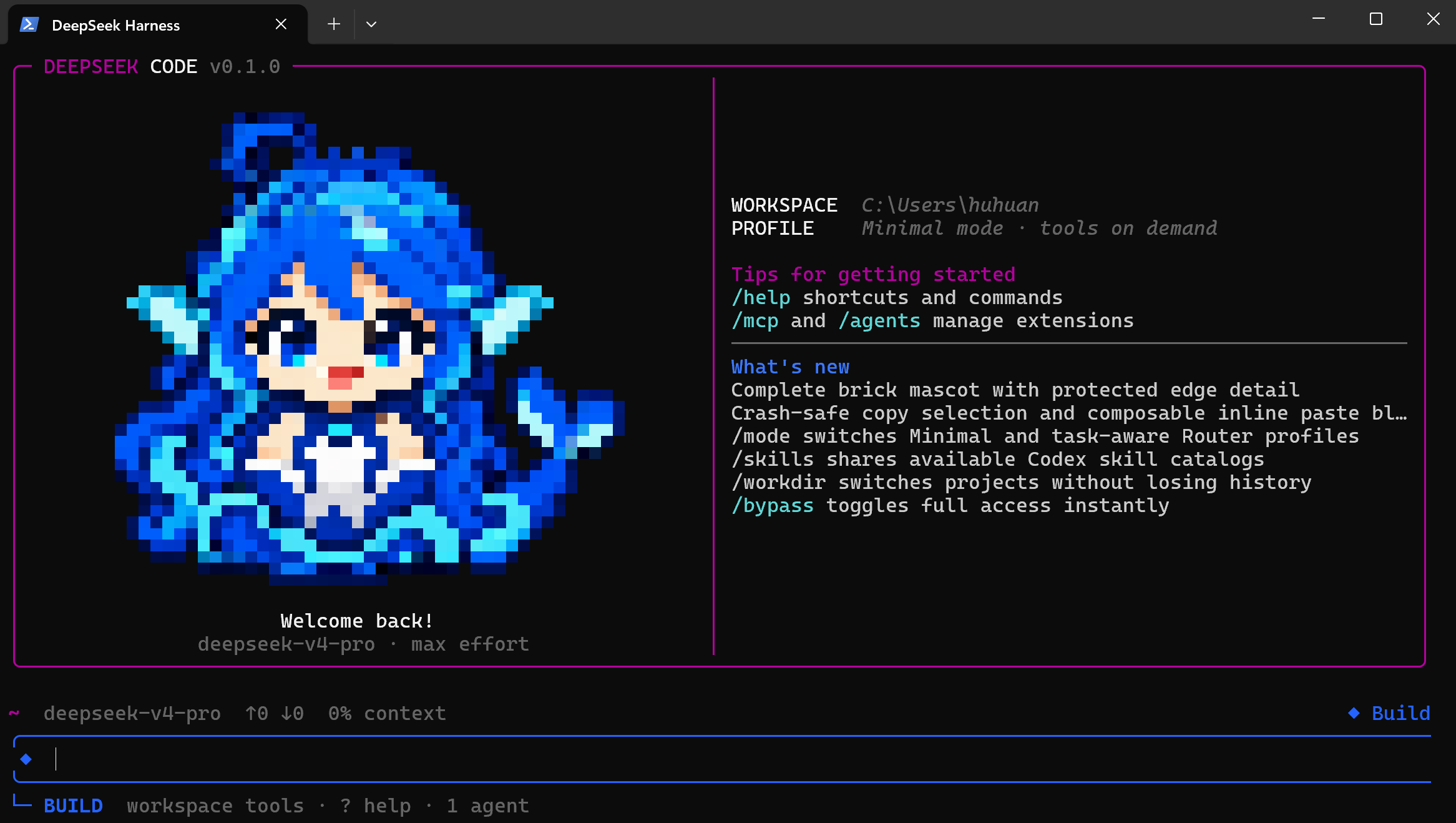
DeepSeek Code TUI v0.2.0 is a terminal-native coding agent built on the official DeepSeek Harness. It keeps Harness's Cordis plugin architecture and adds an opinionated, Claude-Code-style workflow for DeepSeek V4 Pro/Flash on Windows, Linux, servers, and SSH sessions.
Enter deepseek in a project to get a persistent coding workspace with a compact first prompt, tools on demand, permission modes, MCP visibility, continuable agents, checkpoints, and a TUI that does not require a browser.
Independent community distribution; not an official DeepSeek product and not affiliated with Anthropic. Claude Code is referenced only as a UX comparison.
deepseek or dsh opens the current directory./mode minimal keeps the anchored V4 Pro path; /mode router restores the RL interface (one-sentence persona + shell/editor surface); /mode spec enables deep-think-first task-aware routing, primarily for V4 Flash./login securely saves or replaces the DeepSeek API token./bypass and --dangerously-skip-permissions enable full access without preconfiguring an environment variable./skill:<name>.allin): one V4 Pro coordinator plans and synthesizes while parallel V4 Flash lanes execute dependency-ready tasks, allinluna-style.22.19+ or 24+ (Node 24 recommended)11.7+v0.2.0 is currently distributed from source:
git clone https://github.com/BenHuHuan/dhscode-tui.git
cd dhscode-tui
corepack enable
pnpm install
pnpm run build:lib:host
pnpm --filter @deepseek-ai/dsh link --global
Open a new terminal, enter a project, and launch:
cd your-project
deepseek
Without a global link:
pnpm --dir /path/to/dhscode-tui deepseekRepository-local Windows entry:
node .\apps\cli\lib\bin.jsdeepseek in the project directory./login and paste a DeepSeek API key. The local credential provider persists it for later sessions./model to confirm or switch the model./permission and /plan.One-off unrestricted launch:
deepseek --dangerously-skip-permissionsUse bypass only in a trusted workspace: it permits shell commands and file changes without approval prompts.
The standard agent begins with a small stable prompt and minimal catalog (shell + read). After the first durable tool call or assistant reply, the complete coding catalog becomes available. This keeps the initial request near the official DeepSeek Harness minimal-mode shape while preserving a full coding agent for the rest of the session.
The default effort is max. DeepSeek profiles support sampling values such as temperature=1.0 and top_p=0.95. Prompt anchoring improves consistency, but cannot guarantee a particular hidden chain-of-thought prefix.
/mode router): ports the v0.2.0 RL-interface restoration from dsh-routing-suite: the first request carries only the RL training sentence plus the shell/str_replace_editor surface, then the complete catalog opens after the first tool call./mode spec): ports the v0.2.0 deep-think-first preset: the classified persona and the spec/react/weak first-turn core tool surface stay visible together with the full prompt sections; the long first-turn reasoning chain is the intended behavior. Both Router profiles are primarily intended for V4 Flash; Pro users should keep Minimal unless they specifically want to evaluate routing behavior.Switch profiles with /mode minimal, /mode router, or /mode spec. This profile selector is independent from Build/Flow/Inspect/Plan permission modes.
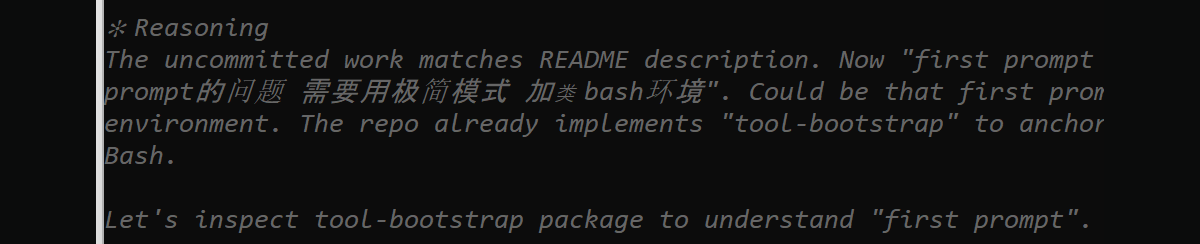
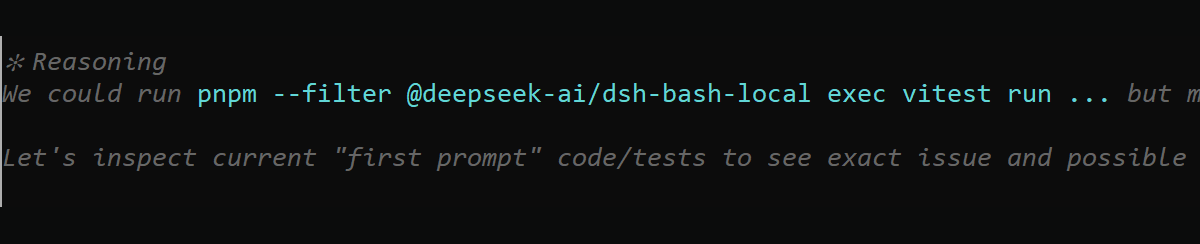
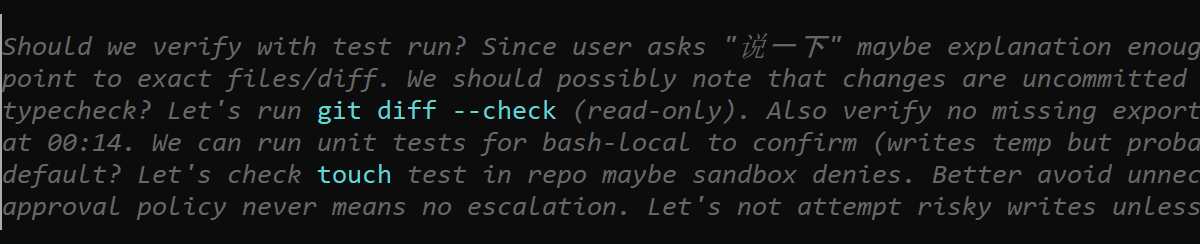
The v0.2.0 Windows backend gives agent tool calls real Git Bash/MSYS command semantics instead of presenting PowerShell as Bash. Minimal is the default V4 Pro profile; Router Standard and Router Spec keep the same Bash backend but are tuned mainly for V4 Flash. In local V4 Pro max-effort Minimal runs, planning language became more collaborative (We could, Should we, and We should) while retaining natural Let's transitions. These screenshots are observed samples, not a guarantee that every model response will use a fixed prefix.
| Command | Purpose |
|---|---|
/login |
Persist or replace the DeepSeek API token |
/model, /effort |
Select the model and reasoning effort |
/permission, /bypass, /plan |
Control safety and work mode |
/workdir [path] |
Open another project in a fresh session |
/diff |
Review uncommitted workspace changes |
/checkpoint [label] |
Save a reversible workspace/conversation point |
/rewind |
Restore a checkpoint and optionally branch the conversation |
/resume, /continue |
Resume a persisted session |
/new, /clear |
Start fresh while preserving the previous session |
/compact, /context |
Manage and inspect context pressure |
/agents |
List and manage durable continuable subagents |
/mcp |
Show MCP connection state and public tools |
/skills, /skill:<name> |
Discover and load skills |
/tasks |
Inspect background and delegated tasks |
/copy, /export |
Copy a response or export the conversation |
/config, /status, /help |
Settings, diagnostics, and documentation |
Type / for scrollable command completion. Skill commands load asynchronously from active catalogs.
[Paste #N ...] blocks; normal text can be composed before, between, and after multiple blocks.! command streams a shell command and offers its result to the model.Windows Terminal is the primary v0.2.0 desktop target. Minimal and Router requests use fresh Git Bash processes instead of the unsupported Windows persistent-PTY path. DeepSeek Code detects DSH_BASH_PATH, GIT_BASH, standard Git for Windows installations, and then PATH. Because the MSYS runtime cannot create its signal pipes inside the Windows restricted-token sandbox, Bash calls require a one-call full-access approval or /bypass on; safe modes retain PowerShell for confined commands.
For mixed Chinese/English sessions, select Sarasa Mono SC (or another verified CJK monospace font) in the Windows Terminal Git Bash profile. A proportional CJK fallback can make Chinese glyphs appear at inconsistent widths even when the TUI's terminal-column calculations are correct.
$env:DSH_BASH_PATH = 'C:\Program Files\Git\bin\bash.exe'
deepseekRun the same deepseek command in Bash-compatible terminals and SSH sessions. Inline bitmap support depends on the terminal; ANSI pixels and text metadata remain available as fallbacks.
/status or normal logs./checkpoint before broad refactors. Rewind is not a replacement for Git commits or backups.DeepSeek Code remains a DeepSeek Harness distribution, not a monolithic CLI. Cordis plugins provide the model route, tools, sessions, permissions, credentials, MCP, skills, agents, and UI. Optional capabilities degrade independently when their service is not mounted.
pnpm install
pnpm run build:lib:host
pnpm run test
pnpm run test:e2e
Keyless E2E fixtures need no API key; real model calls do. Report bugs through GitHub Issues with the OS, terminal, Node version, launch command, and smallest reproduction.
v0.2.0 — second public release. The terminal coding loop is usable for early adopters; APIs and configuration remain pre-1.0.
MIT. See THIRD_PARTY_NOTICES.md.
CLASSIFICATION EVIDENCE
系统优先读取 GitHub Topics,再与站内分类词典和词根规则比对。
asdf17128
Find what your DeepSeek Harness (dsh) patches silently broke — dead patches, config fields dropped by whole-config repla…
asdf17128
Manage DeepSeek Harness profiles — list, create, clone, diff, and share a whole dsh setup as one portable file.
aust24lzy
DeepSeek Harness (DSH) 开源插件导航站 —— 实时同步 dsh-plugin 生态,按 Stars 动态排行