
文件与数据
插件
dsh-plugin-verified-search
f0909172434
Verified current-source search workflow for DeepSeek Harness
deepseekdeepseek-harnessdshdsh-plugin
Anionex/dsh-vision-toolkit
让纯文本模型更好地做视觉任务的DeepSeek Harness插件:带意图的图片问答、长截图 OCR、UI 还原等|DeepSeek Harness-native integration for agent-vision-toolkit: image Q&A, long-screenshot OCR, UI restoration, grounding, pixel diff, Artifacts, and Web UI.
PROJECT TOPICS
PROJECT README





Give any text-only coding agent eyes: image Q&A, long-screenshot OCR, UI restoration, and GUI visual tasks in one toolkit and Skill.
🎯 Visual capability does not have to live inside the model. It can live in the harness.
🌐 English | 中文
If you use DeepSeek or another text-only model in DeepSeek Harness (DSH), you may have run into the same problems: the model cannot see a screenshot, generic descriptions miss the point, buttons have no usable coordinates, and a rebuilt page can look “close enough” without a way to measure the remaining difference.
agent-vision-toolkit gives an agent more than image captions: it can read, locate, crop, trace, rebuild, and verify visual work. DSH Vision Toolkit is its native DeepSeek Harness integration, bringing that workflow into Web and Headless Profiles.
This project has two layers:
Install and use it immediately. The default setup includes a free Gemma 4 vision service and requires no API key. Cropping, pixel diffing, color analysis, foreground extraction, SVG tracing, and HTML screenshots run locally without spending vision API requests.
dsh plugin --profile web add @anionex/dsh-vision-toolkitUpstream toolkit: Anionex/agent-vision-toolkit · Project website: agent-vision.anionex.me
(Vision Toolkit) variant and keep a workspace path, fixing blocked pastes and images that could not be reused later.100/day, 400/day, and 20/minute, reducing avoidable rate-limit failures while the shared capacity is lightly used./models request to a model that still cannot process images.This plugin is for anyone using a text-only agent in DSH to work with screenshots, webpages, interfaces, icons, long images, or visual differences. It is especially useful when:
| The problem | What Vision Toolkit delivers |
|---|---|
| A text-only model cannot see a screenshot | Paste an image in DSH Web; the plugin obtains visual evidence and returns the task-relevant parts to the text model |
| The description is long but misses the point | Ask “Where is the error?” or “What color is the submit button?” and receive an answer focused on that question |
| The model knows an element exists but cannot act on it | Get original-image pixel coordinates and an optional labeled or numbered preview |
| Long-screenshot OCR skips or duplicates lines | Split and audit the image while preserving Markdown, chunks, manifests, and resumable run state |
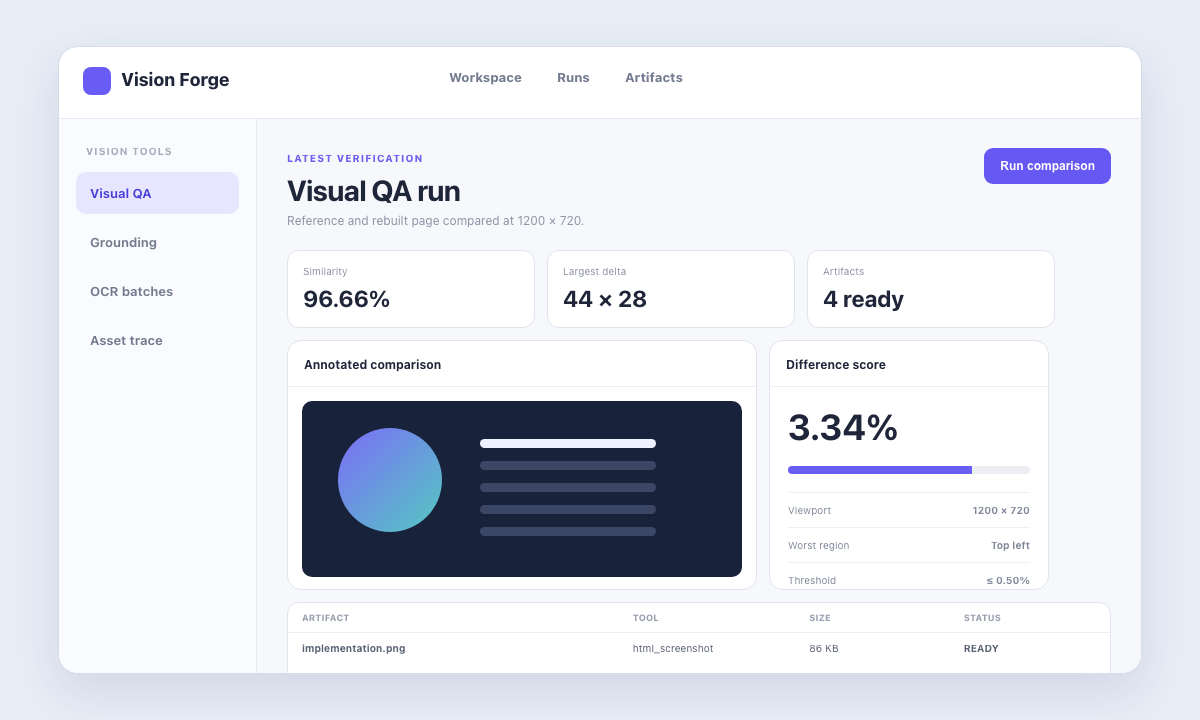
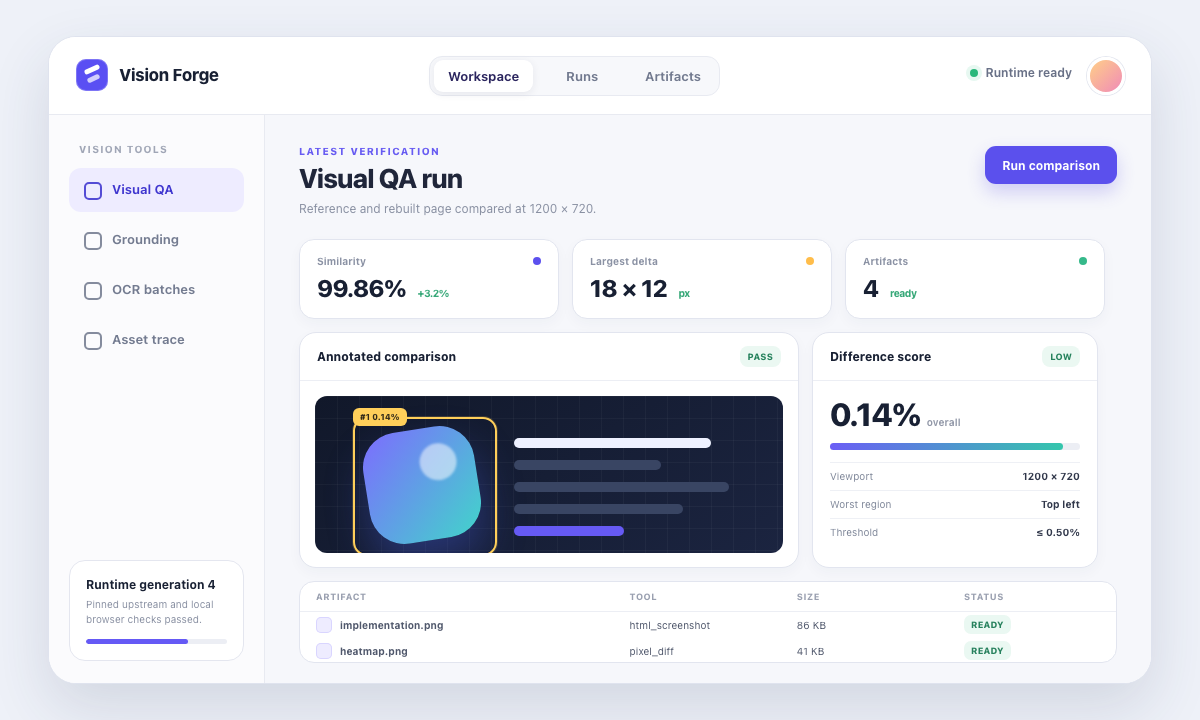
| UI restoration is judged by feel | Compare the reference and implementation screenshots to get a difference percentage, ranked regions, a heatmap, and JSON |
| Screenshot assets cannot be reused | Produce a crop, transparent PNG, color palette, or editable SVG instead of stopping at prose |
Paste an image into the conversation. A text-only model can switch to its Vision Toolkit variant and inspect the image in the context of the user's question.
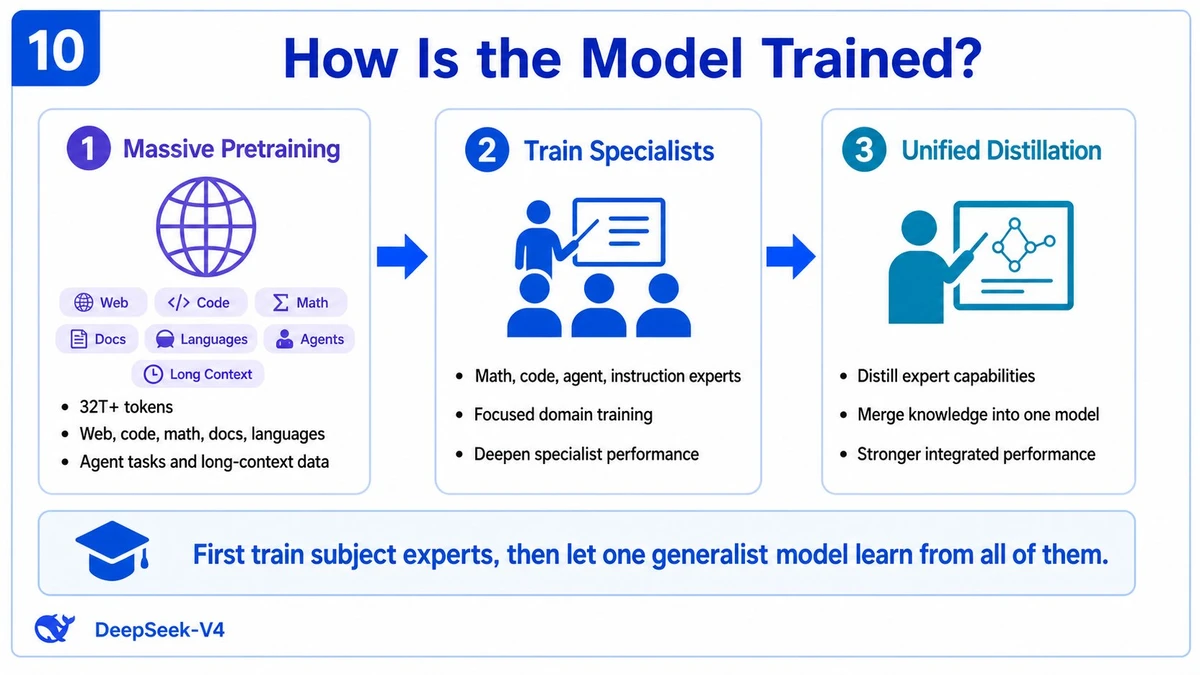
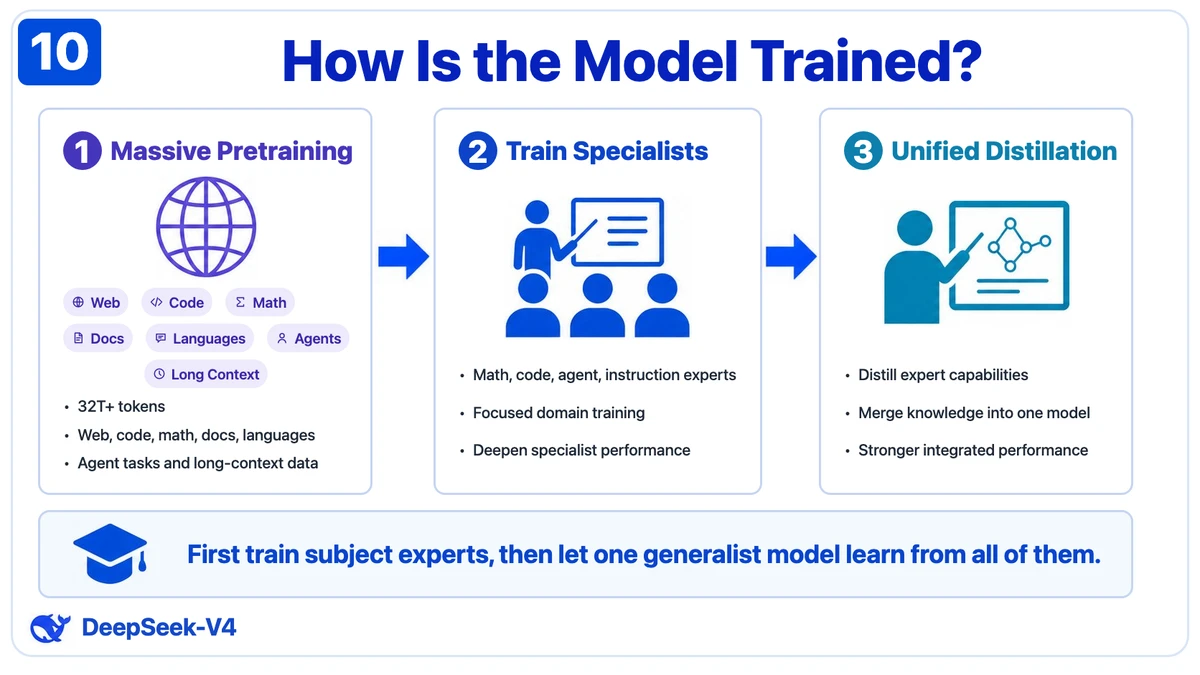
Left: the reference screenshot. Right: an editable HTML/CSS result. The result can continue into screenshot rendering and pixel comparison instead of ending as an image description.
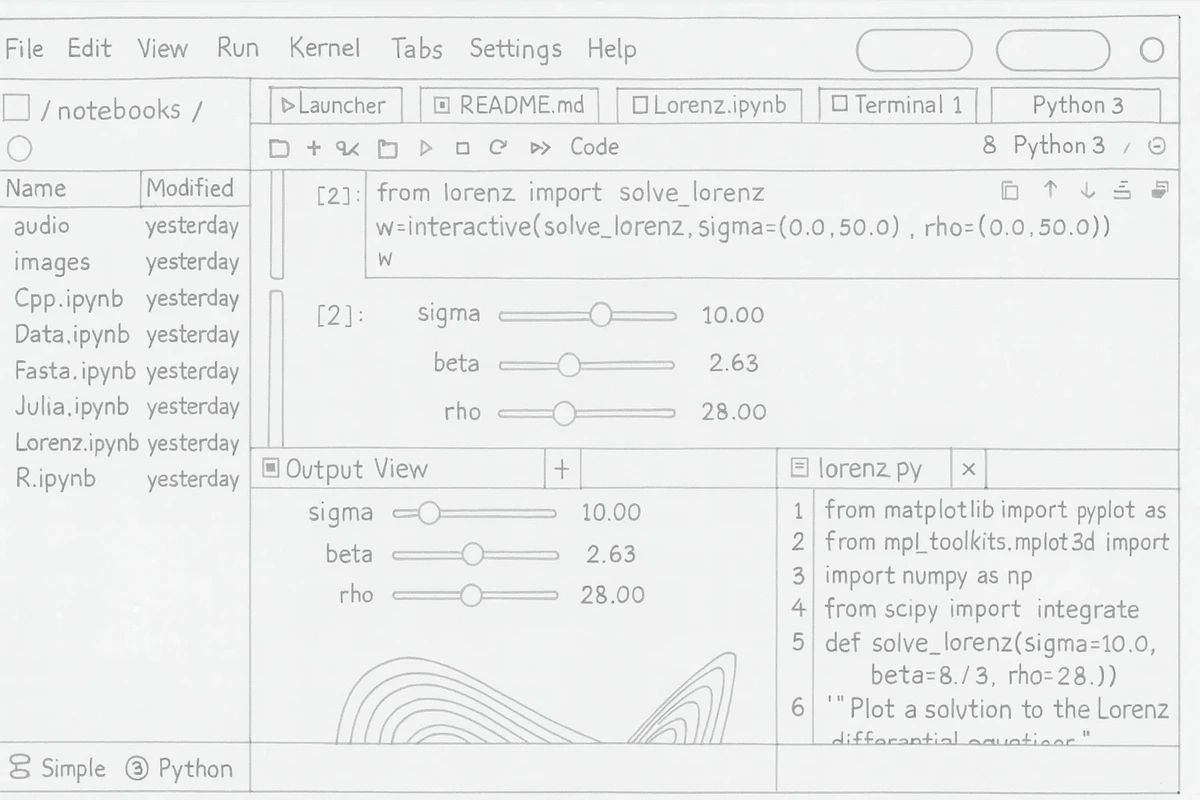
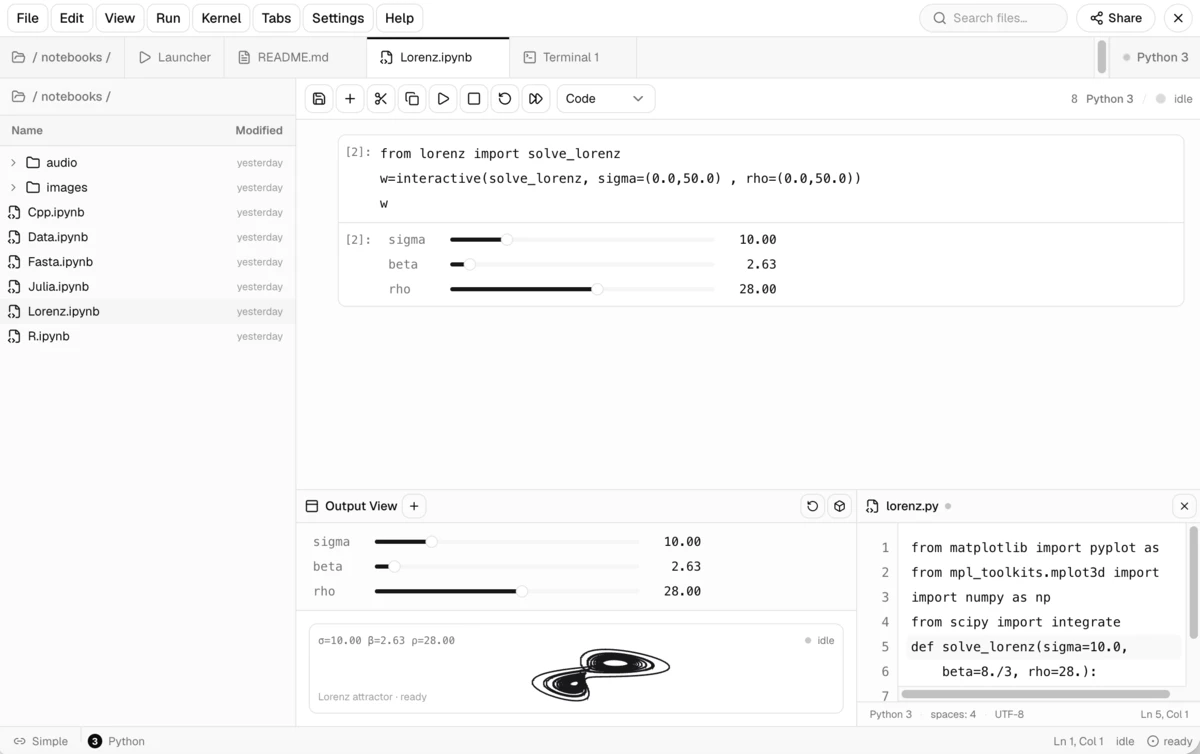
Left: a hand-drawn reference. Right: the working interface reconstructed from it.
The repository includes a reproducible UI-restoration example: the agent renders the reference and implementation, then uses difference regions, a heatmap, and a JSON report to guide the next correction.
dsh plugin --profile web add @anionex/dsh-vision-toolkitYou can install it into a Headless Profile too:
dsh plugin --profile headless add @anionex/dsh-vision-toolkitRestart a running Web Profile, then open Settings → Vision Toolkit. The free provider is already configured; run Test vision model to confirm it is reachable.
The first start prepares an isolated runtime, so it needs access to the Python package cache or the network. A normal installation does not require an agent-vision-toolkit source checkout or a local path setting.
Paste a screenshot into the conversation or place an image in the session workspace, then invoke /vision-tools. For example:
Inspect this screenshot. Explain the error and tell me what to fix first.
Find the login button in the top-right corner, return original pixel coordinates, and make a boxed preview.
Crop this icon and convert it to SVG.
Rebuild the page from reference.png. After each pass, render it and run a pixel diff until the major differences are gone.| Task | Recommended workflow |
|---|---|
| Image Q&A or screenshot debugging | Inspect → answer around the current question → locate details when needed |
| Find a button, icon, or text region | Ground the target → return pixel box → create a labeled preview |
| Extract an icon from a screenshot | Ground → crop → trace to SVG |
| Read a long webpage screenshot | Split → OCR → merge Markdown → audit boundaries |
| Recreate a page or component | Reference → implementation → HTML screenshot → pixel diff → iterate |
| Extract brand visuals | Crop region → analyze dominant colors → extract foreground → export transparent PNG |
The plugin provides 10 tools that can be called independently or composed into a workflow:
| Tool | Best question to ask | Main result |
|---|---|---|
vision_glance |
“What is happening in this image?” | Focused answer, description, OCR, or multi-image comparison |
vision_ground |
“Where is the thing I need?” | Original pixel coordinates and optional boxed preview |
vision_detect |
“Which buttons, icons, or elements are present?” | Numbered element inventory, coordinates, and optional preview |
vision_crop |
“Extract this region as its own image” | PNG or JPEG crop |
vision_trace |
“Turn this shape into an editable vector” | SVG |
vision_pixel_diff |
“Where does the implementation differ from the reference?” | Difference percentage, ranked regions, heatmap, and JSON |
vision_long_screenshot_ocr |
“Read this entire long screenshot” | Markdown, chunks, manifest, and audit output |
vision_extract_foreground |
“Remove the background from this subject” | Transparent PNG |
vision_dominant_colors |
“Which colors dominate this area?” | Palette or ranked candidate colors |
vision_html_screenshot |
“Render this local page at an exact viewport or capture the full page” | PNG and optional CSS pageHeight |
Coordinates always use original-image pixels in x1,y1,x2,y2 form, so grounding output can feed directly into cropping, tracing, or later automation.
For a long HTML document, pass fullPage=true. The requested width and height remain the layout viewport, while the resulting PNG covers the complete document and reports pageHeight in CSS pixels.
The plugin keeps image understanding and deterministic local image processing in one Agent workflow. Expand the flow below for the implementation boundary.
flowchart LR
    Image["Screenshot or local HTML"] --> Skill["vision-tools Skill"]
    Skill --> Agent["Text agent selects a task"]
    Agent --> Vision["Use a vision model when image understanding is needed"]
    Agent --> Local["Run crop, SVG, and pixel work locally"]
    Vision --> Result["Answer, OCR, coordinates"]
    Local --> Artifact["PNG, SVG, heatmap, JSON"]
    Result --> Session["Continue reasoning and acting"]
    Artifact --> Session
The visual capabilities come from a packaged, pinned agent-vision-toolkit snapshot. The DSH plugin handles installation, session-scoped tool exposure, Credentials, path checks, cancellation, timeouts, result files, and Web presentation. The runtime never fetches upstream main in the background.
For routes that DSH positively identifies as text-only, the plugin registers a sibling <model> (Vision Toolkit) variant. By default, pasting an image in DSH Web switches to that variant and gives the model both a reusable workspace path and a visual description focused on the current task.
The default setup uses:
Base URL: https://vision.anionex.me/v1
Model:    gemma-4-26b-a4b-it
API Key:  no user configuration required
This is a shared zero-configuration entry point, not an unlimited private endpoint. Current limits are:
| Limit | Current value |
|---|---|
| Per client | 100 requests per UTC day |
| Whole service | 400 requests per UTC day |
| Burst | 20 requests per 60 seconds |
| Image size | 4 MiB per image |
| Decoded pixels | 20,000,000 per image |
| Output | 512 tokens per request |
The limits protect shared capacity and prevent unusually large images from monopolizing memory or request time. When a limit is reached, the service returns a readable reason and error code. Rate-limit responses also include Retry-After instead of collapsing into an unexplained model failure.
For higher quotas, private endpoints, or another model, change the provider in Settings → Vision Toolkit and store the API key as a DSH Credential. Settings stores the Credential reference and never reads the saved secret back into the browser.
You can also configure a Profile patch:
- id: vision-toolkit
  config:
    provider:
      baseUrl: https://api.example.com/v1
      credential: MY_VISION_KEY
      model: your-vision-model
      protocol: openai
OpenAI Chat Completions-compatible endpoints and Anthropic Messages are supported. The Web Settings panel exposes the full provider, runtime, timeout, image-limit, and image-input-variant configuration.
^22.19.0 or >=24.0.0.vision_html_screenshot requires Chrome, Chromium, or Edge.dsh plugin --profile web update @anionex/dsh-vision-toolkit
dsh plugin --profile web remove @anionex/dsh-vision-toolkitIf you are migrating from the retired @dsh-external/dsh-vision-toolkit, remove the old package first and install @anionex/dsh-vision-toolkit.
To disable the bundle temporarily, set this in the Profile patch:
- id: vision-toolkit
  disabled: true
Restart the Web Profile and refresh the page after enabling or upgrading the Web plugin.
In Settings → Vision Toolkit, Check for updates queries the Profile's npm registry. For a direct registry installation, Update and restart installs only the exact version you confirmed, verifies it, and restarts an explicitly opted-in POSIX Web process on a fixed --port. Local/workspace/file/git/URL installs, Windows, dynamic ports, read-only Profiles, and manager-owned processes remain check-only.
The updater revalidates the Profile before mutation, snapshots the original manifest and lockfile, and holds a token-owned cross-process lock. The current Web process exits only after the restart helper confirms that the backup is readable and the lock handoff succeeded. When the Profile was already operational, the replacement must report both the target plugin version and a ready runtime; failed replacements restore the original manifest/lockfile and rebuild dependencies with a frozen lockfile before retrying the previous exact version. If automatic recovery itself fails, the backup and lock are preserved and their paths are written to $DSH_HOME/logs/vision-toolkit-restart.log. Detached restart requires DSH_VISION_TOOLKIT_ALLOW_DETACHED_RESTART=1; unsaved Settings or API-key input blocks installation.
| Problem | What to do |
|---|---|
| Pasting an image still says the model does not support image input | Restart the Web Profile, refresh the page, and confirm the selected route has the (Vision Toolkit) suffix. You can also place the image in the session workspace and invoke /vision-tools |
| The free service returns 429 | Wait for the Retry-After interval, or switch to your own endpoint when you need stable higher volume |
| The image exceeds a size or pixel limit | Crop or resize it first; the error identifies whether bytes or decoded pixels caused the rejection |
| A custom Credential is missing | Enter the API key in Settings → Vision Toolkit and confirm the Credential name matches the provider configuration |
| First-time runtime setup fails | Check Python 3.11+, network or package-cache access, and disk permissions, then retry the model test in Settings |
| Chrome is not found | Install Chrome, Chromium, or Edge. Only HTML screenshot rendering is unavailable; the other tools still work |
| An artifact cannot be previewed | Use Open file or the workspace path in the result. Preview URLs exist only while the Web route is available |
The current release focuses on screenshot understanding, visual grounding, OCR, asset extraction, UI restoration, and pixel-level verification. It is not a video, audio, or camera-input system and does not automatically click GUI controls. Interactive box editing, remote service clusters, model voting, and cross-session visual caches are also outside the current scope.
pnpm install --frozen-lockfile --trust-lockfile
pnpm run verify:portable
pnpm run build
pnpm test
TSX_TSCONFIG_PATH=tsconfig.json pnpm dlx tsx scripts/ui-restoration-example.ts --check

agent-vision-toolkit was created by Anionex. This repository maintains its native DeepSeek Harness integration.
The plugin is available under the MIT License. The packaged upstream snapshot retains its original MIT license in vendor/agent-vision-toolkit/LICENSE.
CLASSIFICATION EVIDENCE
系统优先读取 GitHub Topics,再与站内分类词典和词根规则比对。
f0909172434
Verified current-source search workflow for DeepSeek Harness
fryghost
Community plugin for DeepSeek Harness: give text-only models eyes - paste images natively, described via an OpenAI-compa…
gloryxpnv
Local-first vision for DeepSeek Harness: structured JSON evidence (OCR/layout/semantics) from local VLMs (LM Studio/Olla…